What needs follow-up before the launch?
Lijix AI
Review the campaign brief with Sara and confirm the launch assets with Ahmed. Both tasks are due Friday in this example.
Example launch week · 12–16 October 2026
An AI Business Assistant that understands your working context.
Ask a business question, check the relevant records and prepare a clearer review. Lijix AI helps you work with information already available in your workspace; assistance follows your permissions, supported integrations and enabled capabilities.
Ask, understand and check the source.
Choose a question to explore its answer and supporting records.
Review the campaign brief with Sara and confirm the launch assets with Ahmed. Both tasks are due Friday in this example.
Example launch week · 12–16 October 2026
The example minutes record two follow-ups: Sara reviews the brief and Ahmed confirms the launch assets. Check the recorded decisions before discussing progress with the team.
Example launch week · 12–16 October 2026
The example warranty covers equipment defects for 12 months after acceptance. It excludes accidental damage. Read clause 8 in the service agreement for the wording.
Example service agreement · Clause 8
2 documents are available in this example: 1 Book and 1 Post.
Sample authored documents
Example launch week · 12–16 October 2026
Example launch week · 12–16 October 2026
The supplier will correct defects in the supplied equipment for 12 months after acceptance. Accidental damage is excluded.
Source in this example: service agreement, clause 8. Check the full document for other conditions.
A practical reference for joining the team and getting ready for your first week.
Confirm your starting time and reporting contact. Keep your joining documents ready and ask your team coordinator about any outstanding requirements.
Meet the colleagues you will work with and review your initial responsibilities with your manager. Record open questions so they can be discussed during your first check-in.
This week’s delivery focus, supplier coordination and actions for the next team review.
The team is preparing the next delivery handover. The current priority is to confirm the checklist and identify any items that need a decision before the review.
Review the upcoming service visits and confirm the site contact for each supplier. Bring any changes to the next operations meeting so the team can agree the follow-up.
Example questions and answers. No live business data.
A conversational way to work with the knowledge and operational information your organization already manages.
Start with the question you would ask a colleague. Name the work or record you mean, read the response, then ask a more specific follow-up when you need to clarify a detail.
Mention the task, project or record you want to understand.
Include a period or a responsibility when it matters.
Check the answer against the work you are reviewing.
Ask a follow-up about a specific detail or gap.
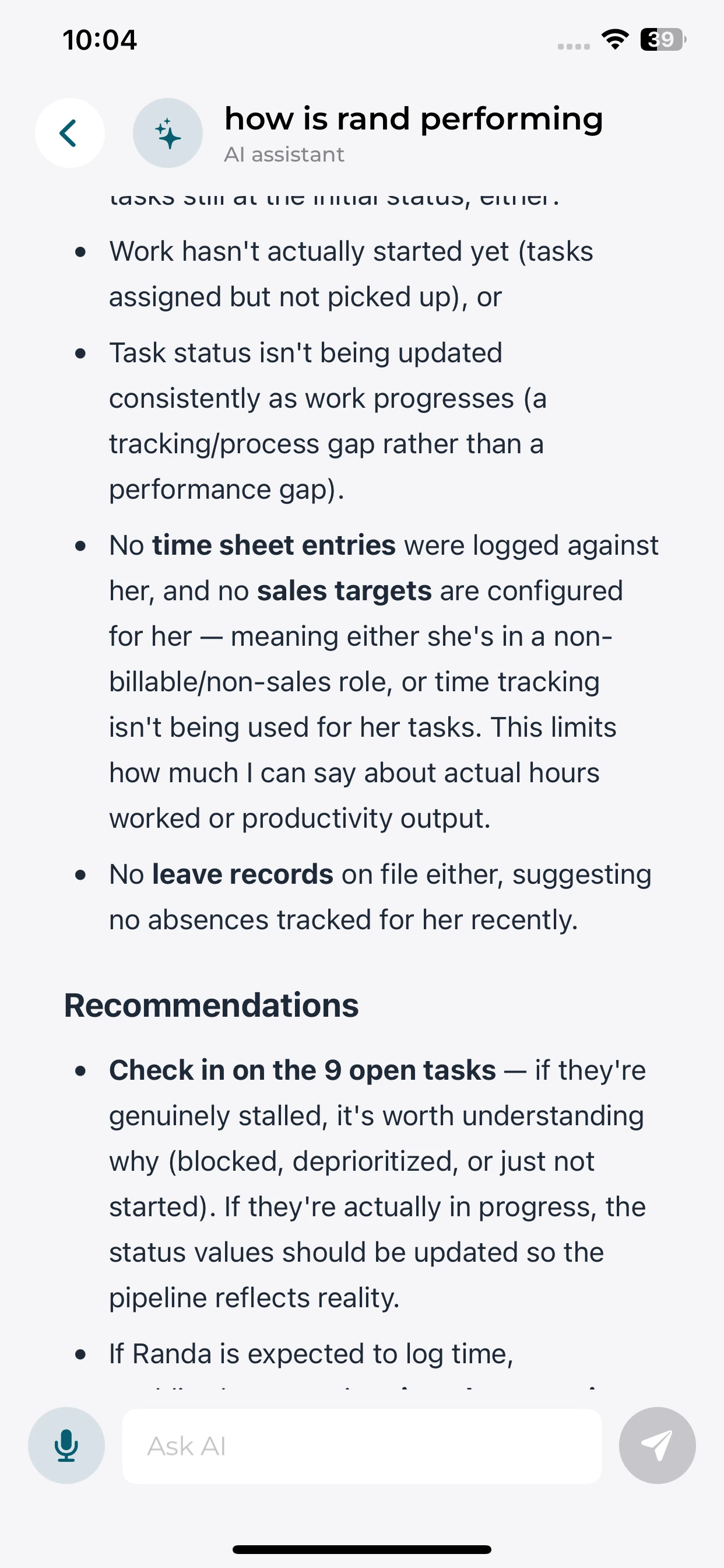
 View screenshot
Review a response, understand the available activity, and identify useful follow-up questions from your phone.
Review an answer grounded in the business information available to you.
Identify pending work and questions to discuss with your team.
Read recommendations alongside the activity and gaps behind them.
A useful answer needs more than a project name. A launch milestone, its approval task and the brief awaiting review explain why a deadline may need attention. AI can use accessible records together to put a question in context.
Use the recorded milestone or deadline as the starting point.
Identify the task and person behind the pending work.
Keep the relevant document or meeting context in view.
Check gaps in the records before relying on a conclusion.
What could delay Friday’s launch?
The approval task is still open. Review the campaign brief with Sara before the launch checkpoint.
One question, three related example records.
Ask about a particular clause in a supported document, then compare the answer with the wording it refers to. Use a focused question to understand a condition without losing sight of the original document.
Ask about one condition, requirement or clause.
Read the relevant point in a more accessible form.
Compare the explanation with the source passage.
Use Document Management for authoring, sharing and document access.
The supplier will correct defects in the supplied equipment for 12 months after acceptance. Accidental damage is excluded.
What does the warranty cover?
Equipment defects are covered for 12 months after acceptance; accidental damage is excluded in this example.
Source in this example: service agreement, clause 8. Check the full document for other conditions.
An illustrative passage and an answer that refers to it.
AI assistance follows the information available to the user. Role-based access helps keep confidential records within their intended audience while allowing employees to work with the context they are authorized to see.
Access follows organizational responsibilities.
Questions are grounded in accessible information.
Manage AI access through web administration.
Available actions and integrations define what assistance can do.
Employees can use the assistant on supported devices. AI access configuration and governance are managed through the web administration environment.
What needs attention before Friday?
The campaign brief is waiting for review. This role can see the project task and its shared document, but not the sales pipeline or company accounts.
The service-renewal proposal needs a client follow-up. This role can see its shared opportunity, but not the launch project or company accounts.
Change the role to compare the accessible context for the same question.
Prepare a management review from available operational information. Read the outstanding responsibilities in a short briefing, then use a labelled breakdown to check how the underlying work is progressing.
Name the period and the work included in the review.
Separate completed work from responsibilities still needing follow-up.
Compare labelled categories with counts from the same example records.
Review owners and source records before deciding the next step.
Illustrative scope: 10 task records across 2 projects. These are not live organization results.
The brief and chart describe the same ten illustrative tasks.
Ask about authorized work, inspect the source context, and use a clear summary to decide the next step.
Describe the update, responsibility or document detail you need.
Check which records and period the response refers to.
Compare the answer with the source and clarify missing information.
Use the reviewed information to discuss the next step with the responsible people.
Practical questions about asking, checking and following up.
Name the work or document, the period you mean and the detail you need. For example, ask which responsibilities are still open before a project milestone, rather than asking for a general update.
The relevant record may be missing, outside your access or unavailable through the supported connections. AI assistance depends on workspace information, permissions, integrations and enabled actions; a summary is not a substitute for checking its source.
Use Document Management for document authoring and sharing, and File Repository for folders and uploaded files. This page explains how to ask about supported content; it does not replace those working environments.
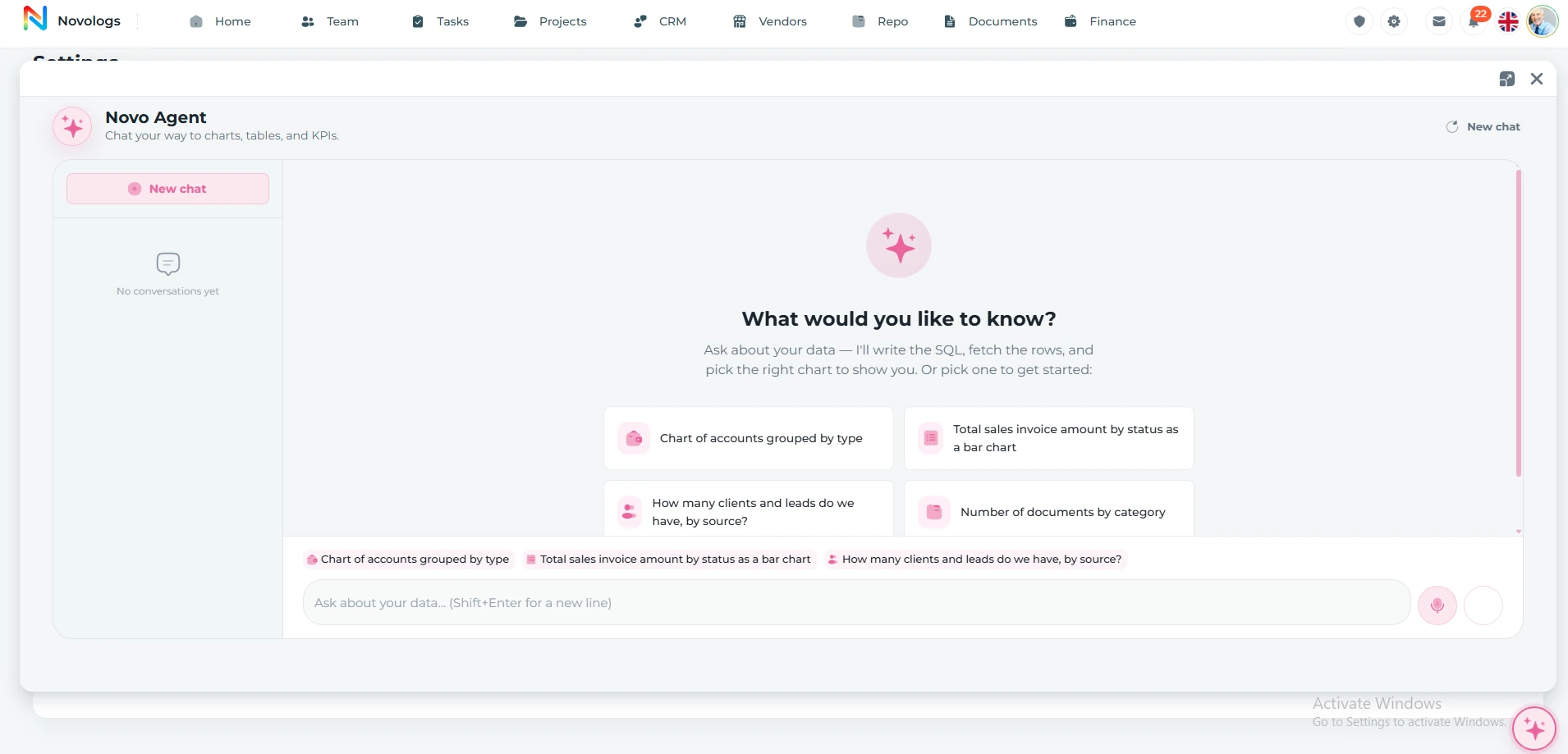
The interactive conversations, role comparison and review chart use illustrative records. The web and mobile screenshots are supplied platform captures. Neither represents live results from your organization.
Follow the people, work, information, and business relationships connected to this module.