Skip to content
LIJIX DRIVE / DOCUMENTS

Your documents.Their business context.

Create, organize, share, and understand business information.

Lijix Drive brings reports, agreements, project documents, and business files into a connected working environment. Organize accessible records, collaborate with authorized colleagues, and use AI assistance to understand supported document content.

Centralized documentsAuthorized collaborationAI document understanding
Lijix / Document ManagementExample

Document library

Authored knowledge, organized for your team.

Showing 2 of 2 documents

Sample library

Sample documents. Select a card to read its content.

Authored documents, ready to read and reference.Illustrative workspace · Lijix
EXPLORE THE CAPABILITIES

From a document to shared knowledge.

Create, organize, share, and understand business information. Explore the capabilities and the business information they bring together.

Document library

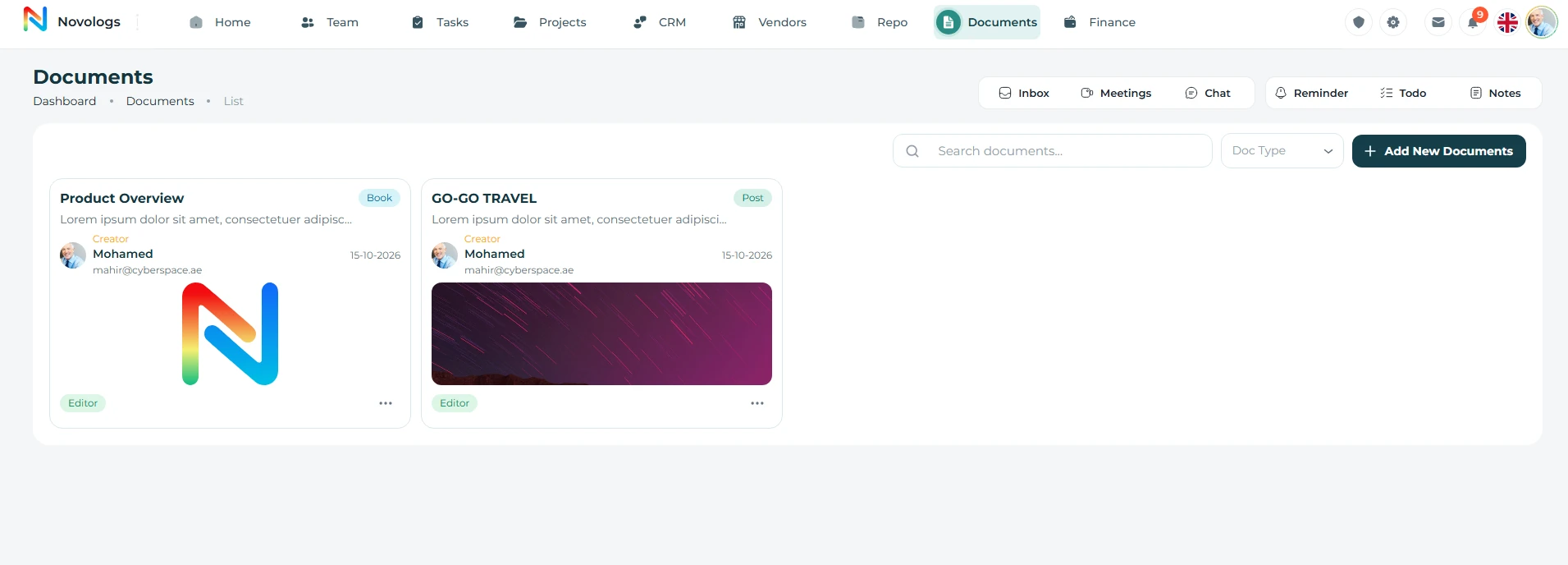
Browse, search, and manage documents from one organized library.

Create, store, organize, and retrieve business documents as part of Lijix Drive. Keep reports, agreements, project records, and supporting information in a centralized workspace.

  • Document Search

    Find documents quickly by title or content

  • Document Type Filter

    Filter documents by type such as Book or Task

  • Cover Preview

    Identify documents visually with cover images

  • Quick Actions

    View, edit, share, and delete documents

WEB & MOBILE

On mobile: Open and read shared documents from mobile; Open linked documents quickly when needed; Add comments and review notes from mobile.

Web platformPreview
Document libraryDocument library with cover cards, search and document actions.View screenshot
Web platform · Document library
Web authoring

Create rich documents from the web dashboard.

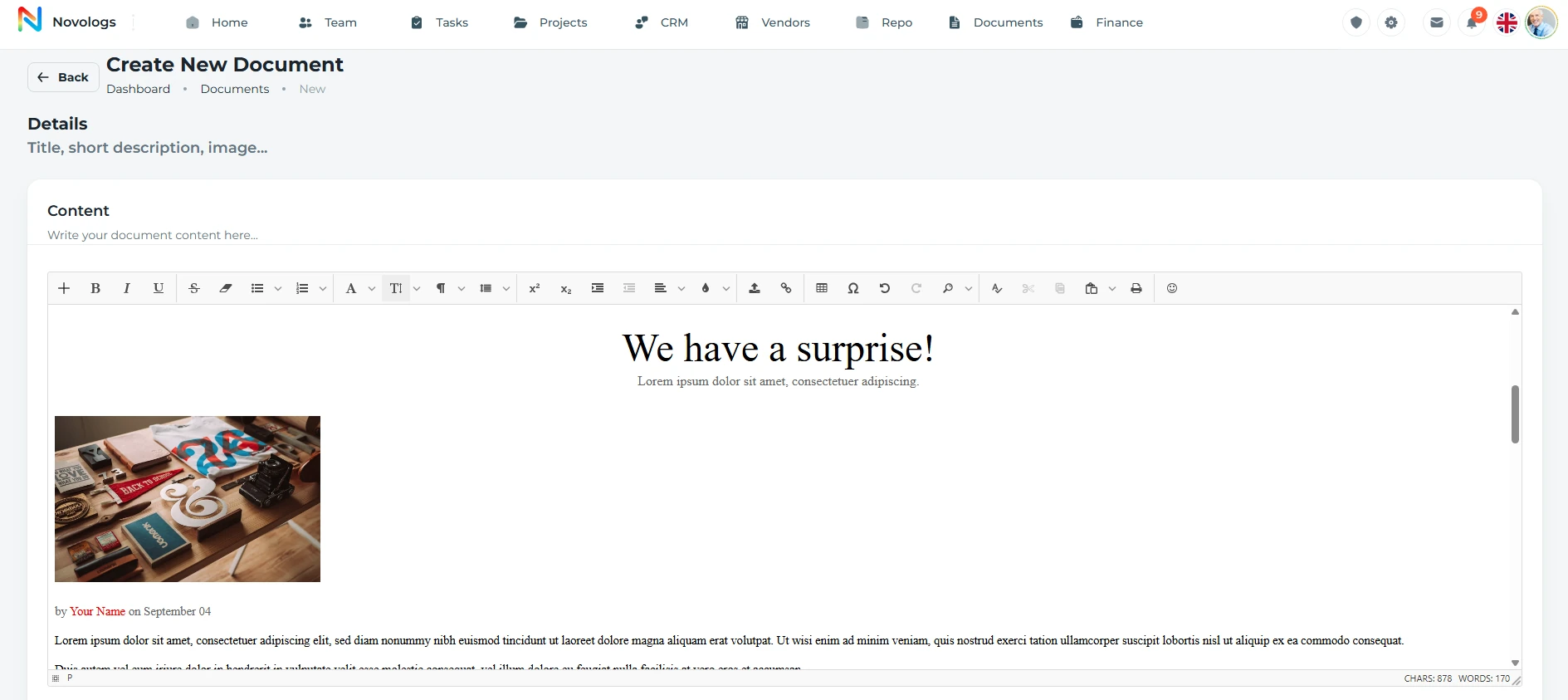
Build structured documents using a rich content editor, title, short description, cover image upload, document type selection, and document properties. Document creation and full editing are controlled from the web dashboard, while published documents can still be accessed from mobile.

  • Rich Content Editor

    Write and format document content from web

  • Cover Image Upload

    Add a visual cover for each document

  • Document Type

    Classify documents using selected types

  • Web-only Creation

    Create and fully edit documents from web only

WEB & MOBILE

Create and fully edit documents on web. Mobile users view accessible documents and add supported comments.

Web platformPreview
Web authoringWeb document authoring form with a rich text editor and sample content.View screenshot
Web platform · Web authoring
Viewers & editors

Control who can view or edit each document.

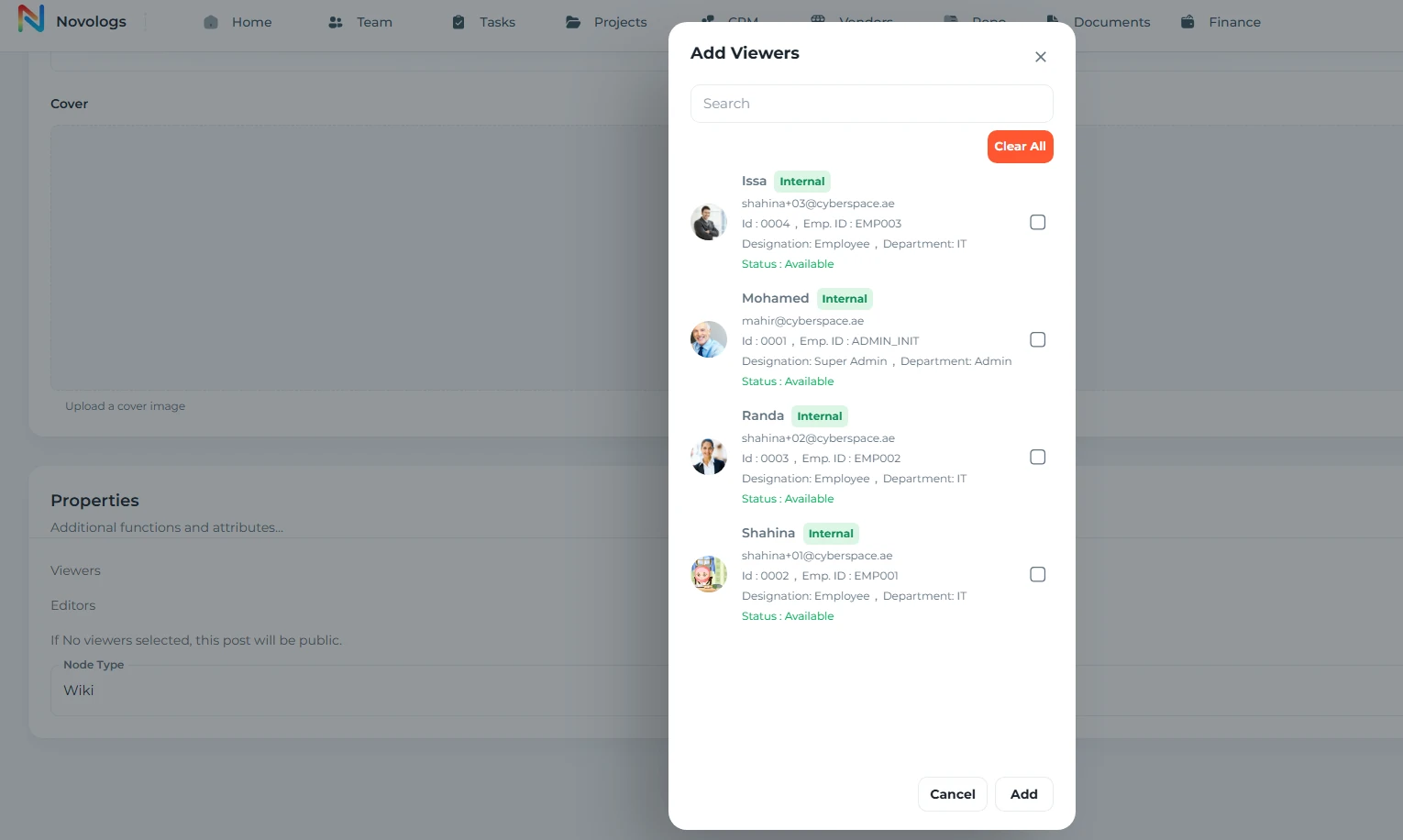
Assign viewers and editors for every document, keep document creation controlled, and make sure the right users have the right level of access.

  • Viewers

    Choose who can open and read documents

  • Editors

    Allow selected users to update document content

  • Permission Control

    Manage document access per user

  • Access Clarity

    See who has access before sharing

WEB & MOBILE

Access follows the selected viewers and editors. Mobile access does not imply the full web editing controls.

Web platformPreview
Viewers & editorsDocument viewer selection dialog with employee access choices.View screenshot
Web platform · Viewers & editors
Sharing

Share documents using public or private links.

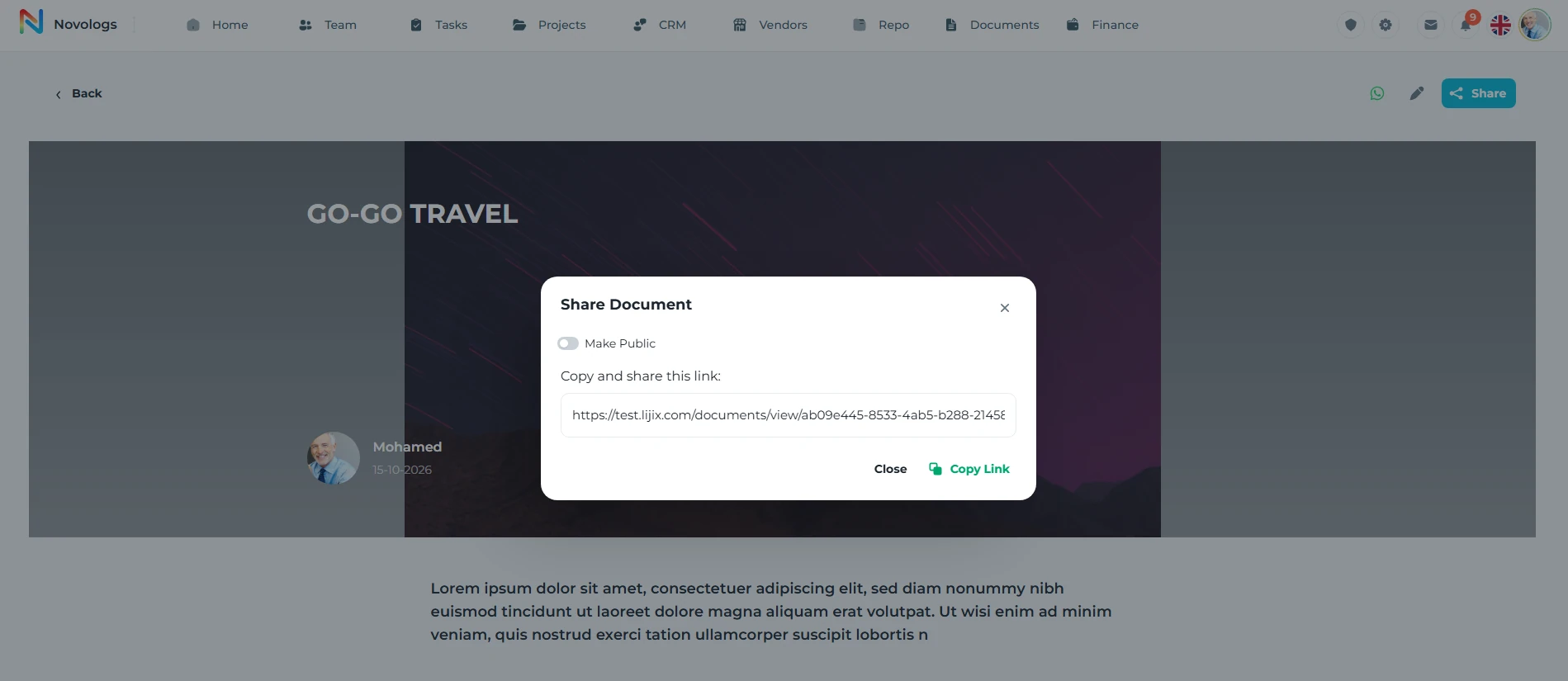
Choose public sharing or private access according to the document and the people who should be able to open it. Keep the selected sharing context clear to colleagues.

  • Public Link

    Enable public access when wider sharing is needed

  • Private Link

    Keep document access private when public sharing is off

  • Copy Share Link

    Copy the document link directly from the share panel

  • Shared View

    Open shared documents in a clean readable view

Web platformPreview
Web platform · Sharing
Connected records

Add and access documents inside every module.

Keep documents connected to the work they belong to. Add, attach, view, and manage related documents inside projects, tasks, CRM, vendors, and other business modules from the web dashboard.

  • Project Documents

    Attach documents inside project records

  • Task Documents

    Keep task-related documents in context

  • CRM Documents

    Connect documents with customers and leads

  • Module Document Panel

    Open related documents without leaving the module

WEB & MOBILE

On mobile: Open documents connected to projects, tasks, and records; Mobile visibility follows the user’s document access; Create and fully edit module documents from web.

Lijix / Connected recordsExample
Connected business knowledgeWorkspace example
ProjectsTasksLijix Drive✦ Lijix AITeam & timeClientsVendors
Project progressTasks + milestones + team responsibilitiesConnected
Supplier agreementContract + supporting files + review taskConnected

Illustrative workspace · A view of connected records in your workspace

Mobile access

Access, scan, and comment on documents from mobile.

Mobile users can open assigned documents, scan linked document access, view shared content, and add comments when permission is available. Full document creation and editing remain controlled from the web dashboard.

  • Scan Access

    Open linked documents quickly from mobile

  • View Documents

    Read assigned and shared documents on mobile

  • Document Comments

    Add comments and review notes with access

  • Web-controlled Creation

    Create and fully edit documents from web only

WEB & MOBILE

On mobile: Open and review assigned documents; Open linked documents quickly; Comment on documents when access allows it.

Lijix / Mobile accessExample
Campaign briefShared document
Project documentAuthorized access
MARKETING / PROJECT RECORD

Campaign launch brief

Objective: prepare the launch materials and complete the approval review.

Document ownerMarketing teamEditor
Project colleaguesShared for reference and reviewViewers

Illustrative workspace · A view of mobile access in your workspace

AI understanding

Read the information behind the file.

Lijix Drive uses AI assistance to help summarize supported documents, identify relevant clauses, and answer questions about accessible business information. Keep the answer connected to the document you are reviewing.

  • Summaries

    Review the important information in a supported document.

  • Relevant clauses

    Locate business conditions, warranty requirements, or payment terms.

  • Accessible knowledge

    Ask questions about the information you are authorized to see.

  • Connected records

    Use the document alongside project, client, or vendor context.

Lijix / AI understandingExample
Understand your documentsSupported, accessible files
Supplier-agreement.pdfVendor contract · Shared with your roleAccessible
What is the payment schedule in this agreement?
✦ LIJIX AI / EXAMPLE

The agreement describes milestone-based payments. Review the terms with the related project and vendor records.

Contract conditionsPayment termsSupporting records

Illustrative workspace · An illustrative contract question

FROM INFORMATION TO ACTION

From a document to useful information.

Bring the right information, people, and next actions together in one connected business environment.

  1. 01

    Create or add

    Bring the document into the business workspace.

  2. 02

    Organize

    Connect it with its purpose, module, and responsible people.

  3. 03

    Share appropriately

    Provide access to the colleagues who need the information.

  4. 04

    Review & understand

    Use accessible content, comments, and supported AI assistance.

A FEW USEFUL DETAILS

Working with
documents.

Practical details about documents and the connected working environment.

Is this part of Lijix Drive?

Yes. Lijix Drive brings intelligent document and file management together, with authorized collaboration, supported AI document understanding, and external cloud connections.

Can users fully edit documents on mobile?

Create and fully edit documents on web. On mobile, view accessible documents and add supported comments.

Can AI answer questions about a contract?

AI assistance can help summarize supported documents and locate relevant information, including contract conditions and payment schedules, subject to access.

Where can I learn about file folders and downloads?

The File Repository page covers file organization, metadata, search, viewing, downloads, and sharing within the broader Drive environment.

Contact
Let’s Connect
Your Business
E-mail address
[email protected]
Phone number
+971 4 235 0900
Office Address
City Avenue BuildingDubai, UAE
Business Hours
Monday to Friday: 9:00 AM to 6:00 PMSunday: Closed

Tell Us About Your Team

Attach files in your email app

Platform preview