
E-mail address
[email protected]
FROM DISCUSSION TO FOLLOW-UP
Bring people together.Keep the next steps clear.
Scheduling, meeting records and follow-up in one connected workspace.
Organize meetings for teams, projects and business relationships. Keep meeting details, minutes, decisions and assigned actions together, with supported conferencing connections available to your workspace.
Meeting coordinationMinutes and decisionsAssigned follow-up
Meeting workspace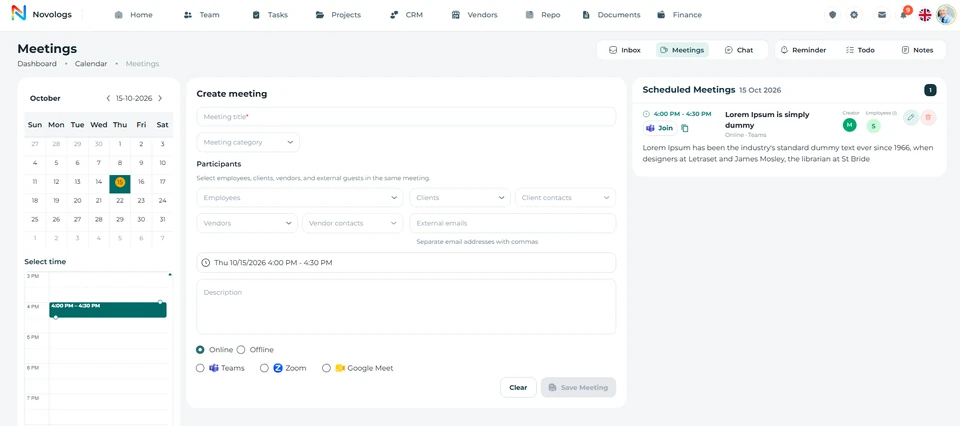 View screenshot
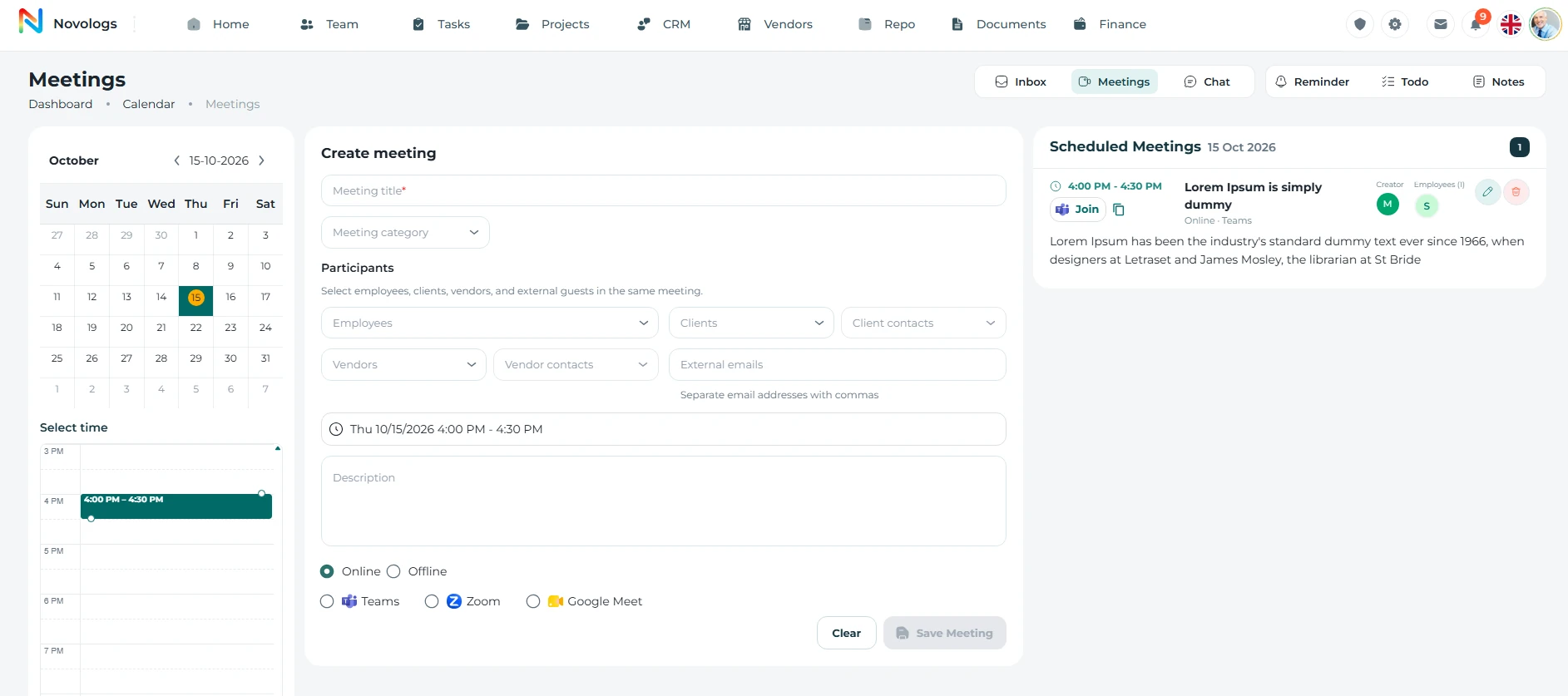 View screenshot
Scheduling, meeting records and follow-up in one connected workspace.Platform preview
EXPLORE THE CAPABILITIES
Every meeting has a working context.
Bring scheduling, participants, meeting records and subsequent responsibilities into one organized environment.
Scheduling
One place to plan the conversation.
Choose a working date, define the meeting purpose and organize its timing without separating the meeting from your business workspace.
- Date and time
Set the scheduled period for the discussion.
- Meeting purpose
Keep the title and description with the meeting record.
- Central calendar
Review meeting dates in one scheduling environment.
- Business context
Coordinate meetings for teams, clients and project work.
Meeting scheduling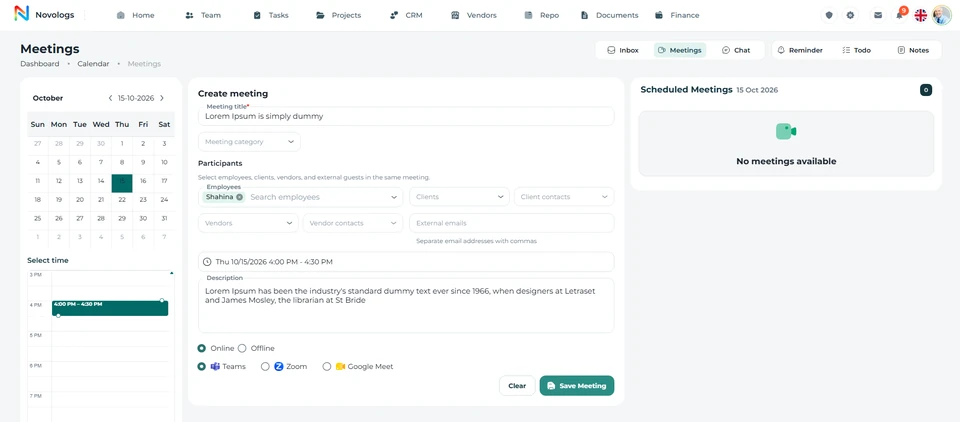 View screenshot
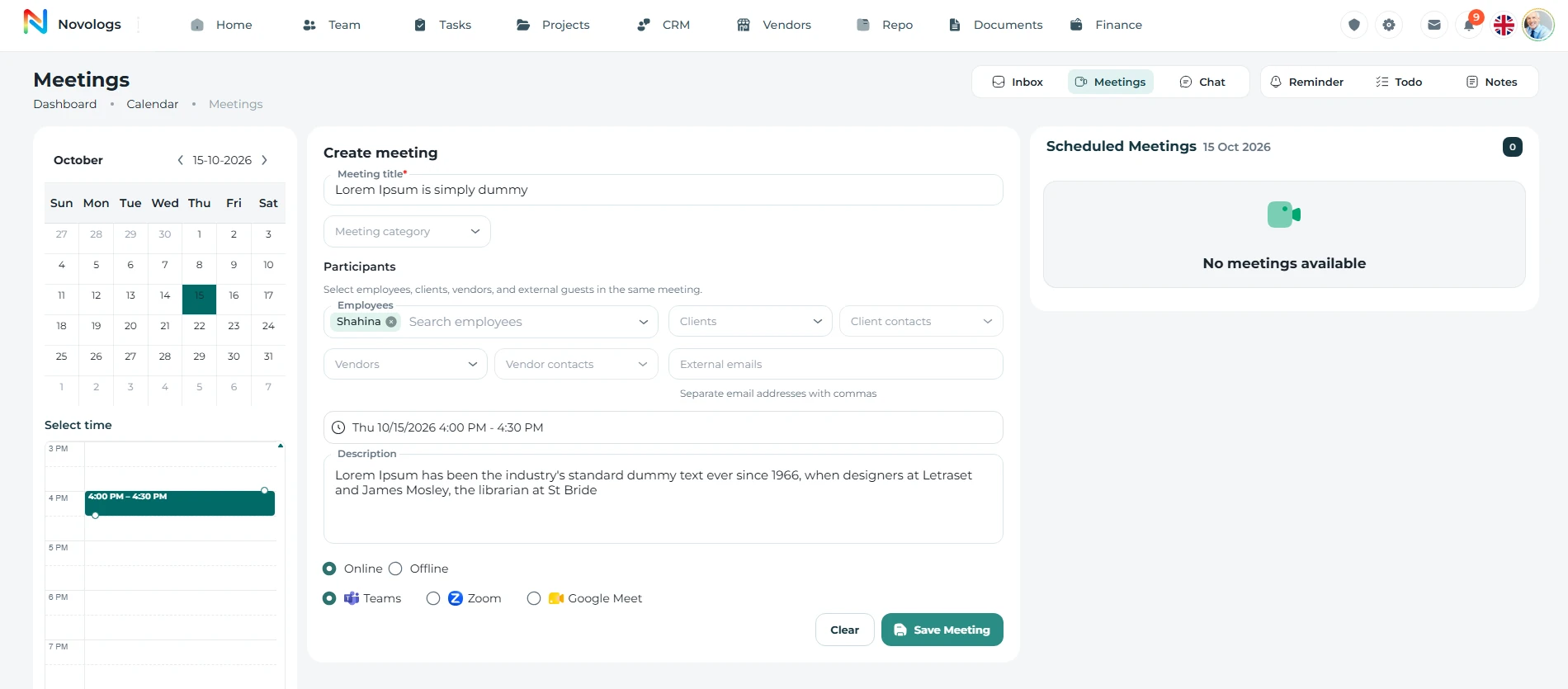 View screenshot
MOBILE / Scheduling
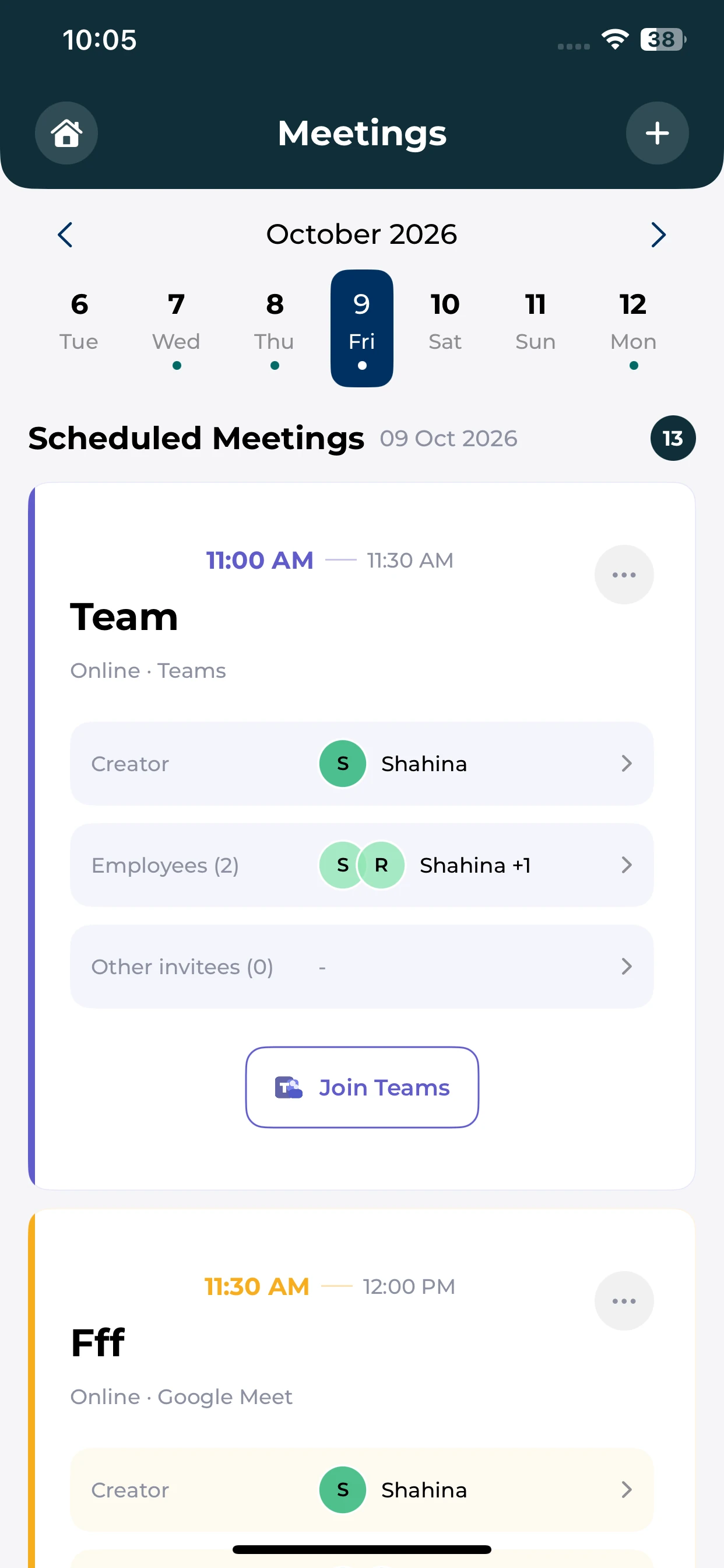
Know what is coming up.
Review scheduled meetings and their available participant and join details from your phone.
Meeting dates
Browse the date strip and scheduled meeting cards.
Participants
See the organizer and participants recorded on a meeting.
Join details
Use the join option provided for a supported online meeting.
Participants
Bring the relevant people into the room.
Coordinate internal and external participation while keeping the meeting details in one place. Select the people relevant to the discussion and the business relationship.
- Employees
Include colleagues responsible for the topic.
- Client contacts
Bring customer representatives into the discussion.
- Vendor contacts
Coordinate with supplier representatives.
- External guests
Use external email fields where available.
ParticipantsWorkspace example
Illustrative participants
Project ownerInternal colleagueEmployee
Client representativeCustomer meetingClient contact
Supplier representativeDelivery discussionVendor contact
Illustrative workspace · Example workflow and business records
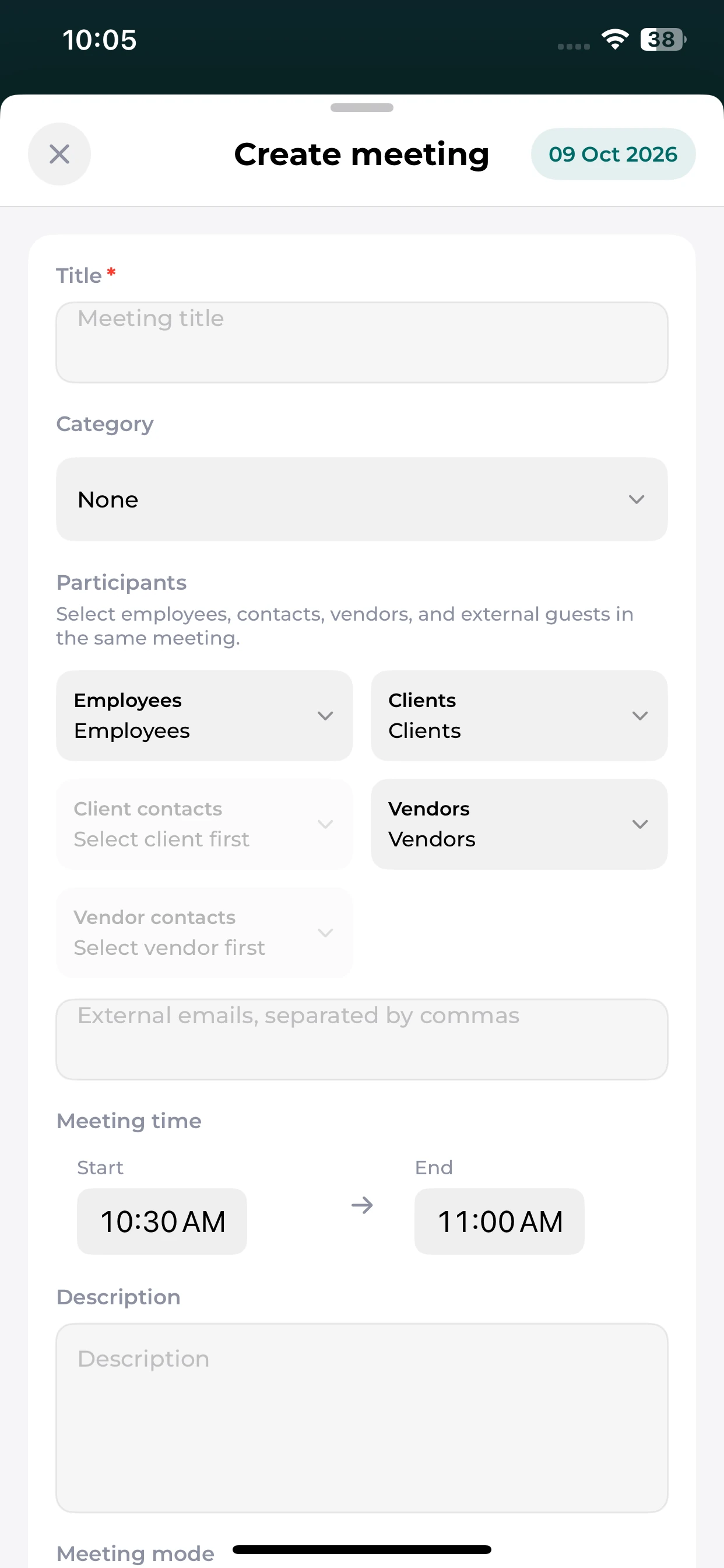
MOBILE / Participants
Set up the people and purpose.
Use the mobile meeting form to enter the title, participant context and time.
Meeting title
Describe the discussion before inviting people.
Participant selection
Choose the relevant employee and business-contact fields.
Scheduled period
Keep the start and end time with the meeting details.
Meeting modes
Use the tools your team works with.
Organize online or in-person meetings. Supported conferencing workflows include Microsoft Teams, Google Meet and Zoom, depending on the connections and actions enabled in your workspace.
- Online meetings
Keep conference details with the meeting record.
- In-person meetings
Organize meetings without an online conference.
- Supported providers
Choose an available conferencing connection.
- Workspace availability
Options follow enabled connections and permissions.
Meeting modesWorkspace example
Microsoft TeamsGoogle MeetZoom
Online or in personMeeting formatChoose a mode
Conferencing connectionSubject to workspace configurationSupported provider
Illustrative workspace · Example workflow and business records
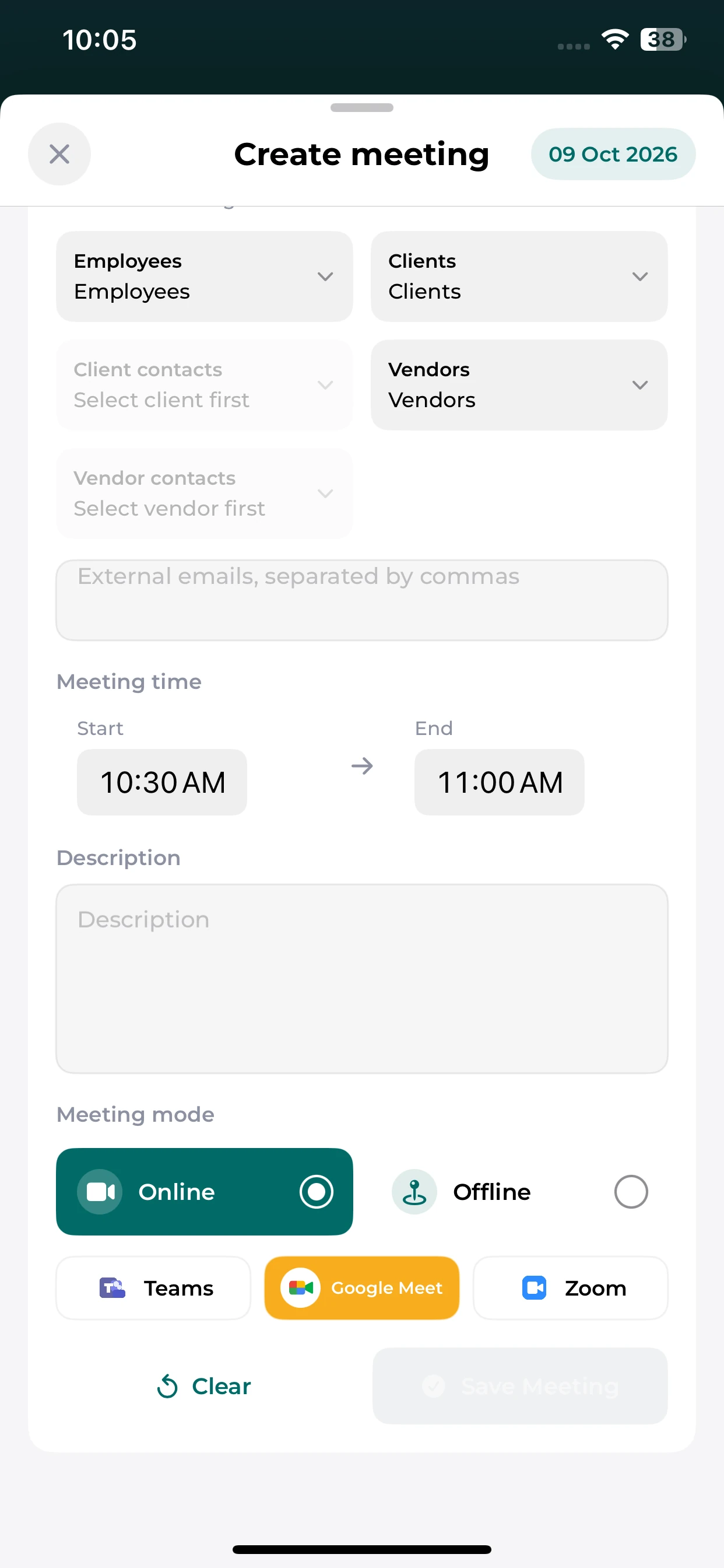
MOBILE / Meeting modes
Choose how the meeting happens.
Review online and offline modes and the conferencing choices available in the mobile form.
Meeting mode
Choose online or offline in the meeting form.
Conference provider
Select from the supported options available to the workspace.
Meeting description
Keep supporting details alongside the timing and participants.
Minutes & actions
Give every decision a next step.
Record important discussions, agreed decisions and meeting minutes. Turn follow-up responsibilities into tasks with the people and deadlines needed to move work forward.
- Meeting minutes
Keep a written reference for what was discussed.
- Agreed decisions
Record the outcomes that guide subsequent work.
- Action owners
Associate follow-ups with responsible colleagues.
- Completion dates
Set deadlines for the actions arising from a discussion.
Minutes & actionsWorkspace example
Illustrative meeting record
Project review minutesKey discussions and decisionsRecorded
Review the project briefResponsible colleague and due dateFollow-up task
Prepare the next reviewCheck outstanding responsibilitiesNext action
Illustrative workspace · Example workflow and business records
FROM INFORMATION TO ACTION
From an invitation to an agreed action.
Keep the discussion and the responsibilities that follow connected.
- 01
Plan the meeting
Set the date, time, purpose and meeting details.
- 02
Bring people in
Choose the relevant participants and supported meeting mode.
- 03
Record the outcome
Document key discussions, decisions and agreed next steps.
- 04
Follow through
Assign responsibility and review the actions arising from the meeting.
A FEW USEFUL DETAILS
Working with
meetings.
Understand how scheduling and meeting follow-up fit into daily work.
Which meeting platforms are supported?
Lijix supports meeting workflows involving Microsoft Teams, Google Meet and Zoom. The connections and actions available depend on your account and enabled integrations.
Can meetings include external participants?
The meeting form supports employees, client and vendor contacts, and external email addresses, subject to the options available in your workspace.
How are decisions followed up?
Document minutes and action items, record the responsible people, and use related tasks to follow the work through to completion.
ONE CONNECTED PLATFORM
Explore the rest
of your workspace.
Follow the people, work, information, and business relationships connected to this module.

Contact
Let’s Connect
Your Business
Your Business
Phone number
+971 4 235 0900
Office Address
City Avenue BuildingDubai, UAE
Business Hours
Monday to Friday: 9:00 AM to 6:00 PMSunday: Closed