
E-mail address
[email protected]
TASK CREATION & MANAGEMENT
From a voice instructionto accountable work.
Plan, discuss, document, and complete everyday business activities.
Create tasks by voice, assign responsibilities, add multimedia information, coordinate discussions, organize subtasks and dependencies, and manage deadlines. Recorded hours and configured rates help connect the work with its cost.
Natural voice instructionsSubtasks & dependenciesTimelines & cost context
Task workflow
From assignment to completion.
Scroll across to see all five stages.
Not Started2
No matching tasks
In Progress1
No matching tasks
On Hold1
No matching tasks
Submitted1
No matching tasks
Completed1
No matching tasks
No tasks match your filters.
Try another task or reset the filters.
TK001Not Started
Prepare launch checklist
List the launch steps and confirm who owns each action.
- Context
- Customer portal
- Priority
- High
- Assigned to
- Sara Ali
- Creator
- Ahmed Hassan
- Due date
TK002Not Started
Confirm supplier documents
Check the required documents before the supplier review.
- Context
- General
- Priority
- Normal
- Assigned to
- Omar Aziz
- Creator
- Maya Patel
- Due date
TK003In Progress
Review navigation draft
Review the proposed navigation and record the agreed changes.
- Context
- Customer portal
- Priority
- High
- Assigned to
- Ahmed Hassan
- Creator
- Sara Ali
- Due date
TK004On Hold
Confirm delivery address
Waiting for the client to confirm the delivery location.
- Context
- General
- Priority
- Normal
- Assigned to
- Sara Ali
- Creator
- Ahmed Hassan
- Due date
TK005Submitted
Check invoice references
Verify the invoice references and submit them for review.
- Context
- General
- Priority
- Normal
- Assigned to
- Maya Patel
- Creator
- Ahmed Hassan
- Due date
TK006Completed
Organize project folders
Arrange the project files using the agreed folder structure.
- Context
- Customer portal
- Priority
- Low
- Assigned to
- Omar Aziz
- Creator
- Ahmed Hassan
- Due date
- Completed on
Sample tasks. Select a card to view its details.
Five workflow stages. Every task in context.Illustrative workspace · Lijix
EXPLORE THE CAPABILITIES
The detail behind everyday execution.
Plan, discuss, document, and complete everyday business activities. Explore the capabilities and the business information they bring together.
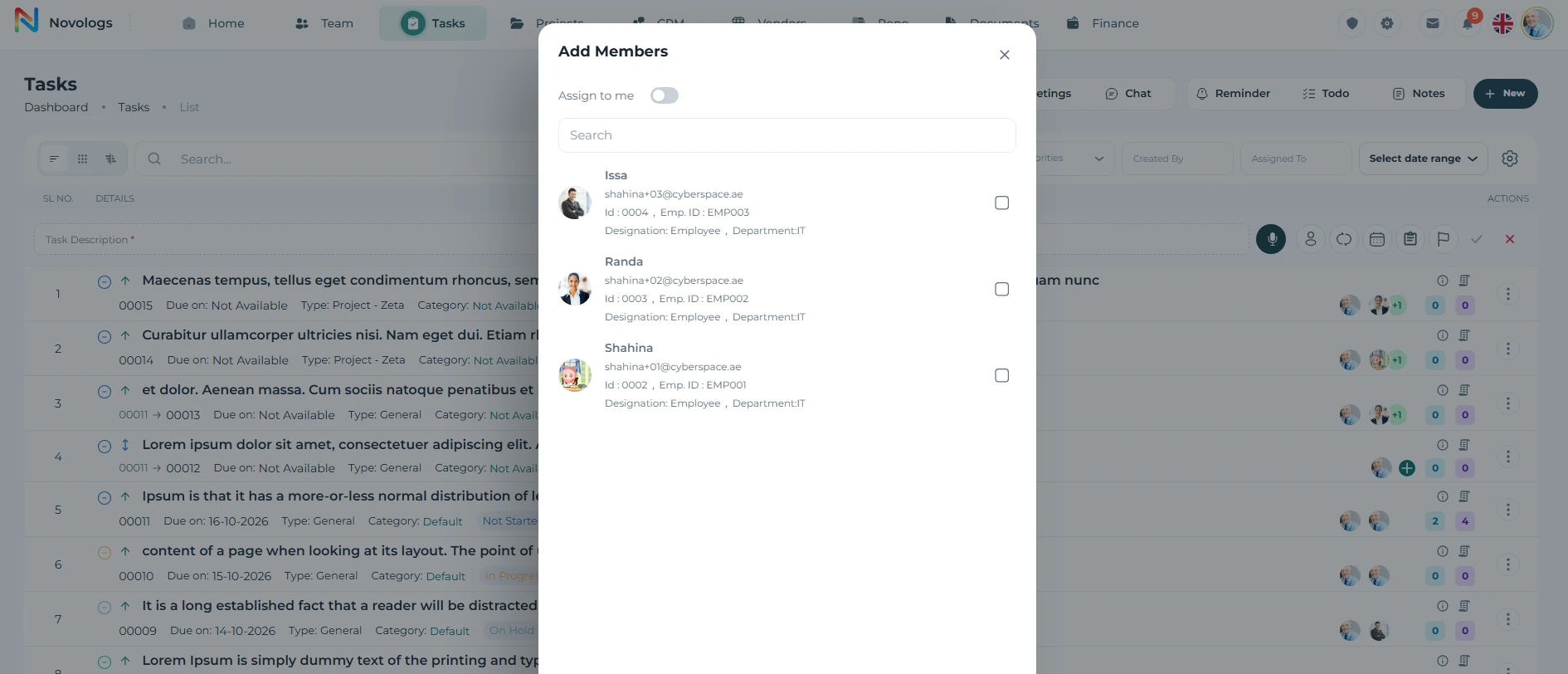
Task capture
Capture work instantly, by voice, text, image, or file.
Create a structured task from a natural voice instruction. Capture the work description, responsible employee, and deadline so the activity can be followed through to completion.
- Voice instructions
Describe the work naturally.
- Responsible employee
Associate the task with its owner.
- Deadlines
Capture the date by which the work should be completed.
- Supporting context
Keep instructions and relevant information with the task.
Task assignment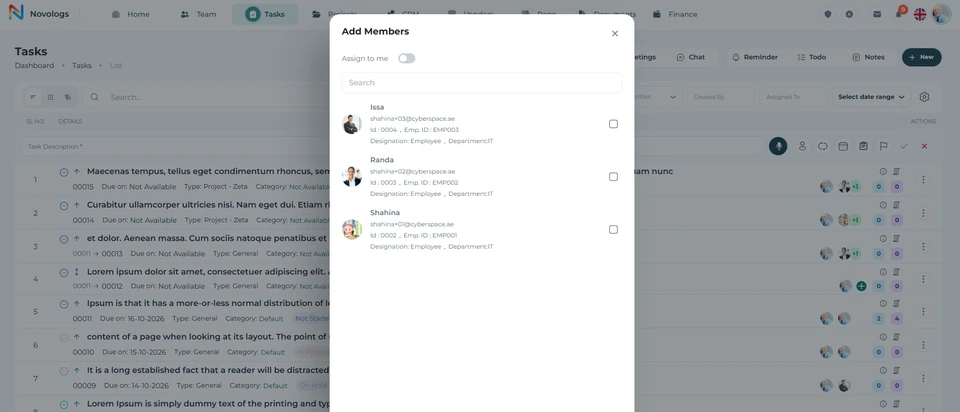 View screenshot
 View screenshot
MOBILE / Task capture
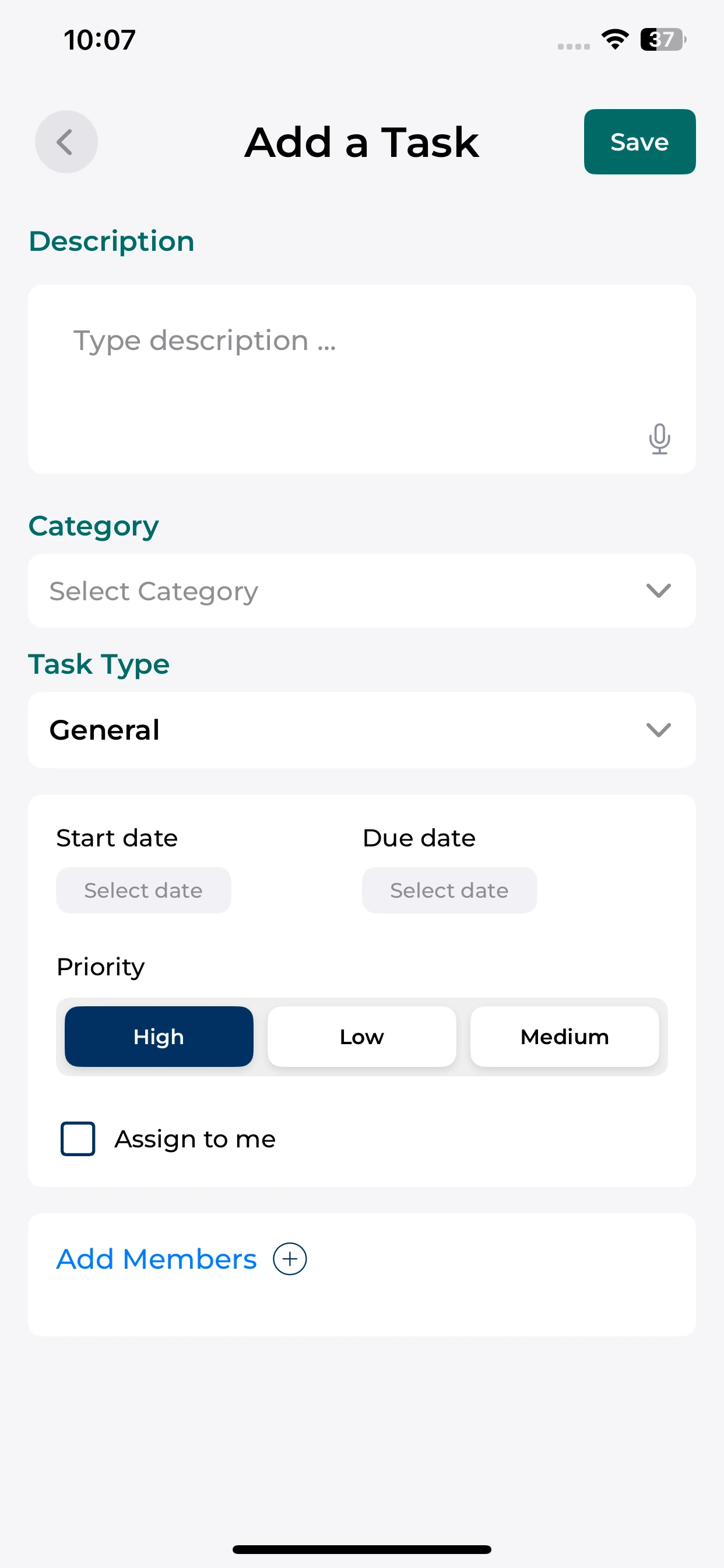
Capture work while it is fresh.
Set out the task, dates, priority and responsible people from your phone.
Describe the task
Use the description field and available input controls.
Set the essentials
Choose the task type, dates and priority.
Assign responsibility
Assign the task to yourself or select relevant members.
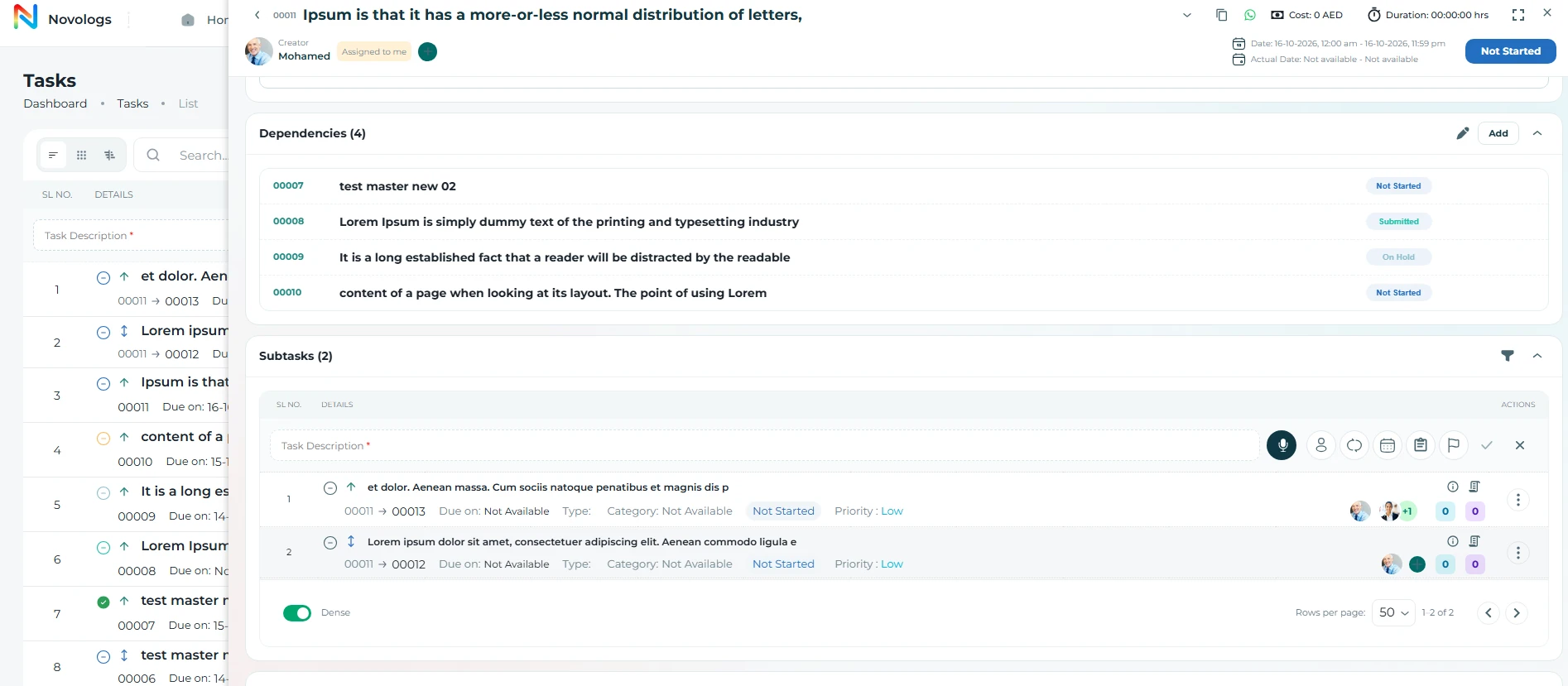
Work breakdown
Organize complex work into clear, structured execution.
Divide complex assignments into subtasks, associate activities with their responsibilities, and define dependencies. Understand how each smaller deliverable contributes to the overall assignment.
- Subtask Owners
Subtask creation with independent owners
- Task Checklists
Built-in to-do lists and checklist tracking
- Labels & Grouping
Task categories, labels, and grouping
- Dependencies
Task dependencies and blockers
- Parent-Child Tasks
Parent-child task relationships
- Layered Progress
Progress tracking across task layers
WEB & MOBILE
On mobile: Assign teams and responsibilities clearly; Connect related tasks and blockers; Track status across every task layer.
Work breakdown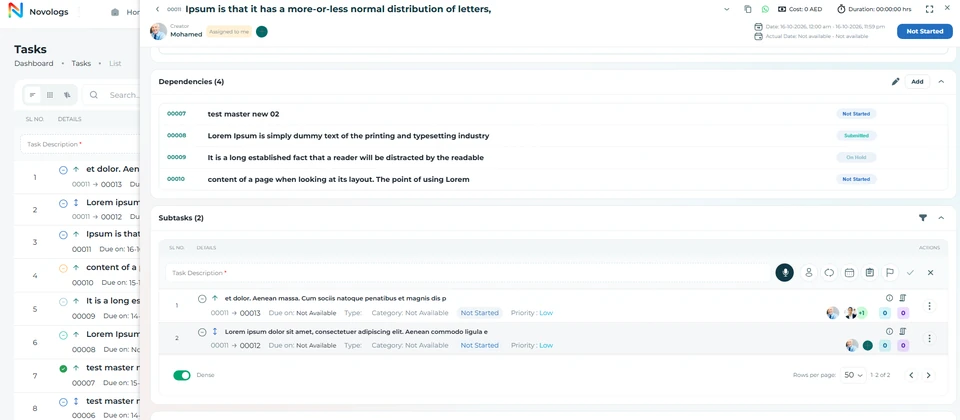 View screenshot
 View screenshot
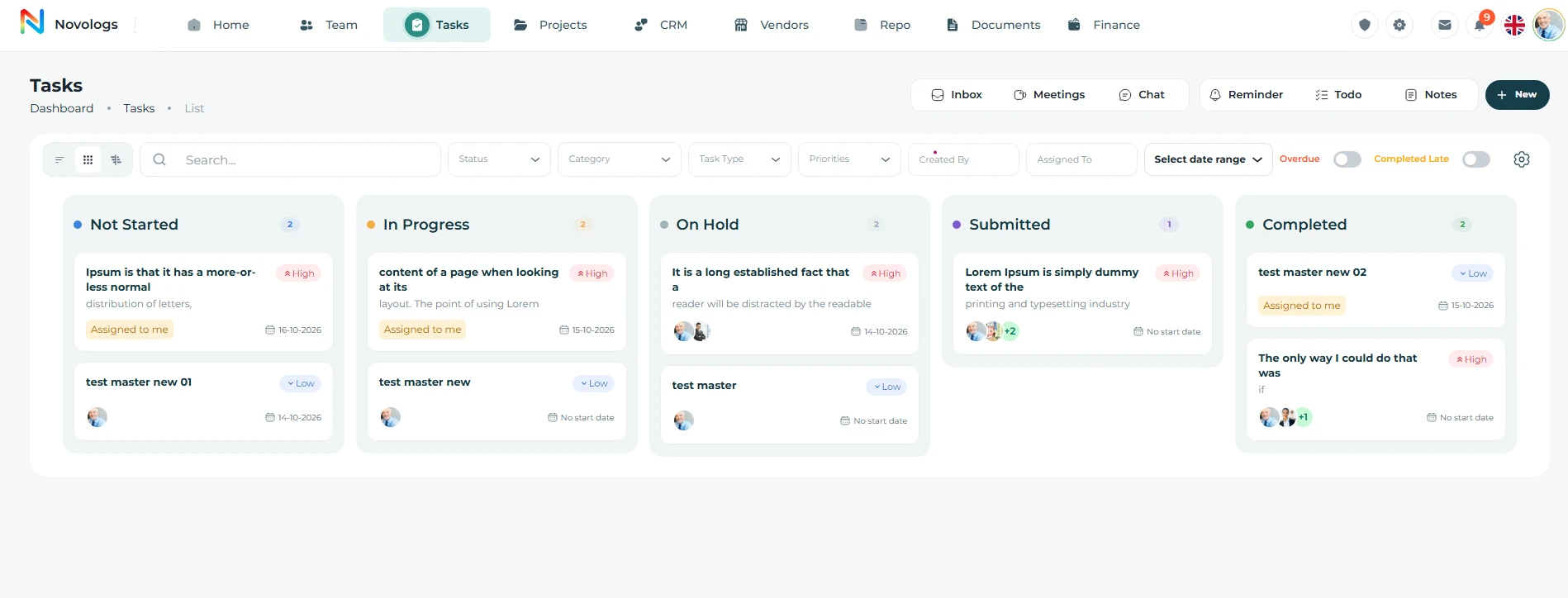
Schedules & workflow
Execute work through structured workflows.
Plan task deadlines, timelines, and the order in which related work should happen. Organize execution through workflow stages and views that make current responsibilities and progress easier to follow.
- Kanban Workflow
Drag tasks across workflow stages
- Multiple Views
Kanban, backlog, list, and Gantt
- Advanced Filtering
Search tasks across workflows instantly
- Live Synchronization
Real-time workflow updates across teams
Schedules & workflow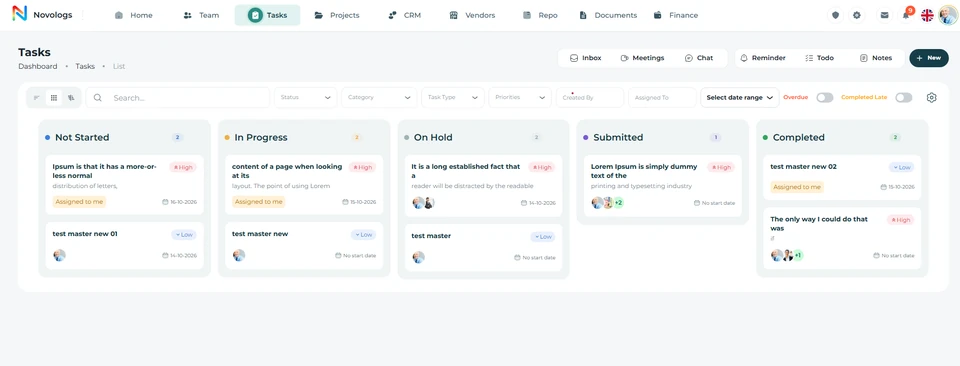 View screenshot
 View screenshot
MOBILE / Schedules & workflow
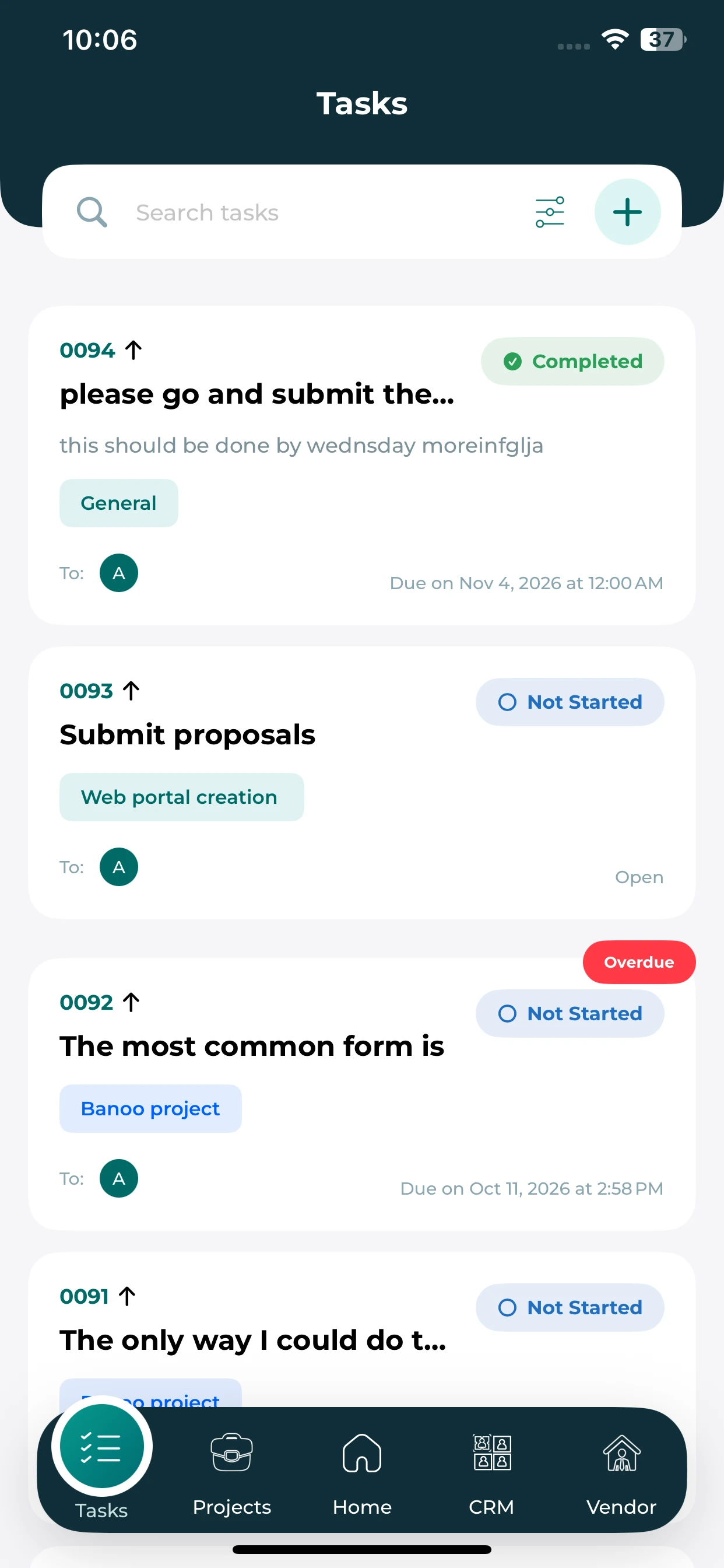
Your working list, wherever you are.
Review task cards and the status, dates and ownership attached to them.
Task list
See general work and project-linked tasks together.
Progress at a glance
Read the status shown on each task card.
Upcoming work
Use due dates and overdue labels to review priorities.
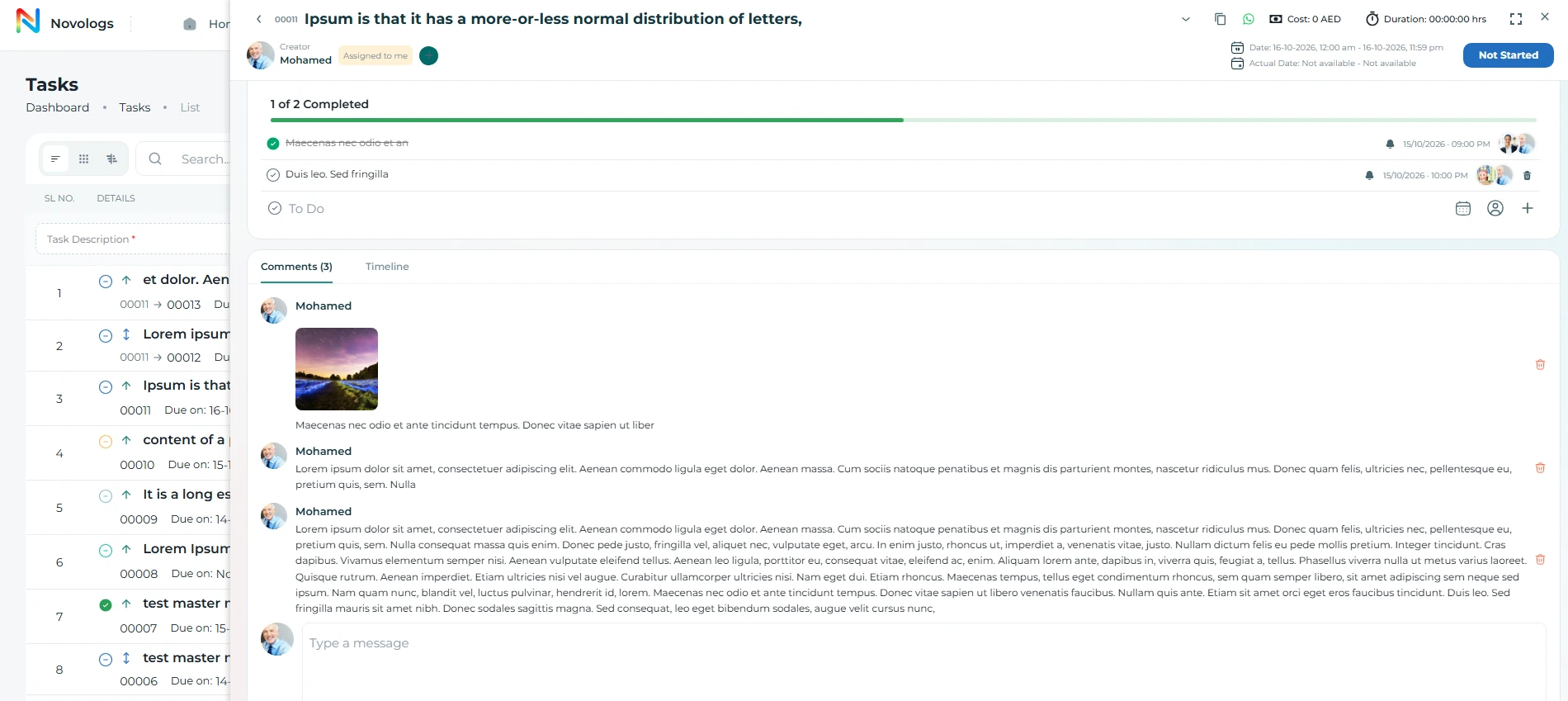
Discussion & evidence
Keep instructions, discussion, and evidence with the work.
Discuss responsibilities inside the task and maintain detailed supporting information through notes, voice recordings, videos, and images. New team members can review the decisions and activity behind the assignment.
- Task discussions
Coordinate in the context of the activity.
- Written notes
Record requirements, decisions, and observations.
- Voice & video
Attach explanations and useful media.
- Images & files
Maintain visual references and supporting evidence.
WEB & MOBILE
On mobile: Discuss work directly inside tasks; Share files and images inside discussions; Get alerts for mentions and updates.
Discussion & evidence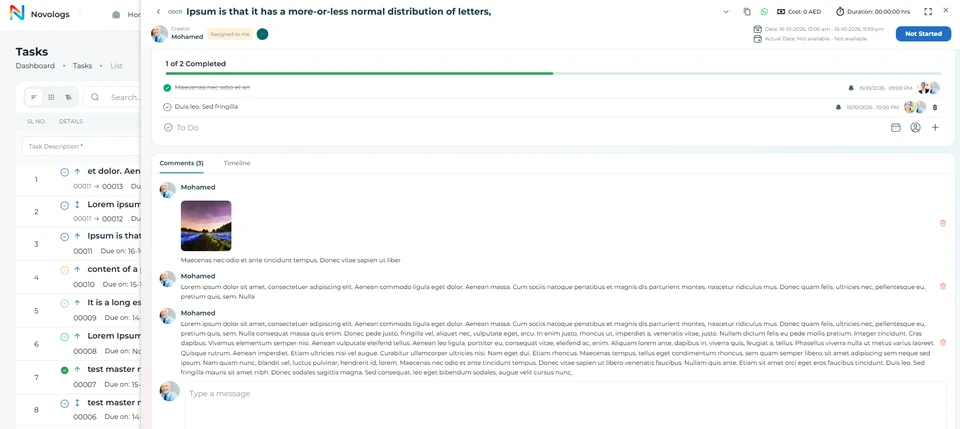 View screenshot
 View screenshot
Tracking & reports
Track tasks, timelines, and team performance in real time.
Review task activity, progress, deadlines, and the work assigned across your team. Use available reporting to understand pending responsibilities, completed assignments, and operational delays.
- Advanced Filtering
Search tasks and workflows instantly
- Timeline Tracking
Complete task history and activity visibility
- Live Monitoring
Real-time status and progress tracking
- Team Performance
Workload and productivity visibility
- Risk Detection
Identify overdue and blocked tasks early
- Live Dashboards
KPI reports and operational insights
Tracking & reports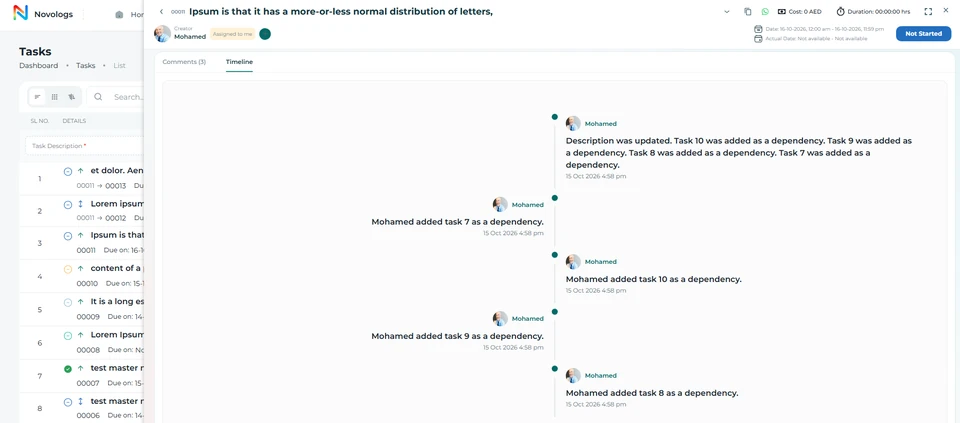 View screenshot
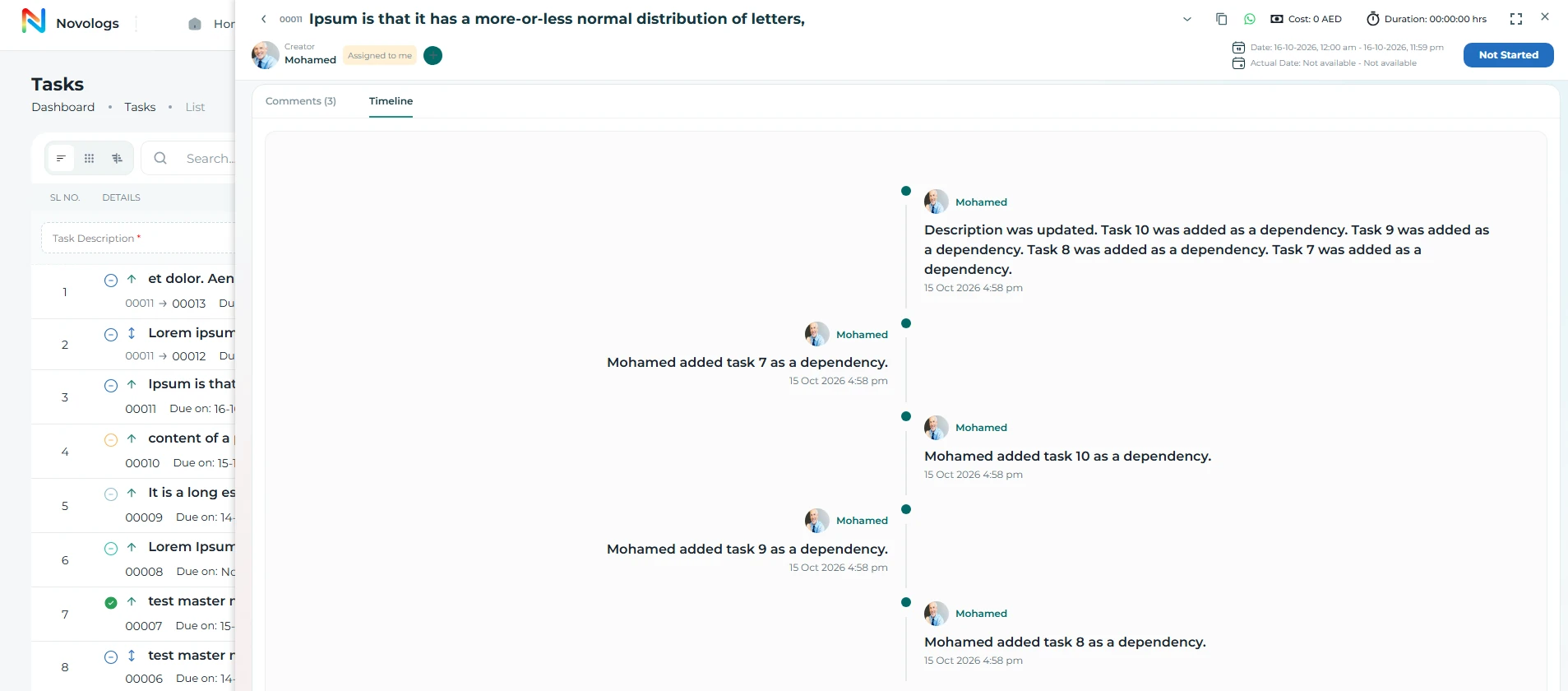 View screenshot
MOBILE / Tracking & reports
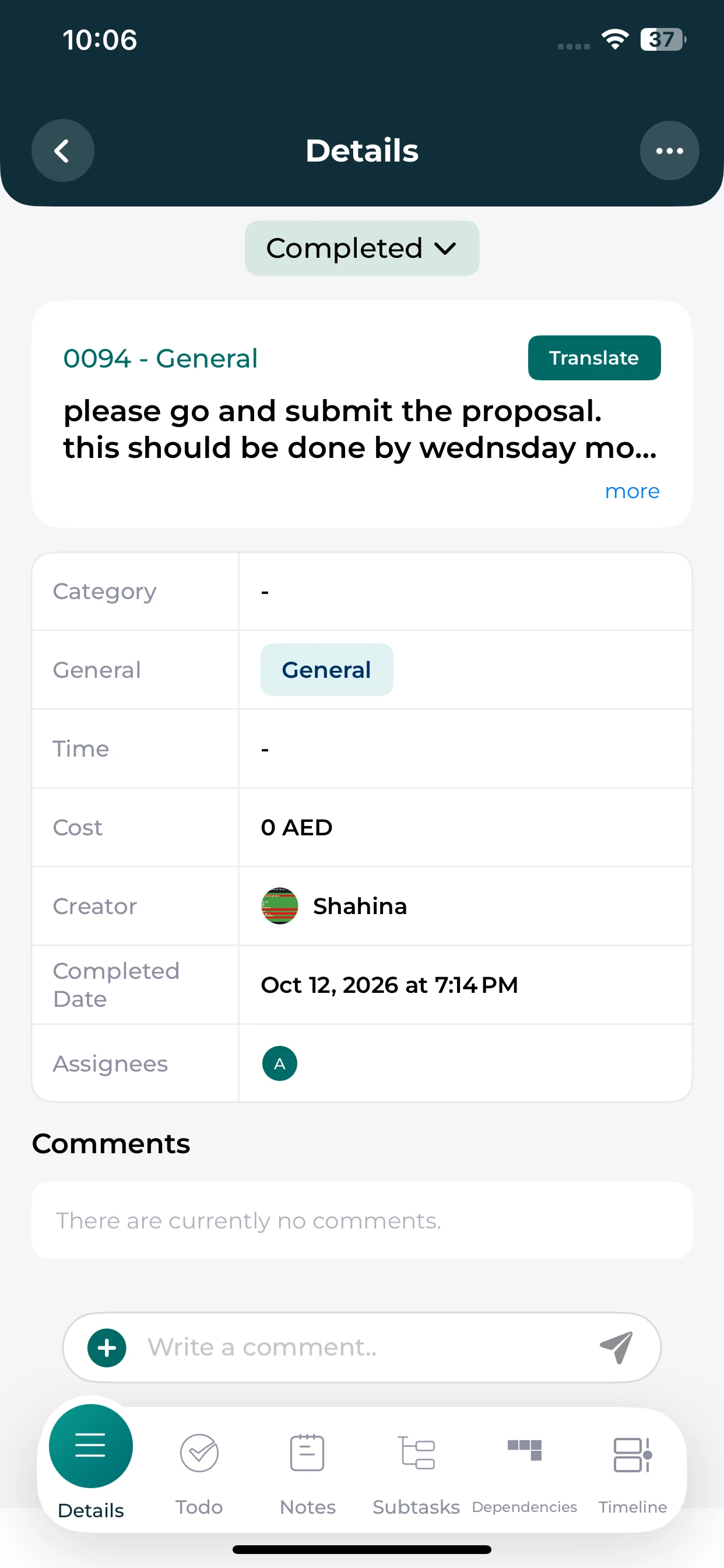
A clearer view of each task.
Open the task details to review its recorded status, assignee and completion information.
Task details
Read the description and task classification.
Recorded progress
Check the current status and completion date when available.
Work context
See the responsible employee and available task sections.
Task costing
Connect recorded effort with the cost of work.
Configured labor rates, recorded working hours, and other supported cost inputs help calculate the cost of completing an assignment. Review the calculation alongside the activity, its owner, and the relevant work context.
- Labor rates
Use configured employee or labor cost inputs.
- Recorded hours
Connect the cost calculation to documented time.
- Supported inputs
Include other available task-related cost information.
- Work visibility
Understand cost alongside progress and responsibility.
Task labor costIllustrative calculation
Labor cost
Example calculation. Actual costing uses configured rates, recorded hours, and supported cost inputs.
Responsible employeeTask owner and recorded activityLinked
Supporting cost inputsConfigured within your workspaceAvailable inputs
Illustrative workspace · Try the illustrative hours × rate calculation
Settings & access
Configure workflows and control access across your organization.
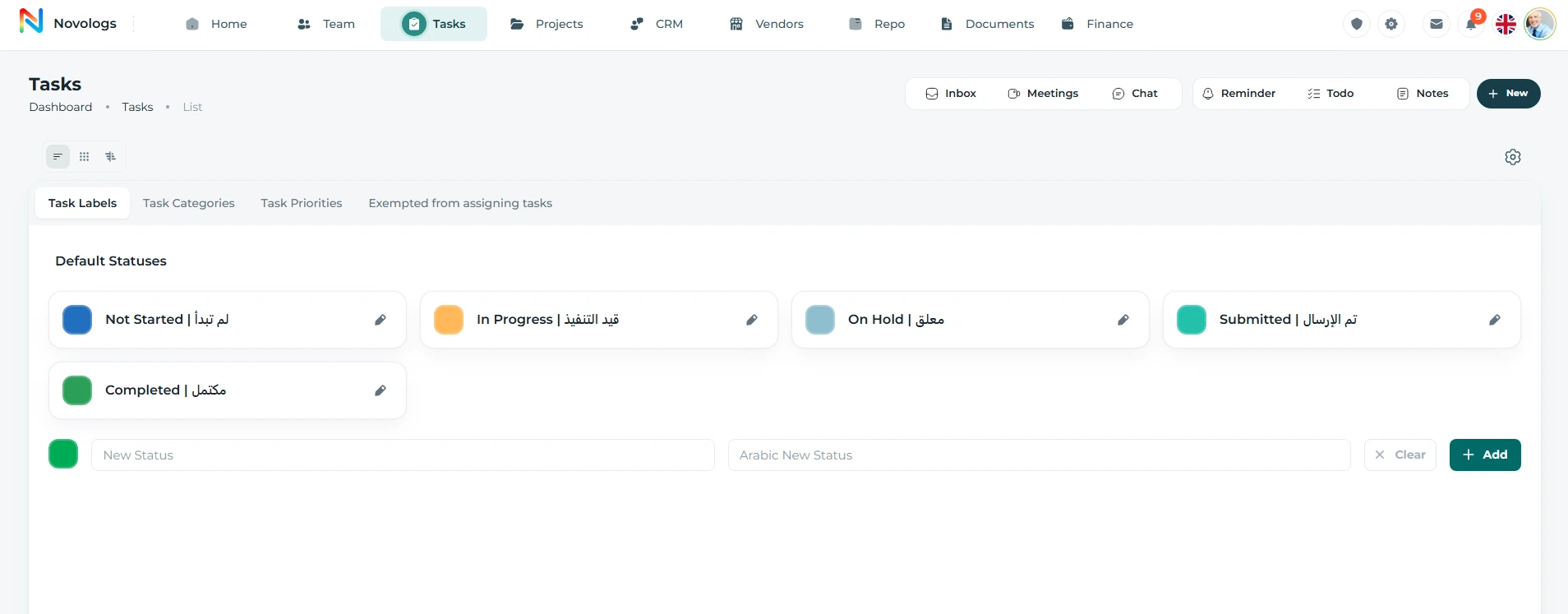
Manage task categories, labels, priorities, workflow rules, role permissions, and assignment restrictions from a centralized web admin panel.
- Categories & Labels
Task category and label management
- Priorities & Statuses
Custom priorities and workflow statuses
- Workflow Stages
Workflow and stage configuration
- Role Permissions
Role-based access and task control
- Assignment Control
Employee assignment restrictions
- Admin Configuration
Web-based desktop configuration
Task statuses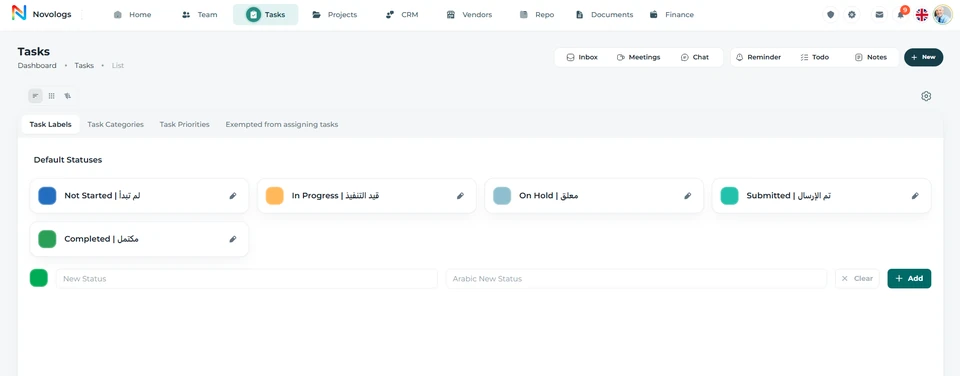 View screenshot
 View screenshot
FROM INFORMATION TO ACTION
From an instruction to completed work.
Bring the right information, people, and next actions together in one connected business environment.
- 01
Capture
Create the task and record useful instructions and evidence.
- 02
Organize
Assign responsibility, subtasks, dependencies, and the deadline.
- 03
Coordinate
Discuss the activity and keep progress and working hours connected.
- 04
Review
Understand completed work, pending responsibilities, and available cost information.
A FEW USEFUL DETAILS
Working with
tasks.
Practical details about tasks and the connected working environment.
What can a voice instruction include?
A voice instruction can include the task details, responsible employee, and deadline, such as asking Ahmed to prepare a sales report by Friday.
What information can be attached to a task?
Tasks can contain notes, voice recordings, videos, images, and other relevant supporting information.
Can one task depend on another?
Yes. Lijix supports subtasks and dependencies so related activities can follow a structured execution order.
How is task cost calculated?
Costing uses configured labor rates, recorded hours, and other supported inputs. The calculator on this page illustrates the labor-hours component only.
ONE CONNECTED PLATFORM
Explore the rest
of your workspace.
Follow the people, work, information, and business relationships connected to this module.

Contact
Let’s Connect
Your Business
Your Business
Phone number
+971 4 235 0900
Office Address
City Avenue BuildingDubai, UAE
Business Hours
Monday to Friday: 9:00 AM to 6:00 PMSunday: Closed