
E-mail address
[email protected]
FINANCE WITH BUSINESS CONTEXT
Financial records.Connected to your business.
Accounting, business transactions and enterprise administration in one environment.
Manage financial accounts, sales, purchases, receipts, payments and employee administration within the wider Lijix workspace. Keep customer and vendor transactions organized alongside the business relationships behind them.
General ledgerSales and purchasingReceipts and payments
Accounting workspace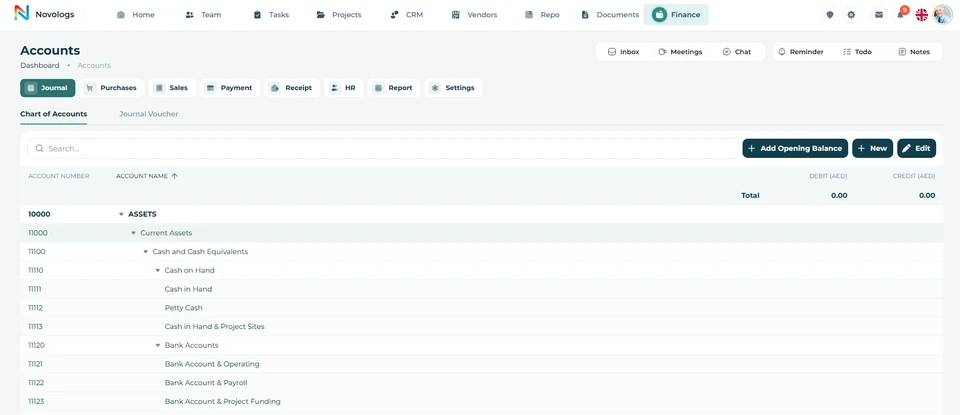 View screenshot
 View screenshot
Accounting, business transactions and enterprise administration in one environment.Platform preview
EXPLORE THE CAPABILITIES
The records behind everyday operations.
Bring accounting, commercial transactions and supported administrative processes into a structured working environment.
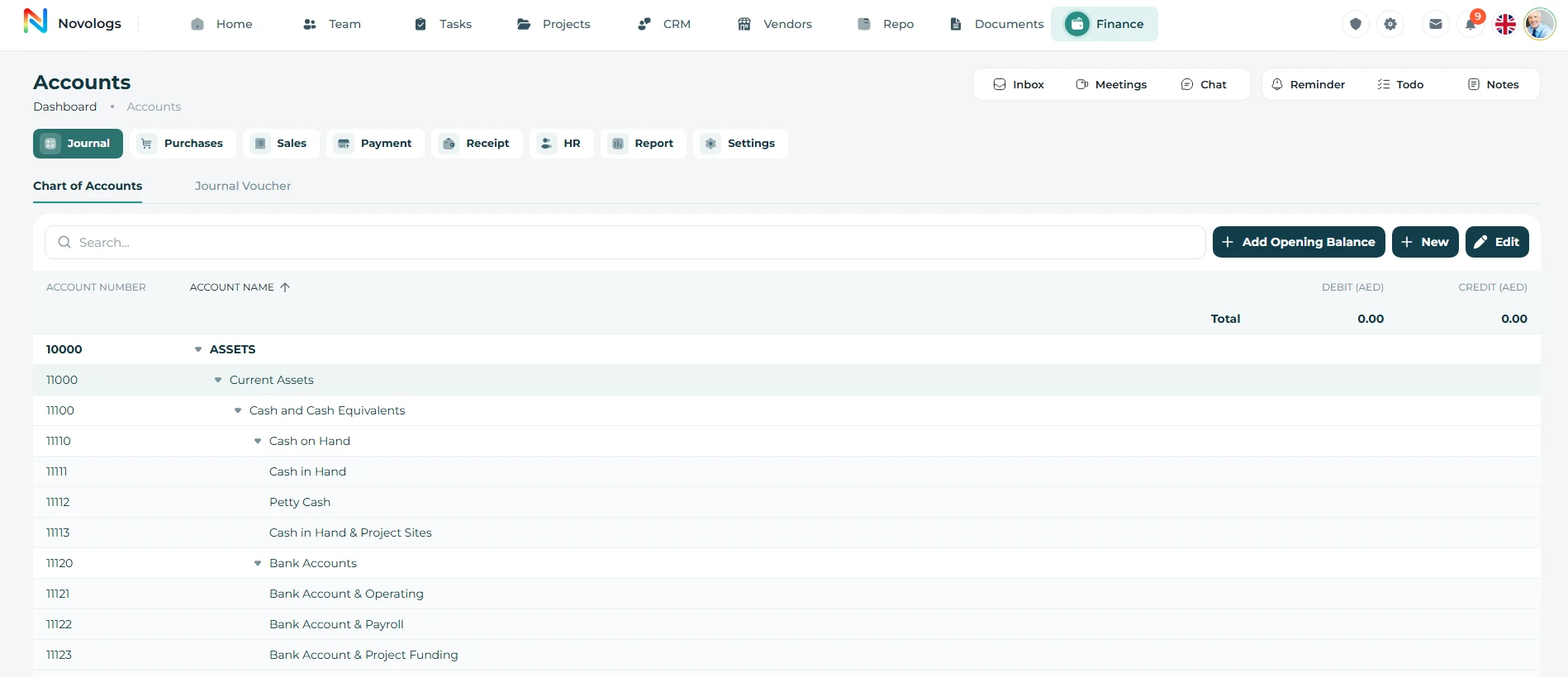
General ledger
A structured foundation for your accounts.
Maintain financial accounts and accounting entries in appropriate categories. Keep a centralized reference for financial movements, account review and the preparation of accounting reports.
- Account categories
Organize accounts within a structured accounting framework.
- Accounting entries
Maintain records of business financial movements.
- Ledger context
Review account details with their recorded transactions.
- Accounting review
Support reconciliation and financial monitoring.
Account ledger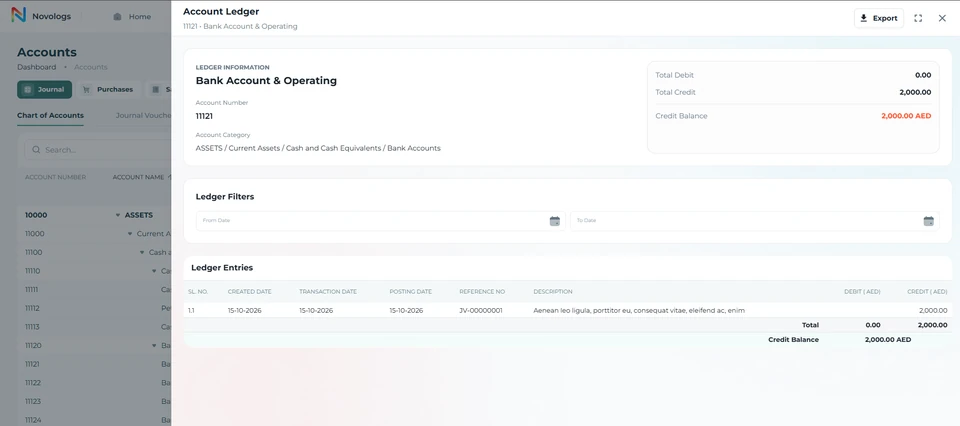 View screenshot
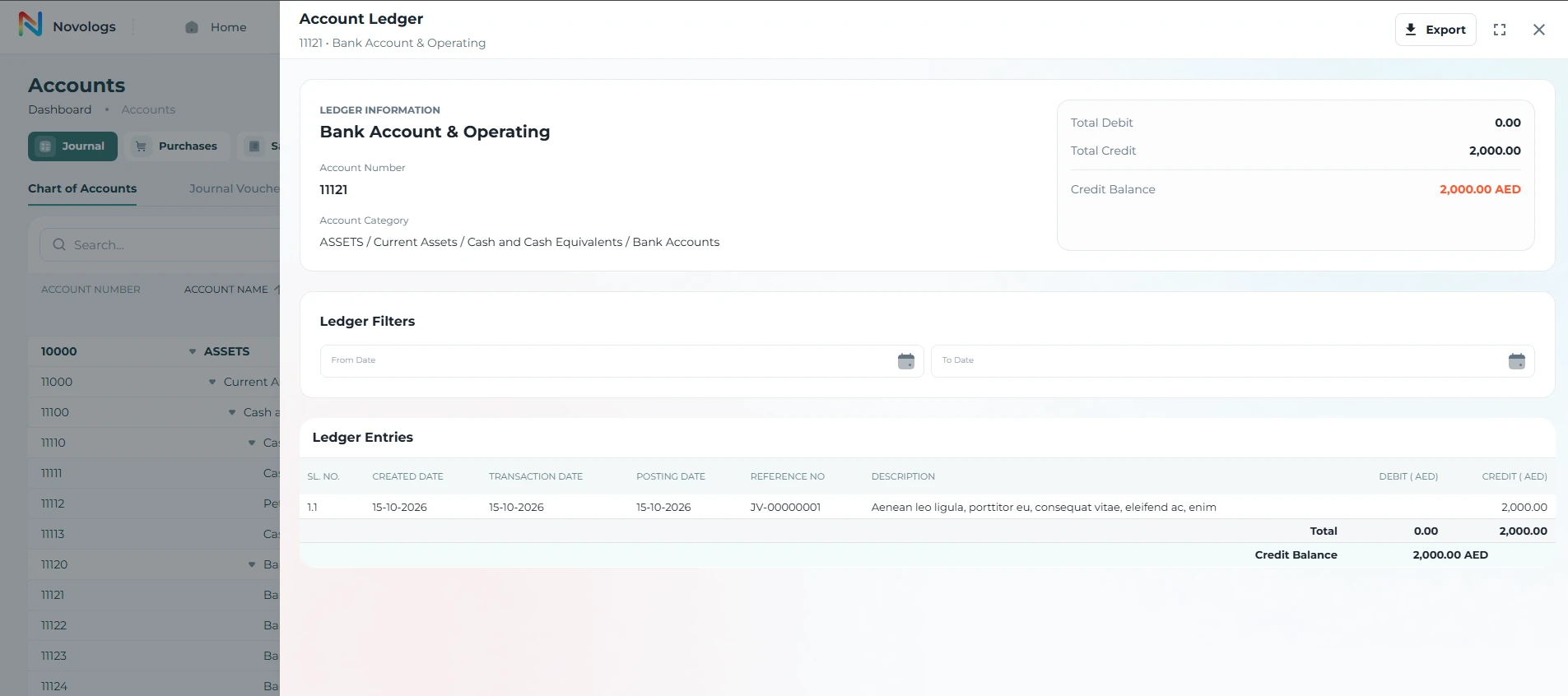 View screenshot
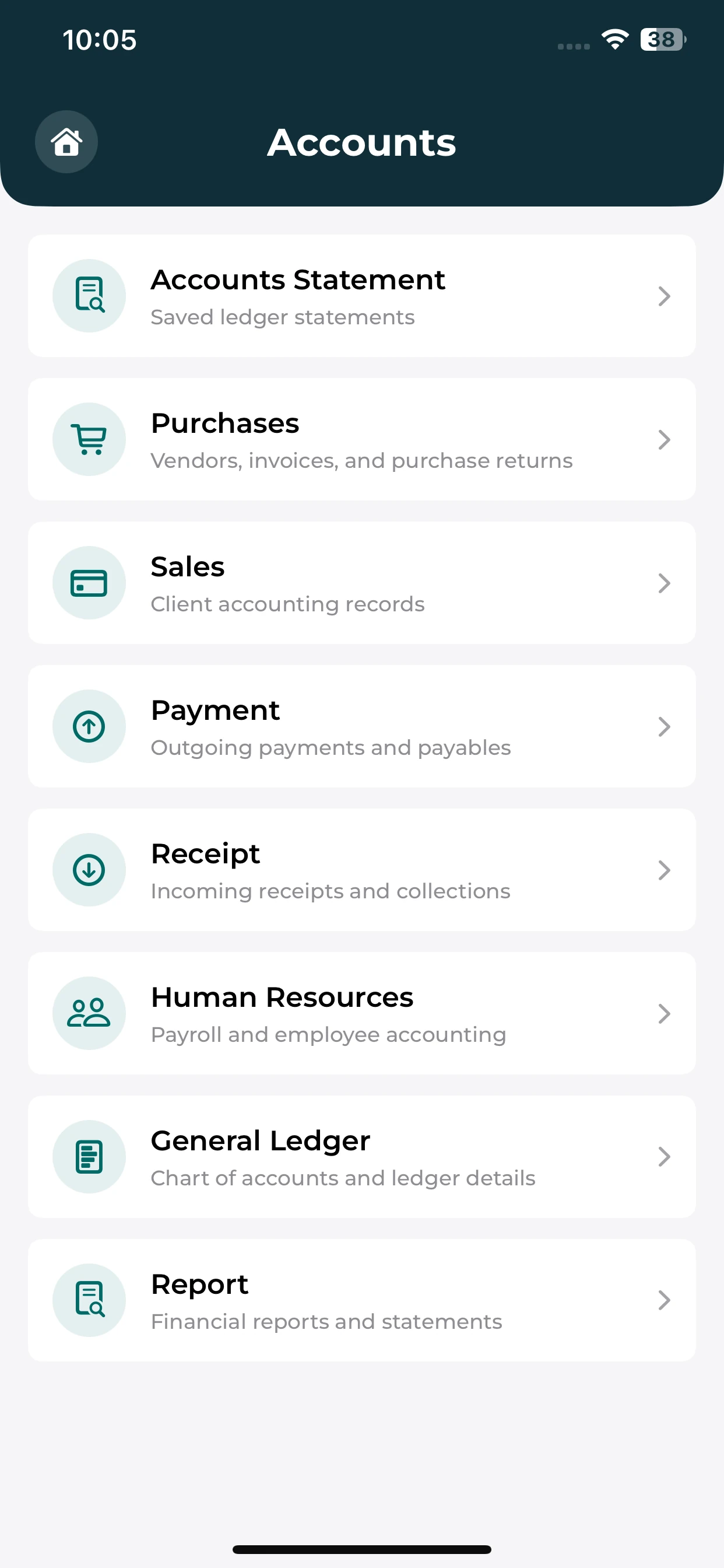
MOBILE / General ledger
Your finance workspace, within reach.
Use the mobile Accounts menu to find the financial and administrative areas available to your account.
Financial navigation
Find the entries for sales, purchases and accounting areas.
Cash movements
Locate payment and receipt sections from the menu.
Administrative areas
Find HR and reporting entry points where available.
Sales & customer accounts
Keep billing and customer records together.
Create sales invoices with customer details, dates, items, quantities, rates and applicable taxes. Maintain customer financial activity and record sales returns or adjustments against the relevant transactions.
- Sales invoices
Record products or services supplied to customers.
- Transaction details
Maintain item, quantity, rate and total information.
- Customer accounts
Organize the financial activity associated with customers.
- Sales returns
Record applicable returns and sales adjustments.
- Transaction references
Keep adjustments connected to the relevant business record.
- Billing context
Review customer and invoice details in one environment.
Sales invoice entry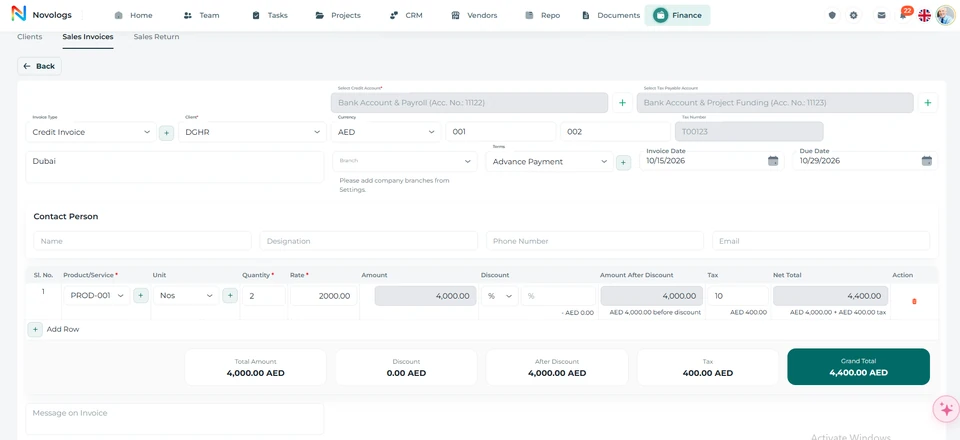 View screenshot
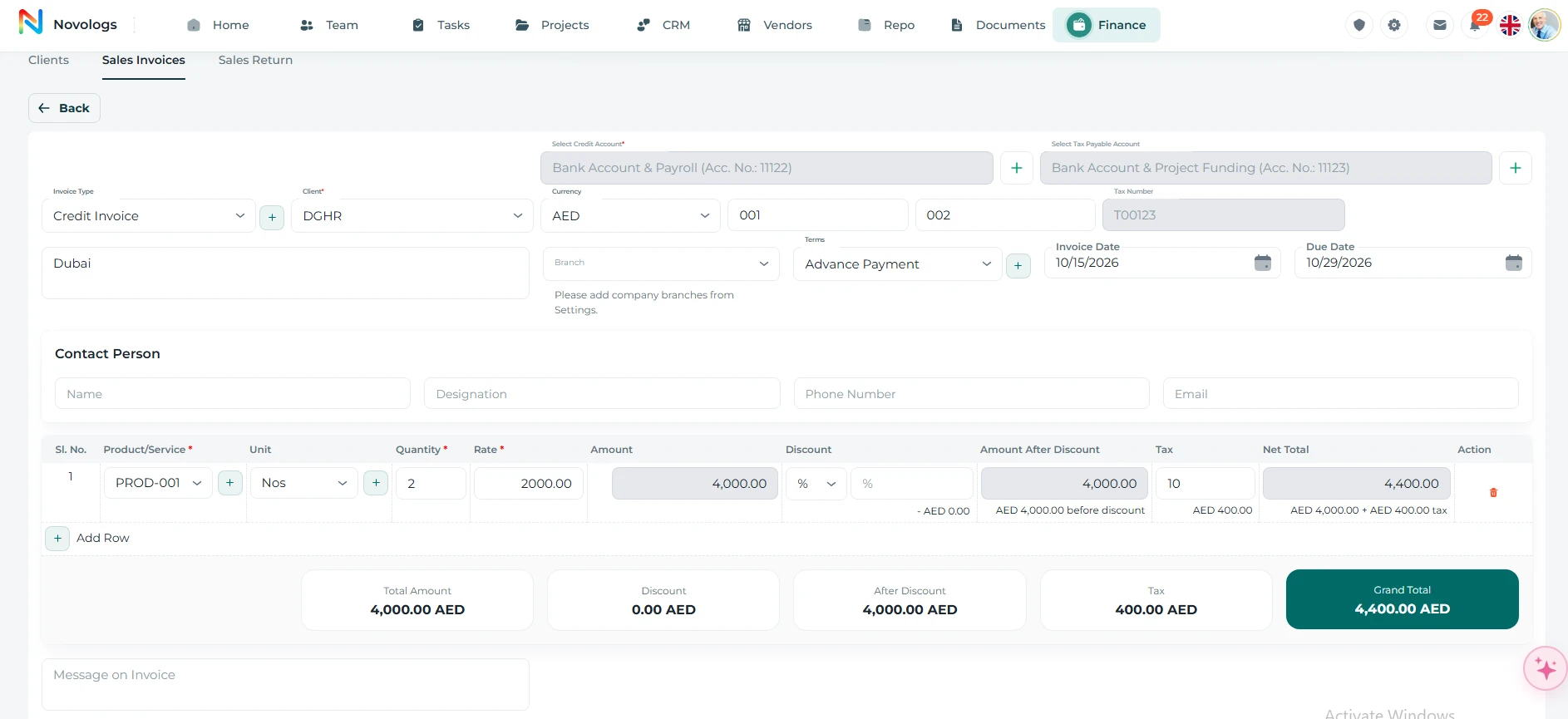 View screenshot
Purchases & supplier accounts
Connect purchasing with the supplier behind it.
Maintain vendor financial accounts and record purchases of goods and services. Keep supplier details, quantities, rates and applicable taxes organized, with purchase-return references where adjustments are required.
- Supplier accounts
Maintain the financial context of vendor relationships.
- Purchase transactions
Record goods and services acquired from suppliers.
- Item details
Keep quantities, unit prices and transaction totals.
- Purchase returns
Record returned goods and relevant purchase adjustments.
- Supplier references
Associate purchasing activity with the appropriate vendor.
- Financial commitments
Maintain a clearer reference for supplier-related activity.
Purchases & supplier accountsWorkspace example
Illustrative purchase records
Supplier accountVendor financial informationRecorded
Purchase recordItems, quantities and unit pricesTransaction details
Purchase adjustmentReference to the associated purchaseReturn context
Illustrative workspace · Example workflow and business records
Cash receipts
Keep incoming funds clearly recorded.
Record customer payments, other income and authorized collections. Maintain receipt dates, amounts, associated parties, payment references and the relevant accounting details.
- Receipt details
Maintain the date and amount for incoming funds.
- Associated party
Record the customer or other party involved.
- Payment references
Keep the relevant collection reference with the record.
- Accounting context
Associate incoming movements with financial records.
Cash receiptsWorkspace example
Illustrative receipt record
Customer receiptCustomer and payment referenceIncoming funds
Receipt date and amountRecorded collection detailsReceipt record
Relevant accountSupporting accounting informationAccounting context
Illustrative workspace · Example workflow and business records
Cash payments
Organize the payments your business records.
Maintain outgoing payment records for suppliers, operational expenses and other approved expenditures. Keep the associated accounts, parties and supporting references within one financial environment.
- Payment records
Record the details of an outgoing transaction.
- Business expenditure
Organize supplier payments and operational expenses.
- Party and account
Associate a payment with the appropriate business context.
- Reviewable details
Keep payment references available for follow-up.
Payment voucher list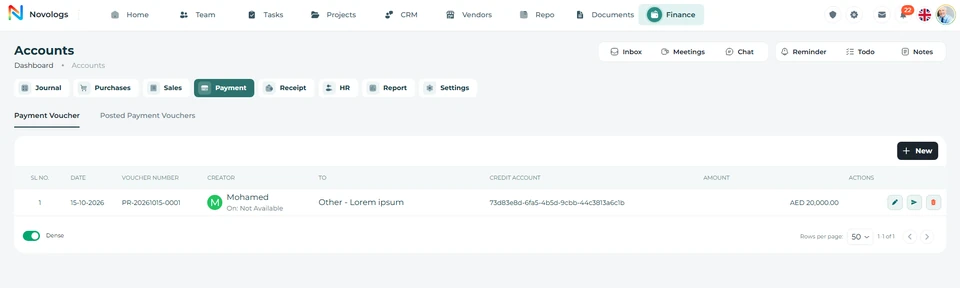 View screenshot
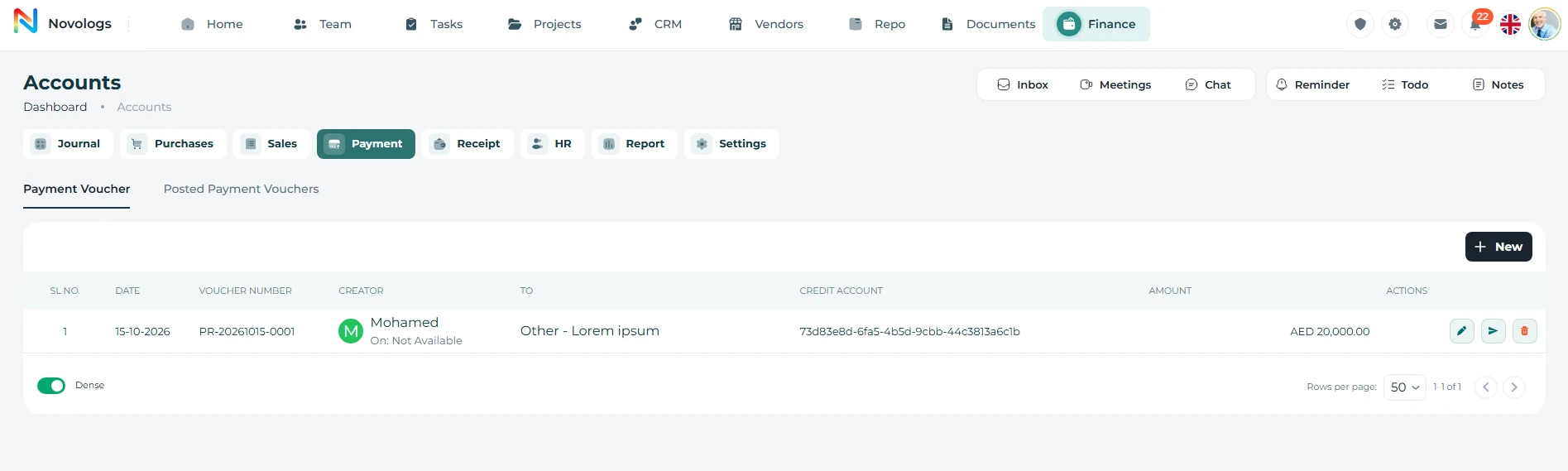 View screenshot
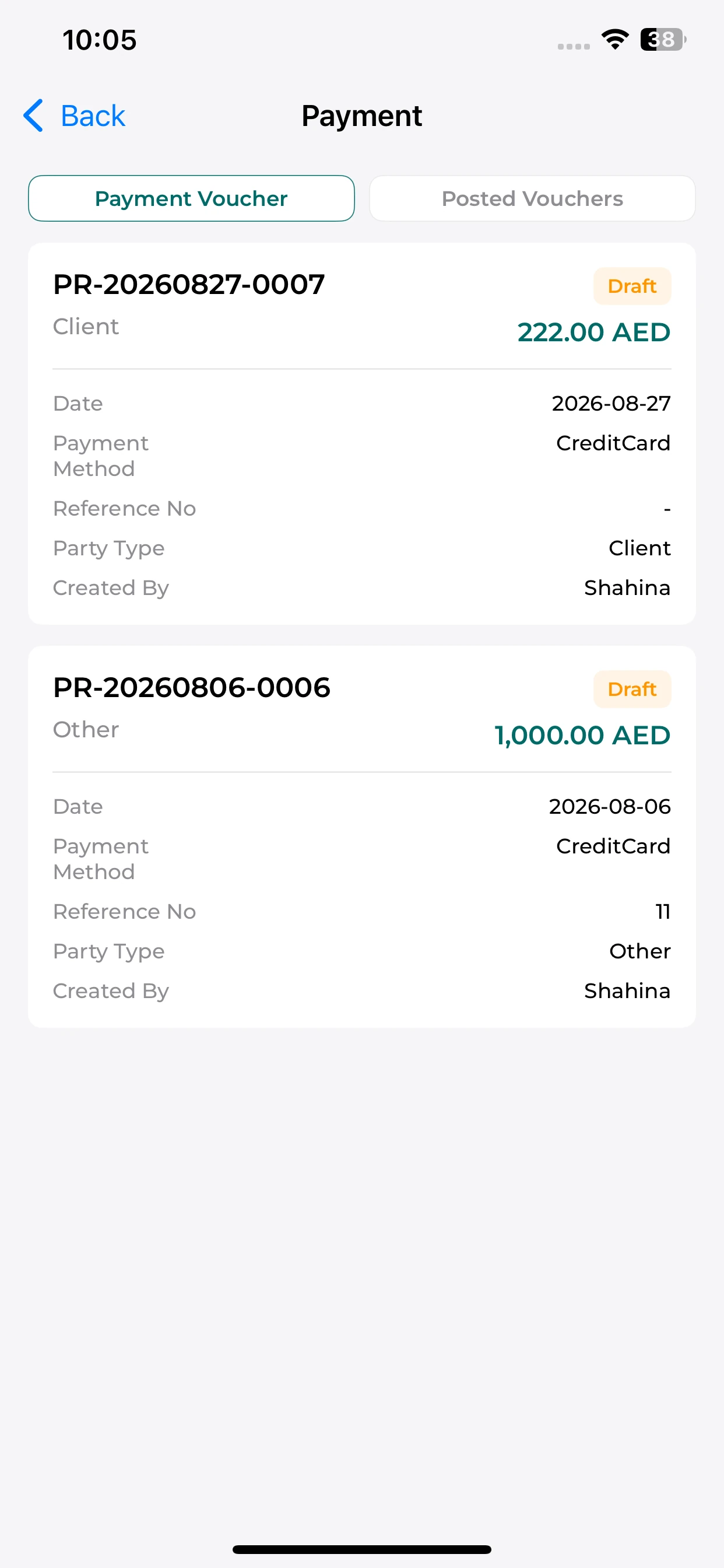
MOBILE / Cash payments
Review payment records on mobile.
Read the voucher cards and their recorded amounts, dates, parties and draft status.
Voucher cards
Find the payment reference and amount shown on each card.
Payment context
Review the recorded date, party type and method.
Record status
Distinguish draft records using their visible status.
Accounting reports
Review financial activity in a structured view.
Use the centralized ledger and available accounting reports to review recorded financial movements. Inspect account balances and the debit and credit information available for the reporting period.
- Account balances
Review the balances shown for recorded accounts.
- Debit and credit context
Inspect the financial movements summarized in the report.
- Reporting date
Use the date context available in accounting views.
- Review support
Keep reporting grounded in the underlying financial records.
Trial balance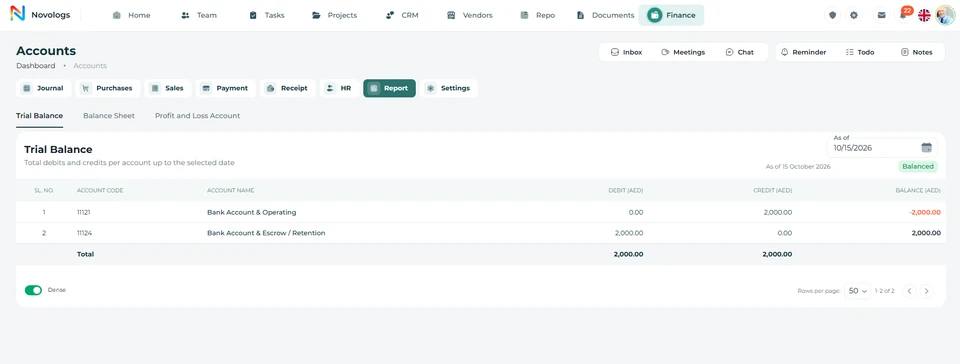 View screenshot
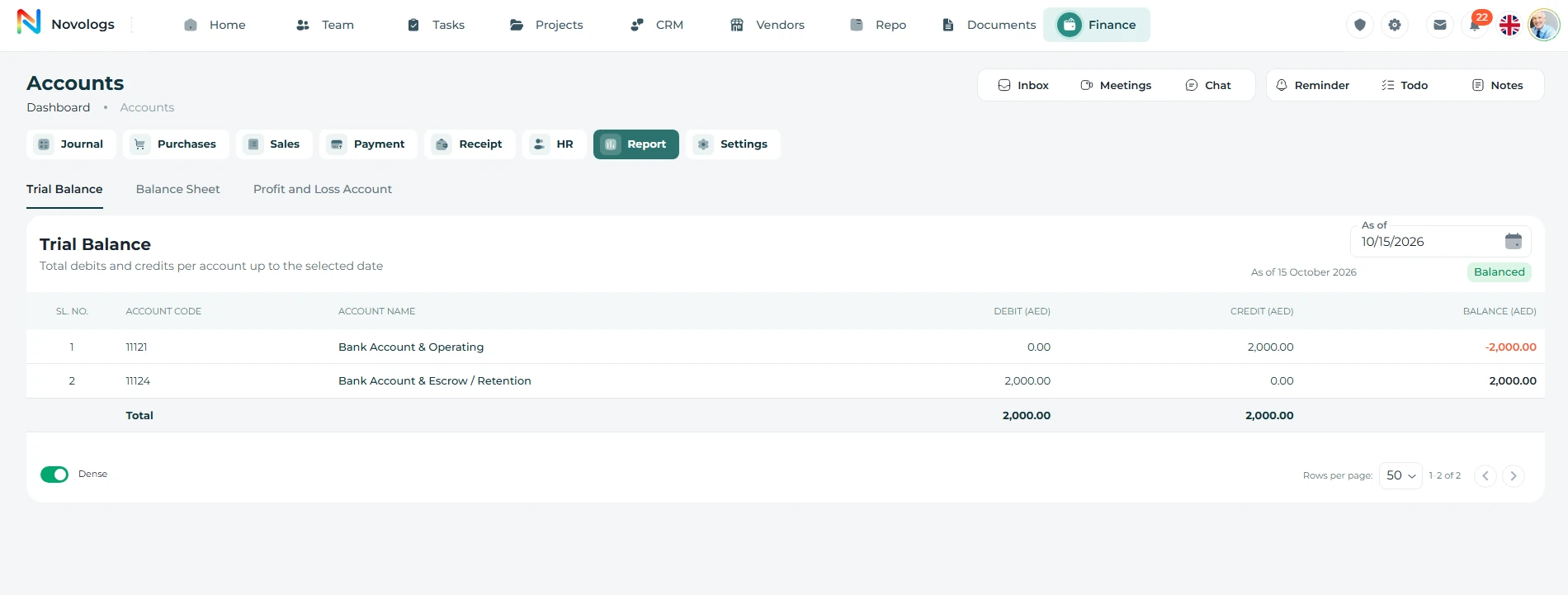 View screenshot
HR administration
Keep people and administration connected.
Maintain employee-related administrative information within the ERP environment. Align the available HR records with the employee profiles, teams and organizational structure managed elsewhere in Lijix.
- Employee records
Maintain relevant workforce administration information.
- Organizational context
Keep employee records aligned with team structure.
- Administrative visibility
Review supported employee-related records in one place.
- Connected information
Reduce repeated handling of the same employee details.
HR attendance register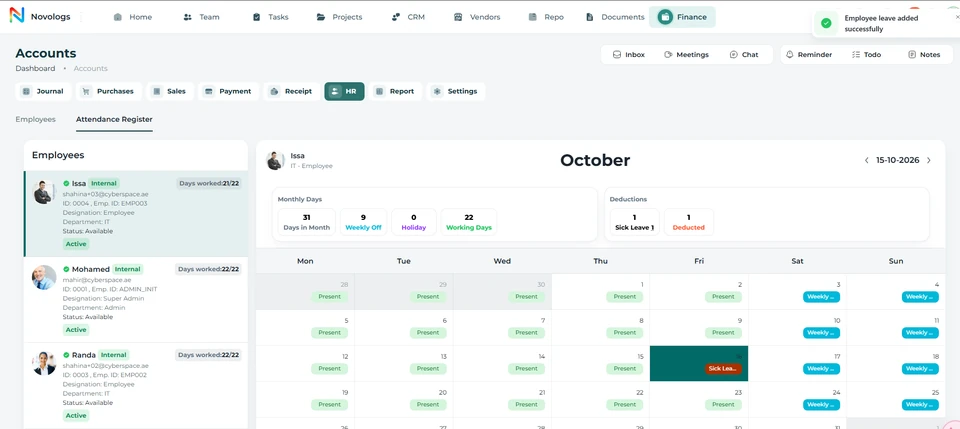 View screenshot
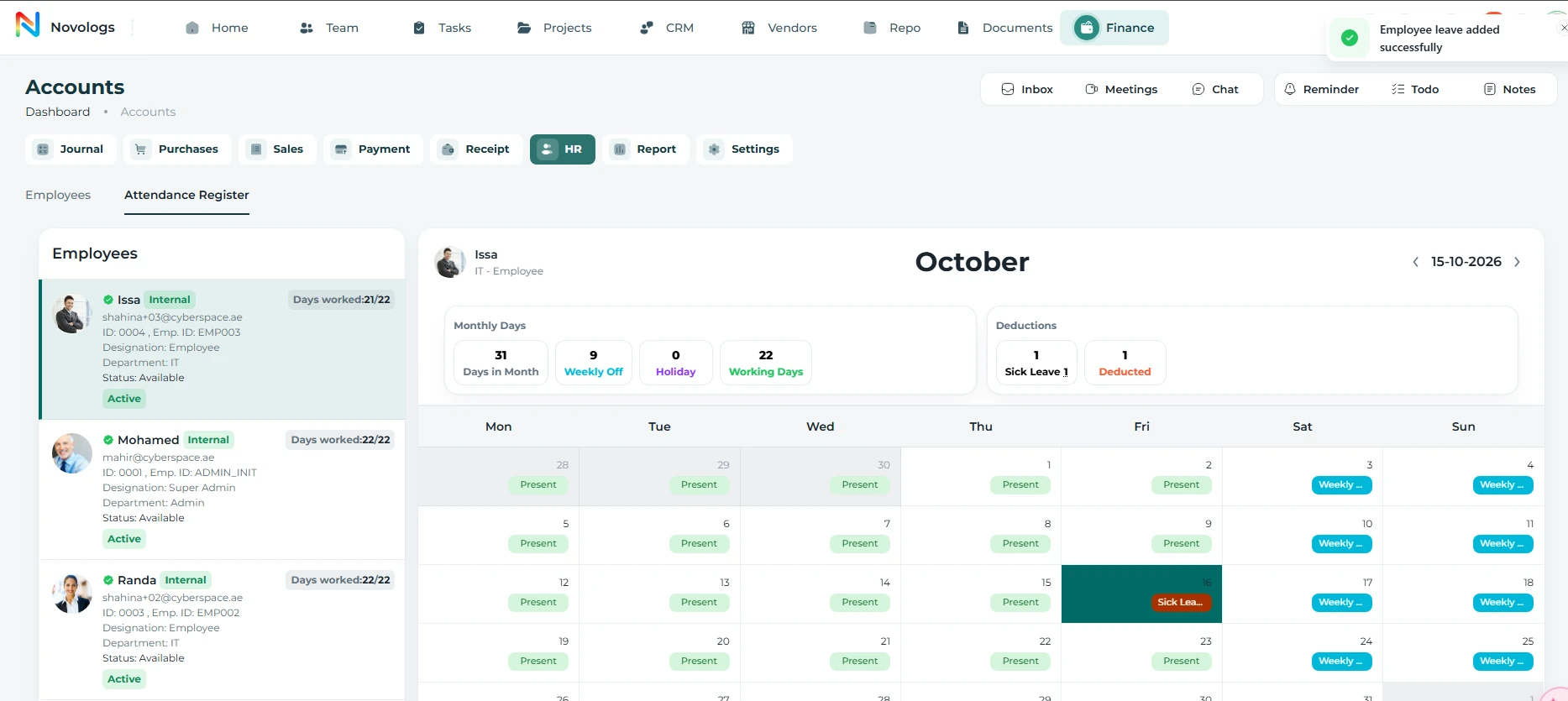 View screenshot
ERP configuration
Adapt the environment to your business structure.
Authorized administrators manage supported financial and operational settings. Maintain the configuration relevant to your accounts, transaction processes and administrative preferences.
- Financial setup
Manage supported parameters for accounting processes.
- Transaction configuration
Maintain the available options for business records.
- Document presentation
Configure supported invoice presentation options.
- Authorized changes
Keep administrative settings within assigned access.
Invoice template settings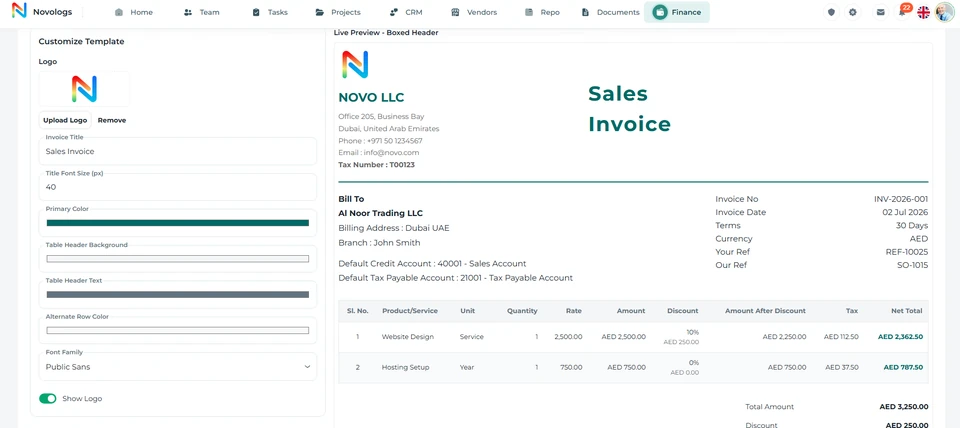 View screenshot
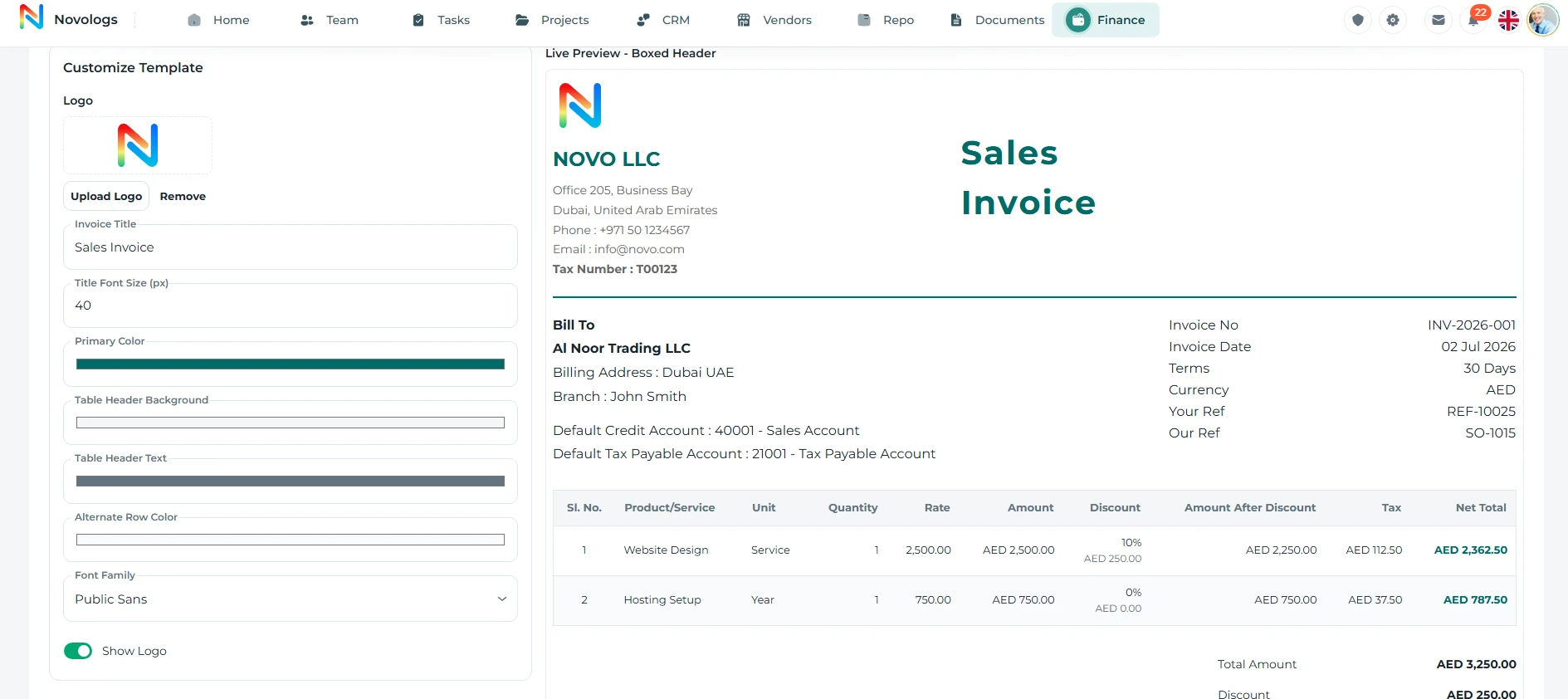 View screenshot
FROM INFORMATION TO ACTION
From a business transaction to an organized record.
Keep financial movements, business parties and supporting context connected.
- 01
Set the structure
Configure the supported accounts and administrative options.
- 02
Record the transaction
Maintain the relevant customer, supplier and transaction details.
- 03
Manage the movement
Organize associated receipts, payments and adjustments.
- 04
Review the records
Use the ledger and available accounting reports to review recorded activity.
A FEW USEFUL DETAILS
Working with
Finance & ERP.
Understand how financial transactions and enterprise administration connect.
How does Finance relate to CRM and Vendors?
CRM and vendor records provide relationship context. Finance maintains the associated customer and supplier financial transactions, including invoices, purchases, receipts and payments.
Are sales and purchase returns included?
The Finance & ERP content includes recording sales returns and purchase returns with references to the corresponding business transactions. Available actions follow your workspace configuration.
What employee administration is included?
The ERP environment supports employee-related administrative records alongside the wider team and organizational information. The available HR functions depend on the workspace.
Who manages financial settings?
Authorized administrators manage supported settings for the organization’s financial and operational requirements. Account access and enabled actions determine the available controls.
ONE CONNECTED PLATFORM
Explore the rest
of your workspace.
Follow the people, work, information, and business relationships connected to this module.

Contact
Let’s Connect
Your Business
Your Business
Phone number
+971 4 235 0900
Office Address
City Avenue BuildingDubai, UAE
Business Hours
Monday to Friday: 9:00 AM to 6:00 PMSunday: Closed