
E-mail address
[email protected]
WORKFORCE & ACCESS CONTROL
People, permissions,and performance.
Bring your organization into one connected working environment.
Invite employees, define departments and designations, manage role permissions, and review work performance and recorded hours. Lijix brings workforce administration, timesheets, and 100 GB of storage per user into the same business workspace.
Email invitationsRole-based permissions100 GB per user
Employee directory
People, roles and departments.
| Employee | Designation | Department | Availability | Profile |
|---|---|---|---|---|
| LJ001Ahmed Hassan[email protected] | DesignationProject manager | DepartmentOperations | AvailabilityAvailable | |
| LJ002Sara Ali[email protected] | DesignationAccount executive | DepartmentSales | AvailabilityAvailable | |
| LJ003Maya Patel[email protected] | DesignationAccountant | DepartmentFinance | AvailabilityAvailable | |
| LJ004Omar Aziz[email protected] | DesignationOperations coordinator | DepartmentOperations | Availability— |
No employees match your filters.
Try another name or reset the filters.
Ahmed Hassan
[email protected]- Employee ID
- LJ001
- Designation
- Project manager
- Department
- Operations
- Account status
- Active
- Availability
- Available
- Reports to
- Department head
- User type
- Internal user
- Email status
- Email confirmed
Sara Ali
[email protected]- Employee ID
- LJ002
- Designation
- Account executive
- Department
- Sales
- Account status
- Active
- Availability
- Available
- Reports to
- Sales manager
- User type
- Internal user
- Email status
- Email confirmed
Maya Patel
[email protected]- Employee ID
- LJ003
- Designation
- Accountant
- Department
- Finance
- Account status
- Active
- Availability
- Available
- Reports to
- Finance manager
- User type
- Internal user
- Email status
- Email confirmed
Omar Aziz
[email protected]- Employee ID
- LJ004
- Designation
- Operations coordinator
- Department
- Operations
- Account status
- Inactive
- Availability
- —
- Reports to
- Department head
- User type
- Internal user
- Email status
- Email confirmed
Find people. Know their role.Illustrative workspace · Lijix
EXPLORE THE CAPABILITIES
The structure behind your workforce.
Bring your organization into one connected working environment. Explore the capabilities and the business information they bring together.
Employee records
Bring people into your working environment.
Invite employees by email, associate them with your organization, and maintain their professional details. Keep active accounts aligned with the people who need access to your workspace.
- Email invitations
Bring team members into the organization’s workspace.
- Employee profiles
Maintain department, designation, and responsibility details.
- Account status
Deactivate users when access is no longer required.
- Connected participation
Associate employees with relevant work and business activities.
Email invitationsRole-based permissions100 GB per user
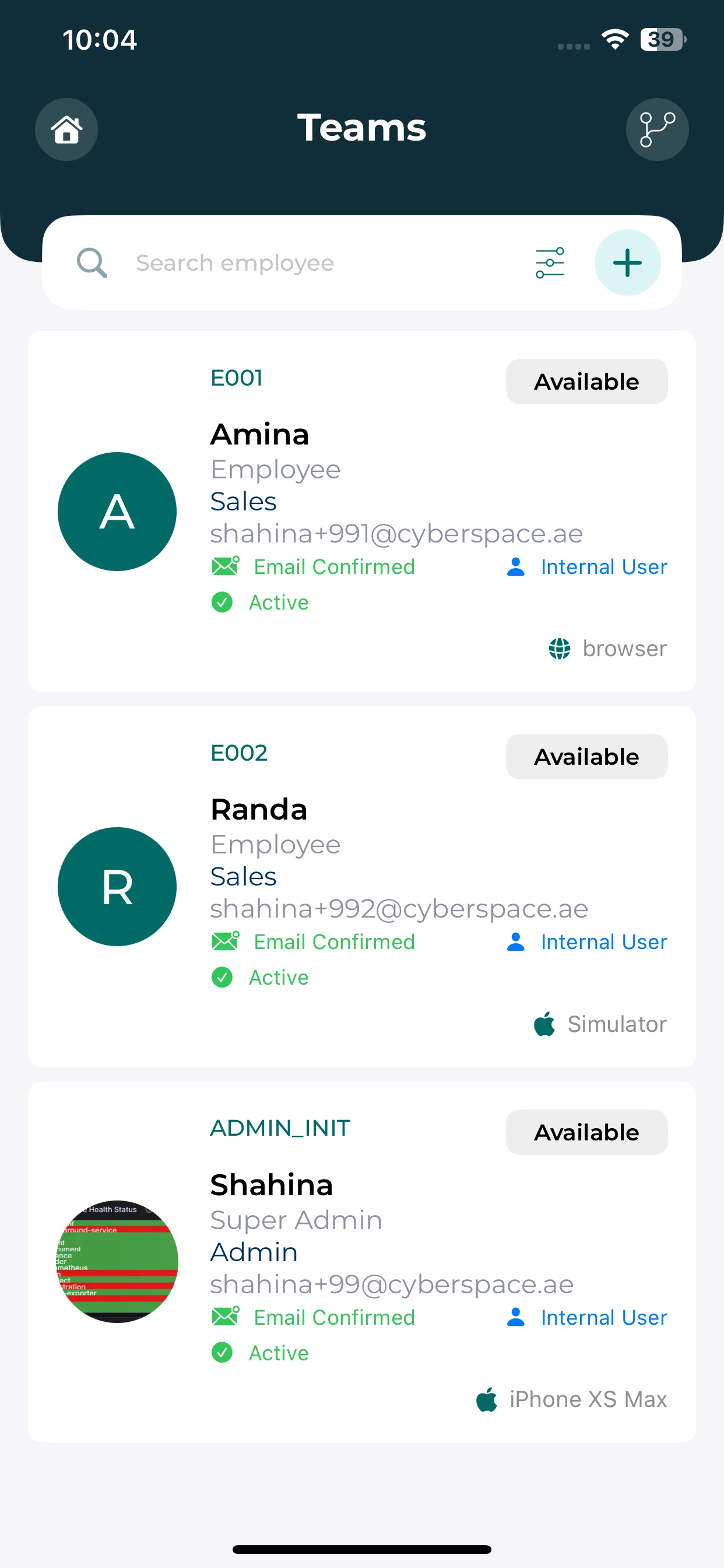
Employee records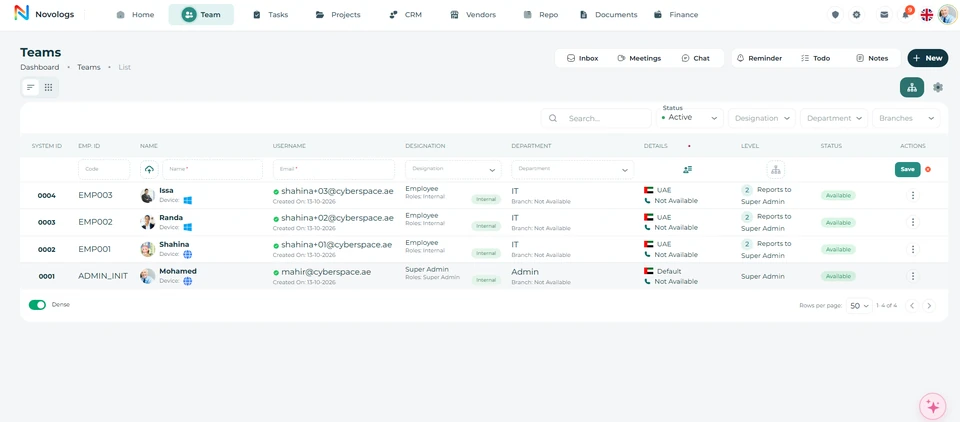 View screenshot
 View screenshot
MOBILE / Employee records
Your people, within reach.
Find employee details and understand who you work with from your phone.
Employee directory
Review employee cards and the details shown for each colleague.
Quick search
Use the directory search to find the person you need.
Roles and availability
See the role, department and availability recorded on a profile.
Organization
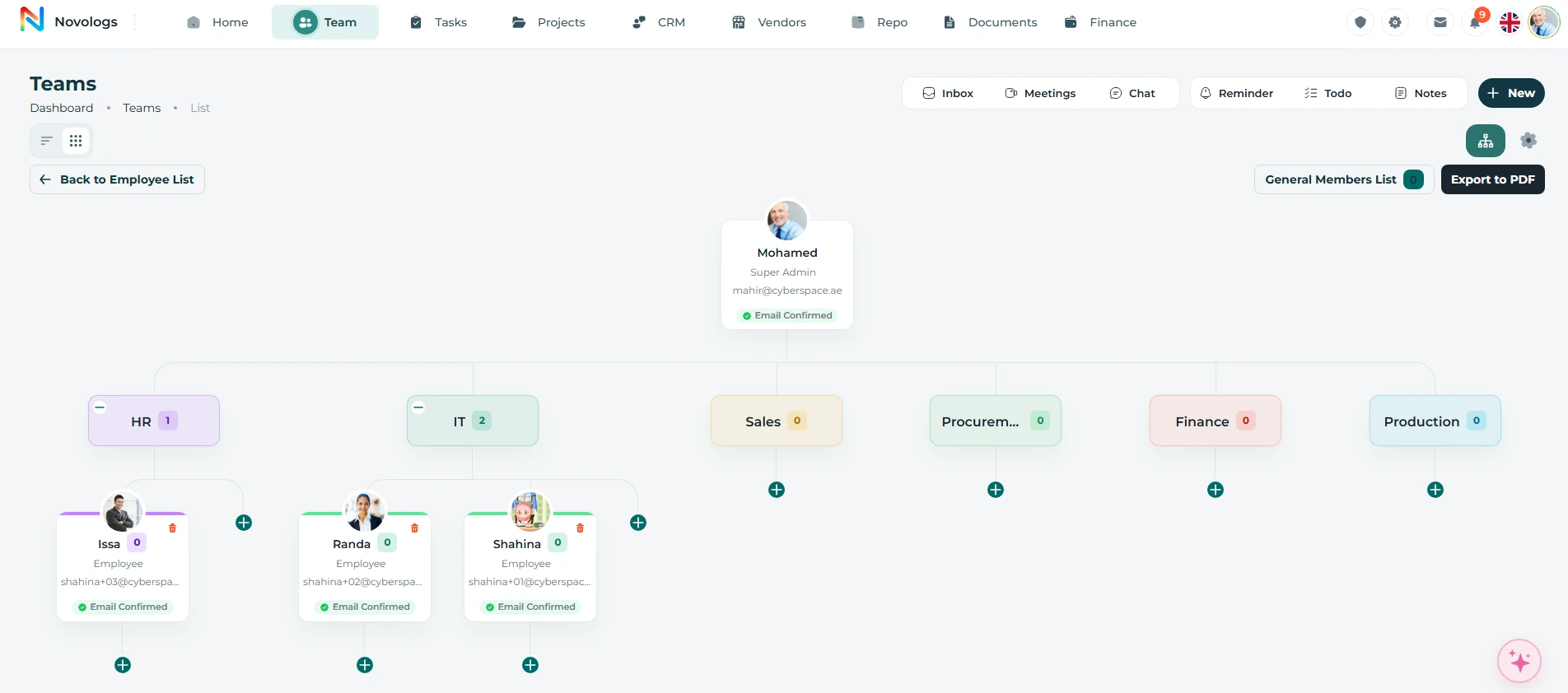
Build and manage your organizational structure.
Create departments, divisions, sections, reporting lines, and visual hierarchy structures with clear ownership across the organization.
- Departments
Create departments and sub-departments
- Hierarchy Levels
Define organization hierarchy levels
- Reporting Lines
Manage reporting relationships
- Org Charts
Create visual organizational charts
- Divisions & Sections
Define division and section structure
- Managers
Set department heads and managers
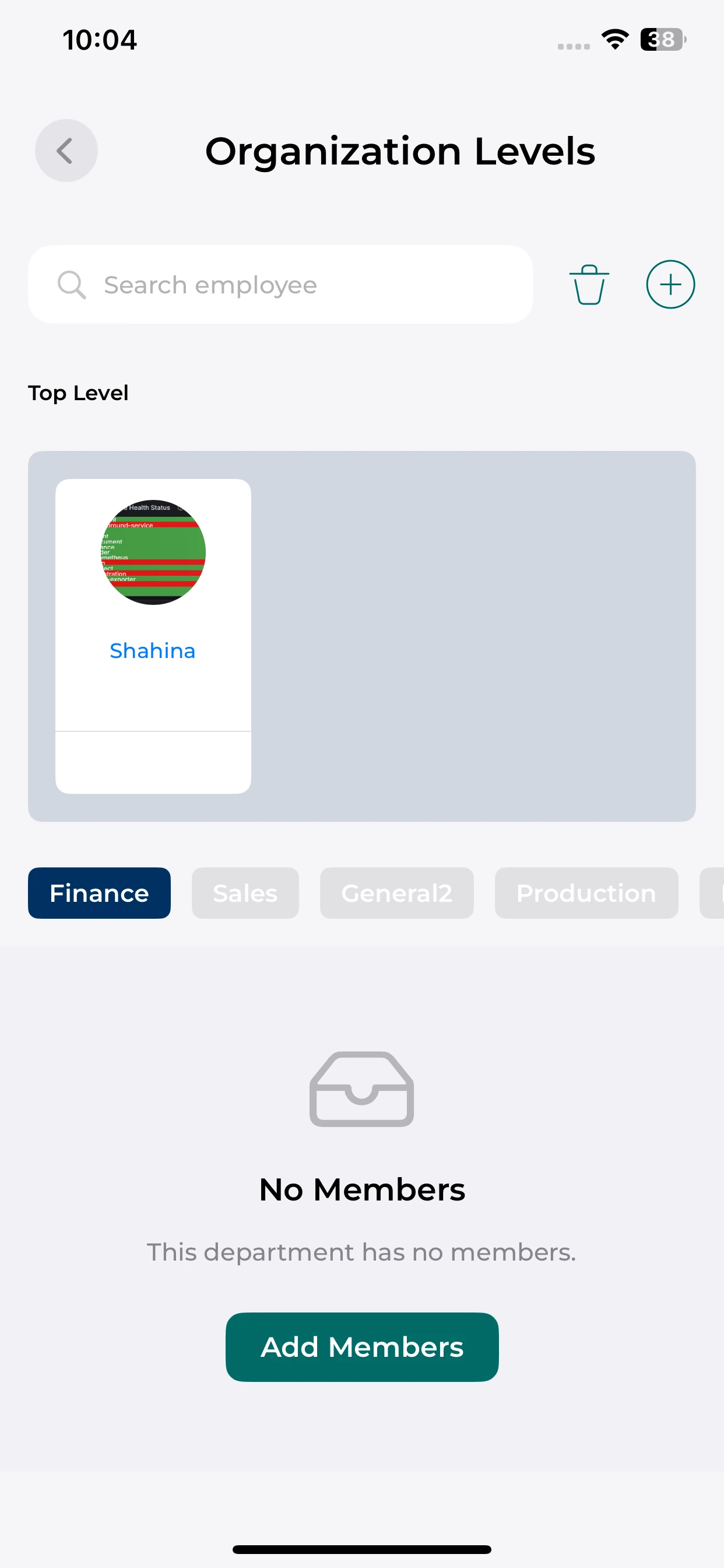
Organization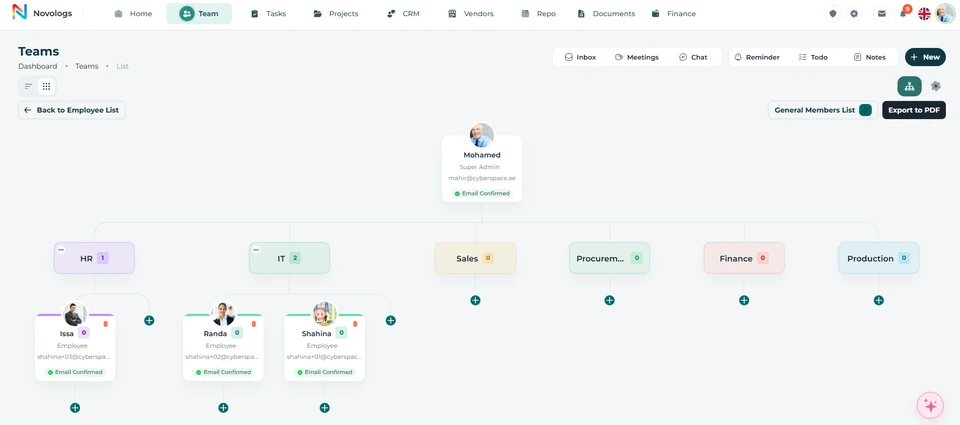 View screenshot
 View screenshot
MOBILE / Organization
Keep your organization in view.
Open organization levels and explore the department context available on mobile.
Organization levels
See the top-level employee and organization navigation.
Department context
Move between department views to inspect the recorded structure.
Employee search
Use search when locating people in the organization view.
Roles & access
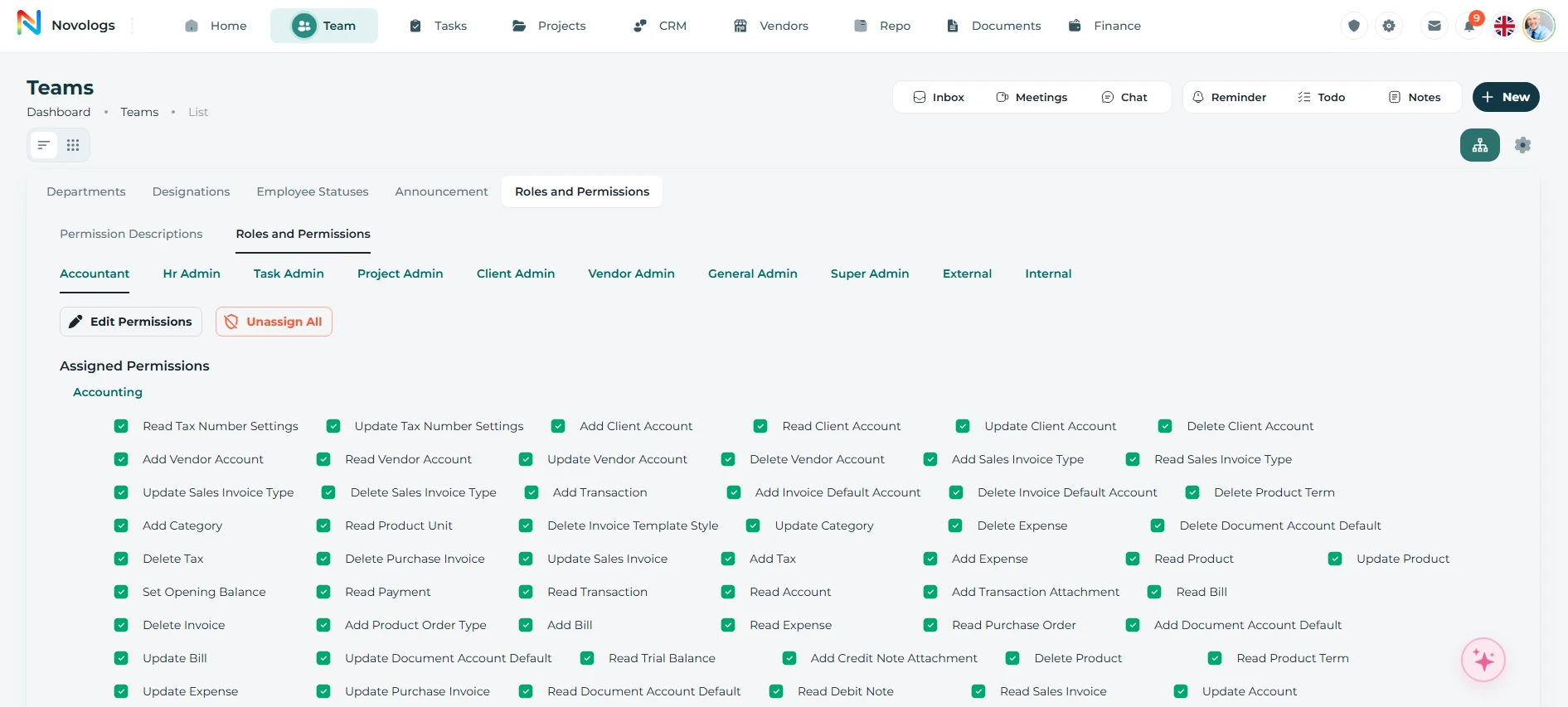
Secure role-based access across your organization.
Define permissions around responsibilities, departments, and assigned access levels. Give employees the information they need for their role while keeping sensitive business records within their intended audience.
- Custom Roles
Create user roles and permission groups
- Department Access
Restrict access by department or section
- Action Permissions
View, edit, create, and delete control
- Feature Access
Control module and feature visibility
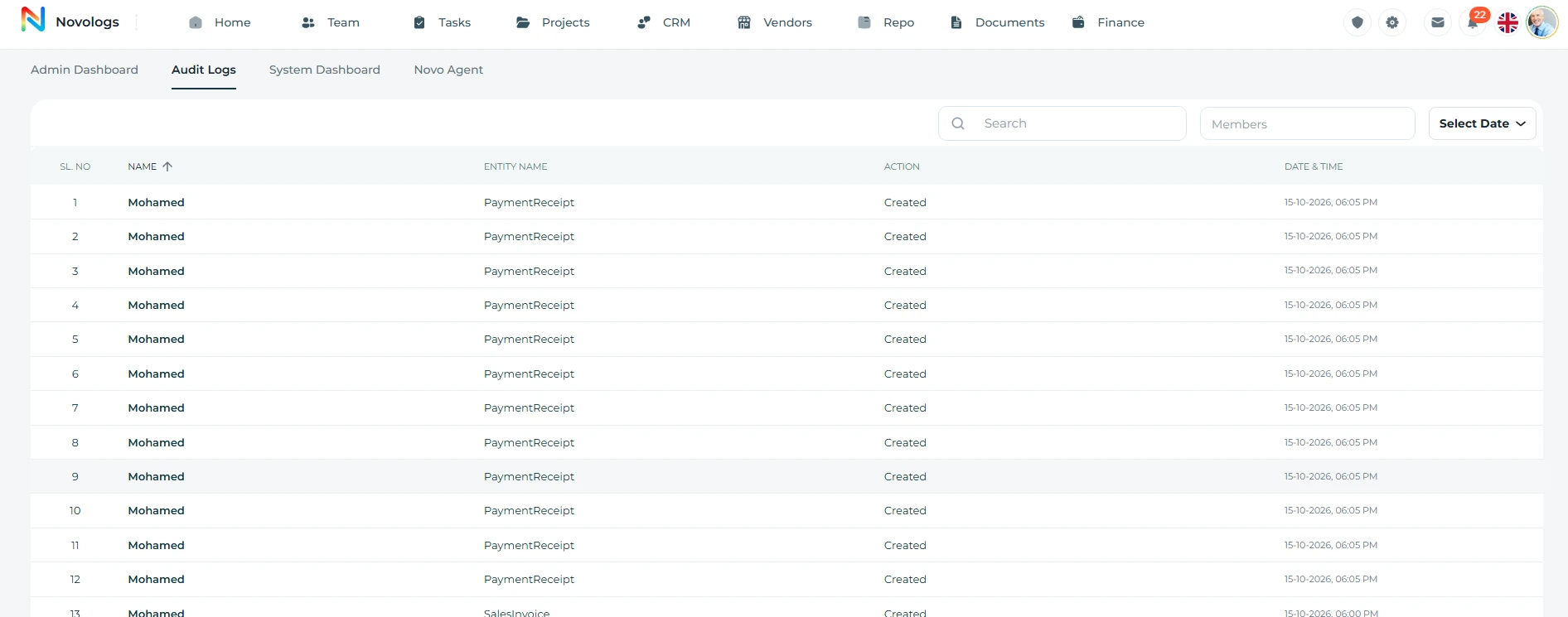
- Activity Logs
Track user activity and access changes
- Admin Control
Centralized web-based permission setup
WEB & MOBILE
On mobile: Users only see what they are allowed to access; Mobile modules respect assigned permissions; Access and activity remain traceable.
Roles & access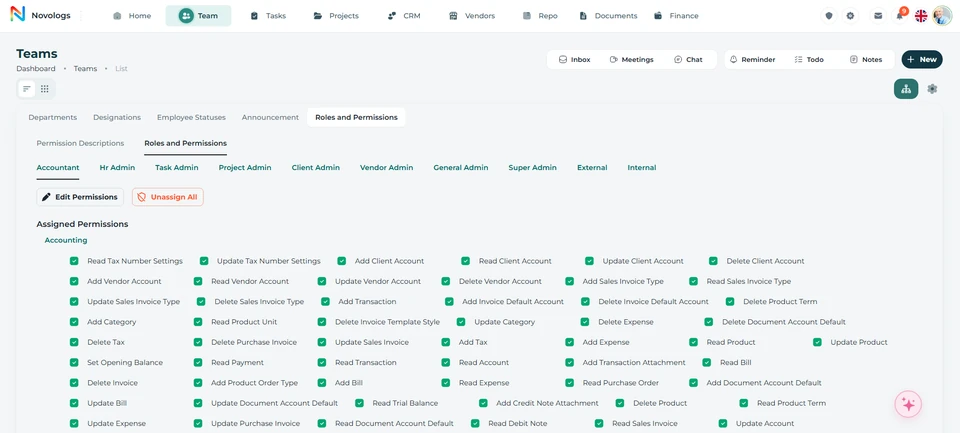 View screenshot
 View screenshot
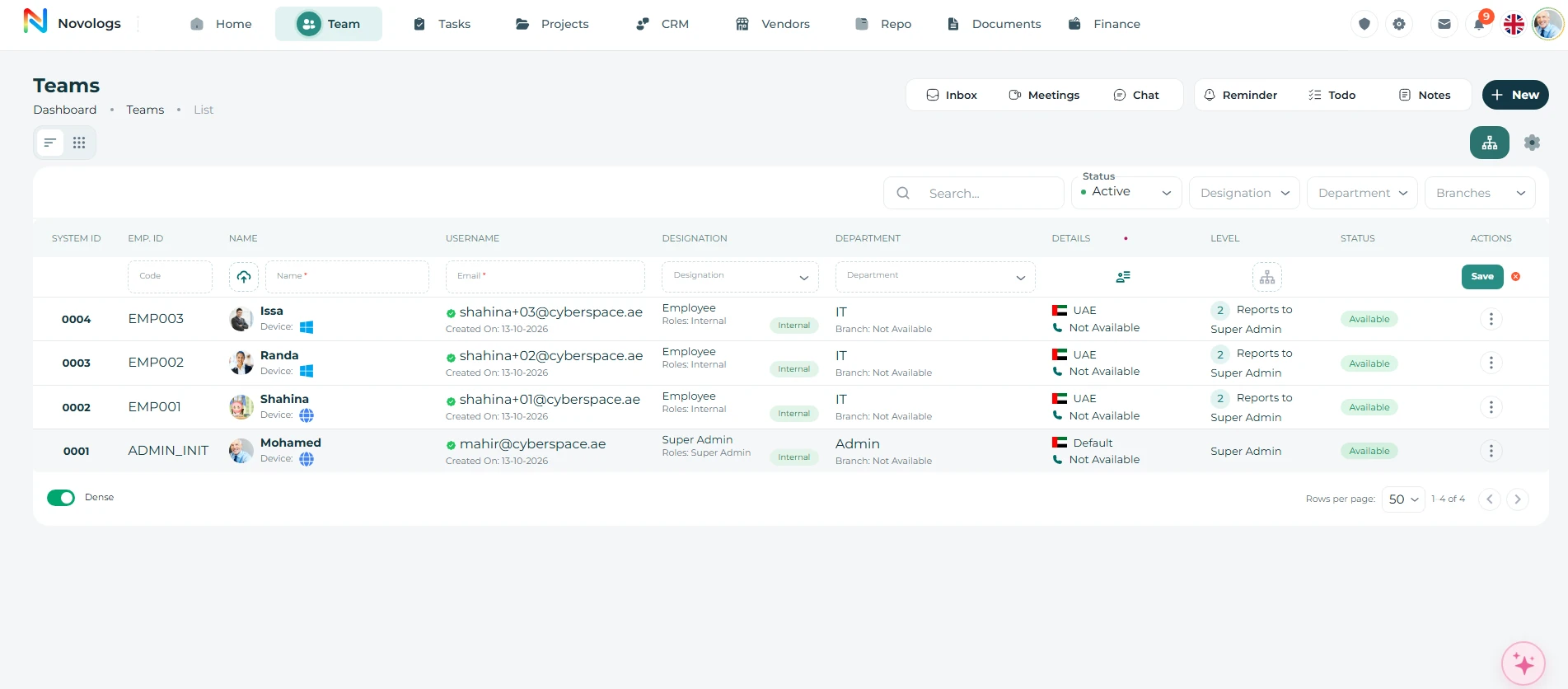
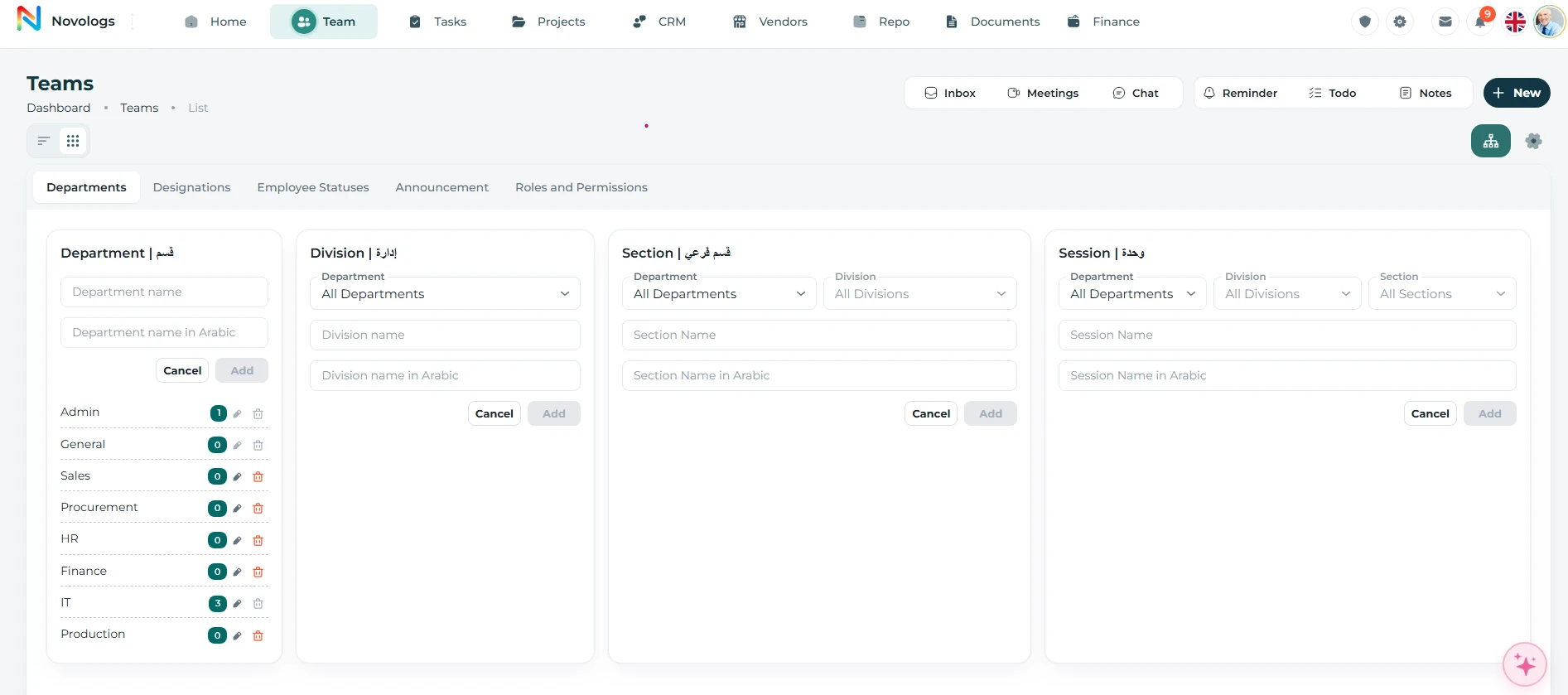
Teams & departments
Structure teams, departments, and organization hierarchy with clarity.
Organize employees into departments, divisions, sections, designations, and working groups with centralized workforce visibility.
- Departments
Manage departments and divisions
- Team Grouping
Organize employees into teams
- Designations
Manage titles and employee status
- Multi-level Hierarchy
Support sections and reporting layers
WEB & MOBILE
On mobile: View assigned departments clearly; Understand reporting layers and structure; Department updates stay aligned everywhere.
Teams & departments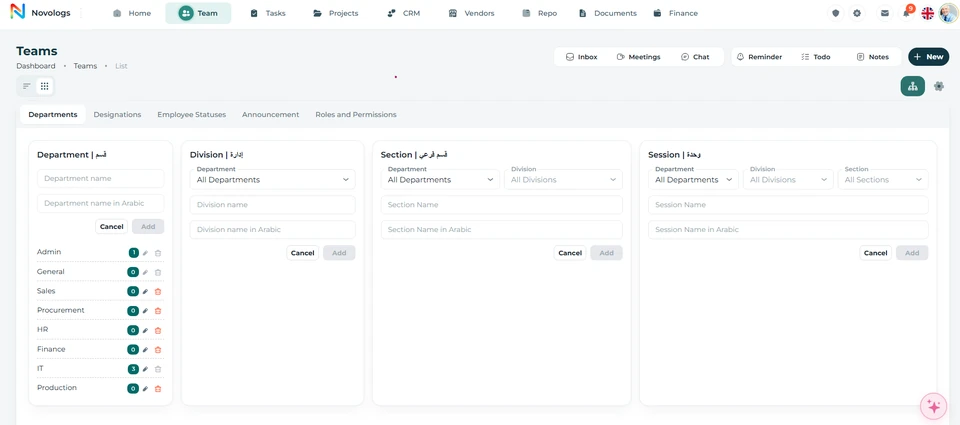 View screenshot
 View screenshot
100 GB storage
Room for each person’s business information.
Each Lijix user has 100 GB of storage for work documents, images, videos, and supporting files. Keep those resources connected to the employee’s daily operational activities.
- 100 GB per user
Dedicated capacity for each person’s business information.
- Work documents
Organize reports, agreements, and business records.
- Supporting media
Maintain relevant images and videos.
- Shared activity
Connect accessible information with work and colleagues.
Your business storagePer-user allocation
100 GBDedicated storage per user
Business documentsReports, contracts, and correspondenceDocuments
Images & videoWork references and supporting evidenceMedia
Project filesShared business recordsCollaboration
Illustrative workspace · The documented per-user storage allocation
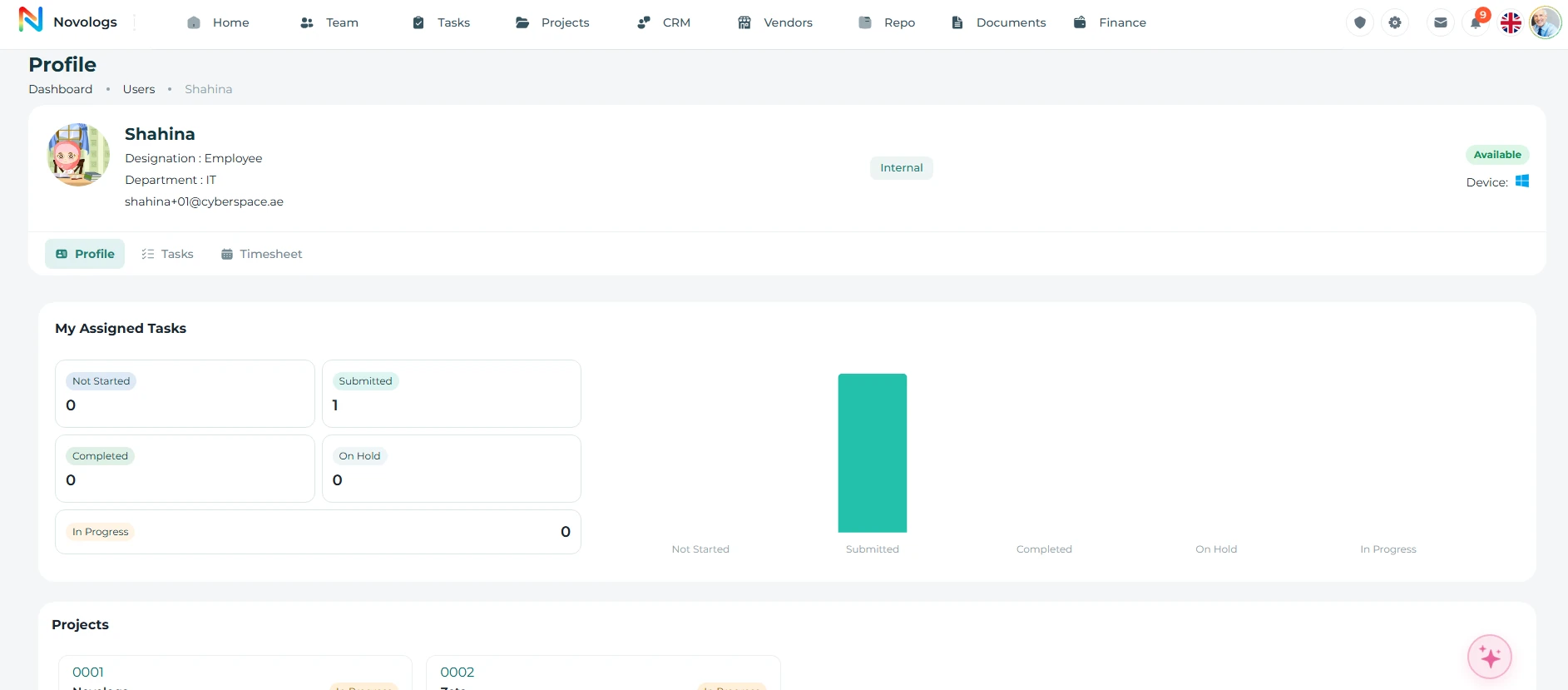
Performance
Understand responsibilities, activity, and recorded time.
Review assigned work, completed activities, pending assignments, overdue tasks, and recorded working hours. Use operational reports to understand workload distribution and resource utilization.
- Assigned work
See the activities each employee is responsible for.
- Completion & delays
Review completed, pending, and overdue assignments.
- Recorded hours
Connect employee activity with timesheet information.
- Resource utilization
Use reports to support allocation and management reviews.
WEB & MOBILE
On mobile: Track workforce activity and changes; Review access and activity history; Updates stay aligned across web and mobile.
Performance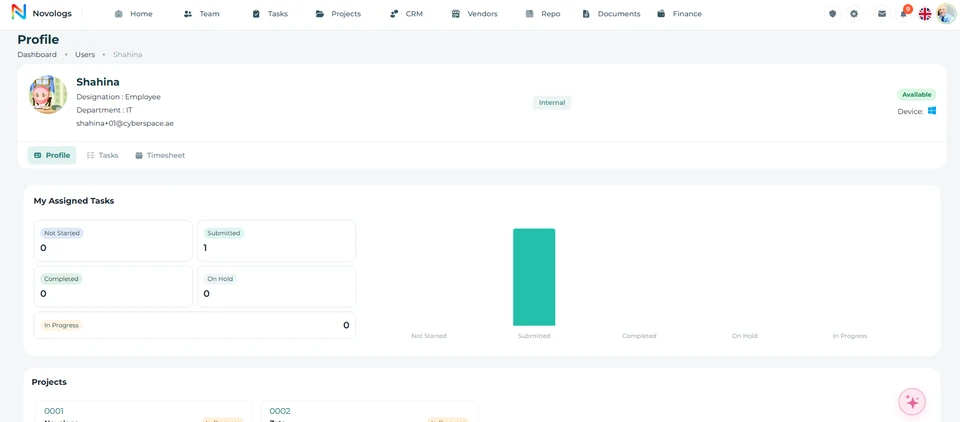 View screenshot
 View screenshot
Administration
Keep administration in the right hands.
Authorized administrators manage organizational settings and employee access. Update departments, designations, permissions, and user status as your business changes.
- Organization settings
Manage departments, employee classifications, and administrative access.
- Permission control
Keep configuration with authorized administrators.
- Employee status
Maintain an accurate list of active users.
- Web administration
Configure the working environment through the web platform.
WEB & MOBILE
Employees use the features available to their role on supported devices. Organization configuration and access administration are managed through the web environment.
Administration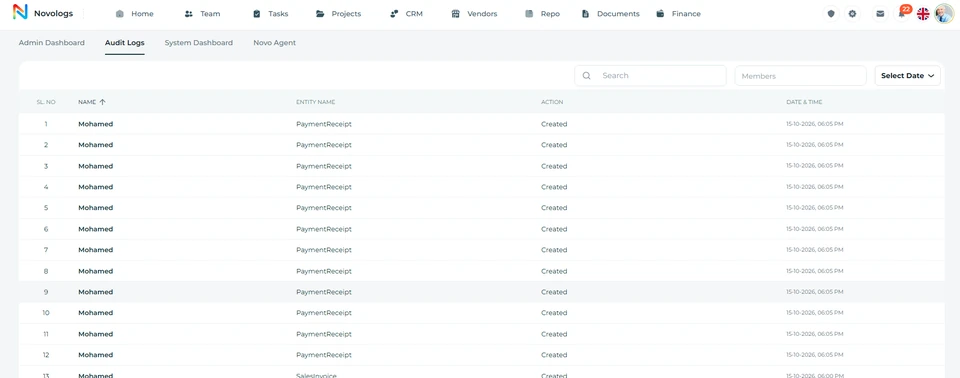 View screenshot
 View screenshot
FROM INFORMATION TO ACTION
From onboarding to workforce visibility.
Bring the right information, people, and next actions together in one connected business environment.
- 01
Invite employees
Associate employees with your organization through email invitations.
- 02
Organize responsibilities
Allocate departments, designations, and relevant work.
- 03
Define access
Configure permissions and maintain active user accounts.
- 04
Review activity
Use assigned work, performance reports, and timesheets to understand activity.
A FEW USEFUL DETAILS
Working with
your team.
Practical details about your team and the connected working environment.
How are employees added?
Administrators can add team members through email invitations and associate them with the organization’s workspace.
Can access be restricted by role?
Yes. Lijix permissions follow organizational responsibilities, departments, or assigned access levels.
What storage does each employee have?
Lijix provides 100 GB of storage per user for business documents, supporting files, images, and videos.
Where are working hours recorded?
Employee timesheets record hours associated with tasks, projects, and operational activities. The Worklog & Timesheets page explains that workflow.
ONE CONNECTED PLATFORM
Explore the rest
of your workspace.
Follow the people, work, information, and business relationships connected to this module.

Contact
Let’s Connect
Your Business
Your Business
Phone number
+971 4 235 0900
Office Address
City Avenue BuildingDubai, UAE
Business Hours
Monday to Friday: 9:00 AM to 6:00 PMSunday: Closed