
E-mail address
[email protected]
PROJECT WORKSPACE
From project planningto a clear handover.
People, schedules, decisions, and delivery in one workspace.
Plan objectives and schedules, assign tasks, manage dependencies and milestones, connect meetings and files, monitor risks, and prepare project reports. Lijix supports the full project lifecycle with a central overview and AI assistance based on available information.
Gantt charts & dependenciesMilestones & risksConnected meetings & files
Project overview
Purpose, people and delivery.
PR001Created
Customer portal
Bring customer requests and account information into one clear portal.
- Department
- Operations
- Client
- Atlas Retail
- Goal
- Improve efficiency
- Initiative
- Performance improvement
CreatorSara Ali
OwnerAhmed Hassan
Team3 members
- Ahmed Hassan
- Sara Ali
- Maya Patel
Start date
Delivery date
Project tasks
Customer portal
- PT001Prepare portal briefSara Ali
- PT002Review access requirementsAhmed Hassan
- PT003Review delivery budgetMaya Patel
PR002Created
Client onboarding
Prepare the welcome materials and account setup for a new client.
- Department
- Sales
- Client
- Cedar Services
- Goal
- Improve quality
- Initiative
- Customer experience
CreatorMaya Patel
OwnerSara Ali
Team2 members
- Sara Ali
- Maya Patel
Start date
Delivery date
Project tasks
Client onboarding
- PT004Prepare welcome packSara Ali
- PT005Confirm billing detailsMaya Patel
PR003Archived
Office handover
Keep the handover checklist and final workplace records together.
- Department
- Operations
- Client
- Northstar Group
- Goal
- Organize delivery
- Initiative
- Workplace improvement
CreatorOmar Aziz
OwnerAhmed Hassan
Team2 members
- Ahmed Hassan
- Omar Aziz
Start date
Delivery date
Project tasks
Office handover
- PT006Complete handover checklistAhmed Hassan
- PT007Archive handover notesOmar Aziz
No projects match your filters.
Try another project or reset the filters.
People, purpose and delivery dates.Illustrative workspace · Lijix
EXPLORE THE CAPABILITIES
The full project lifecycle, connected.
People, schedules, decisions, and delivery in one workspace. Explore the capabilities and the business information they bring together.
Project overview
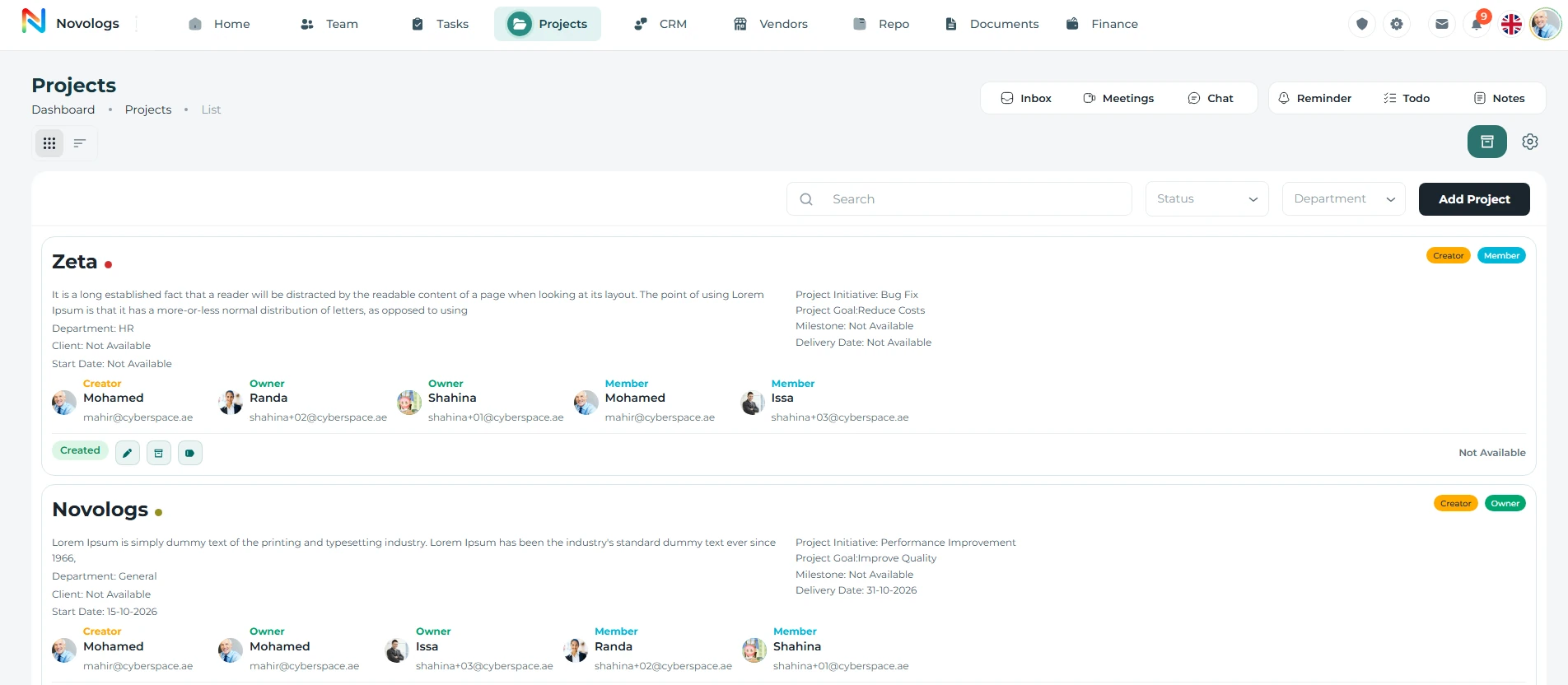
Launch projects with complete structure and visibility.
Create a central project record with its purpose, objectives, responsible people, timelines, and planned activities. Give stakeholders a shared view of current work and progress.
- Project Planning
Dates, scope, owners, and status
- Team Assignment
Stakeholders and responsibilities
- Budget & Priority
Execution control and visibility
- References & Files
Attach documents and requirements
Project overview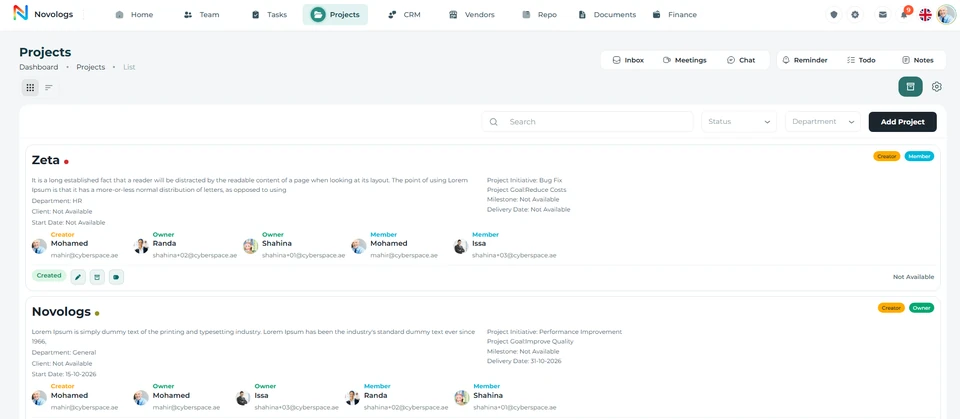 View screenshot
 View screenshot
MOBILE / Project overview
The project picture, on your phone.
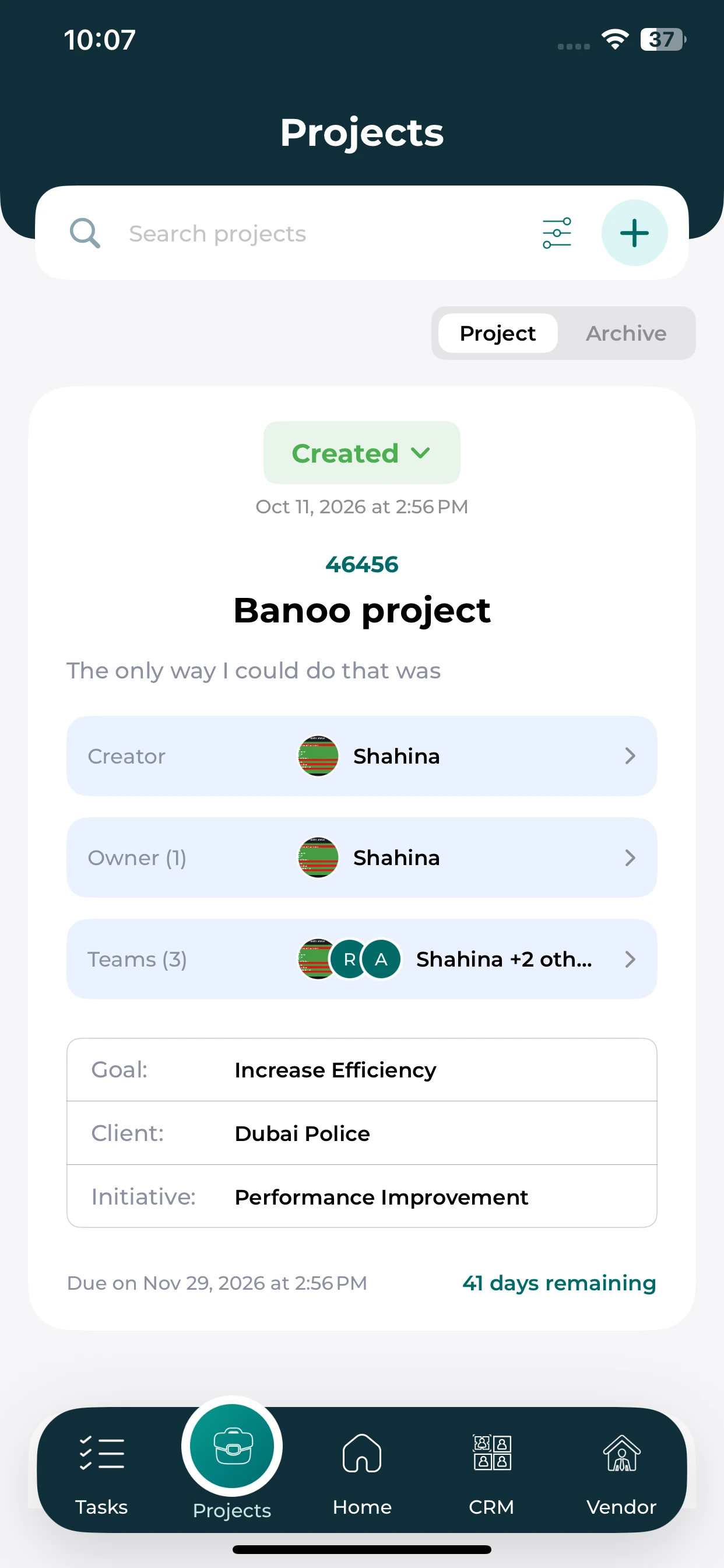
Review the people, objectives and dates recorded against a project.
Project overview
See the project name, goal and client context together.
People and ownership
Check the creator, owner and team shown on the project card.
Delivery context
Review the due date and remaining time shown for the project.
Tasks & schedules
Connect tasks, dependencies, and the project schedule.
Organize project activities with responsibilities, durations, dependencies, and Gantt charts. Review how individual tasks affect the overall schedule and where delayed work may affect delivery.
- Tasks & ownership
Assign work to responsible team members.
- Gantt charts
View project activities across the planned schedule.
- Dependencies
Understand how related tasks affect each other.
- Team contribution
Review assigned work, progress, and recorded time.
Tasks & schedules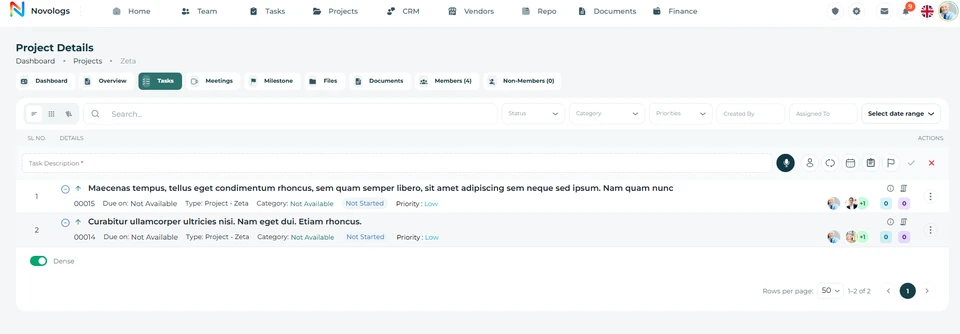 View screenshot
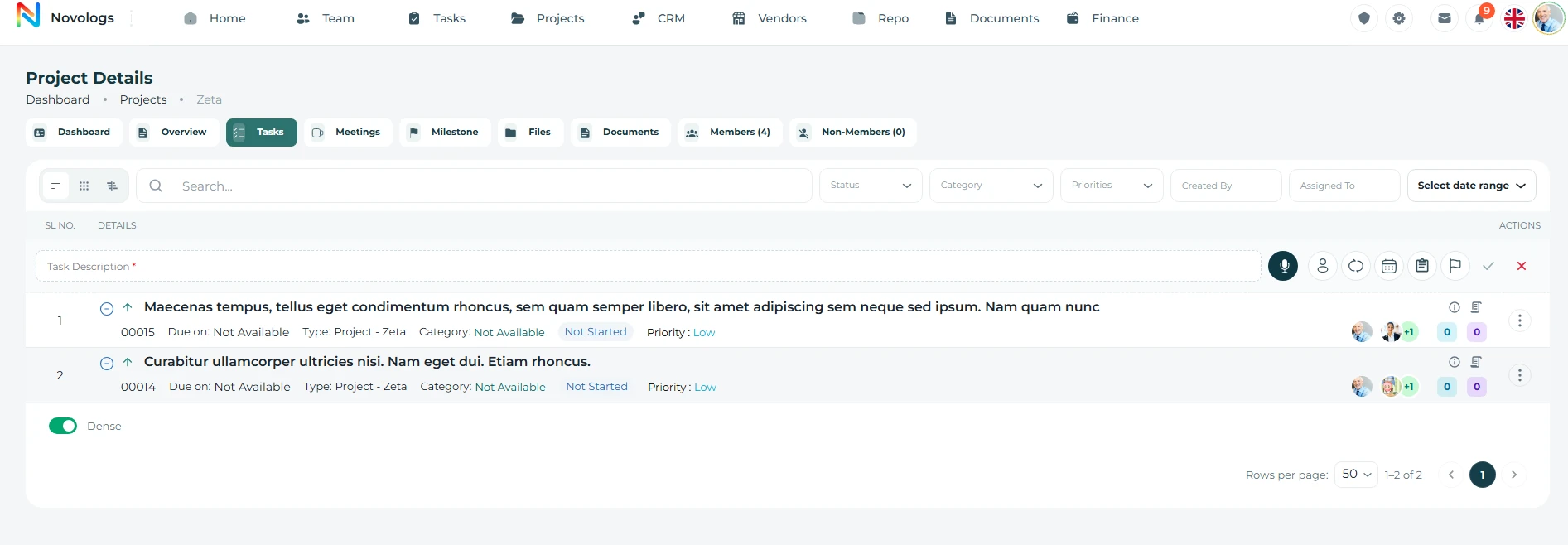 View screenshot
MOBILE / Tasks & schedules
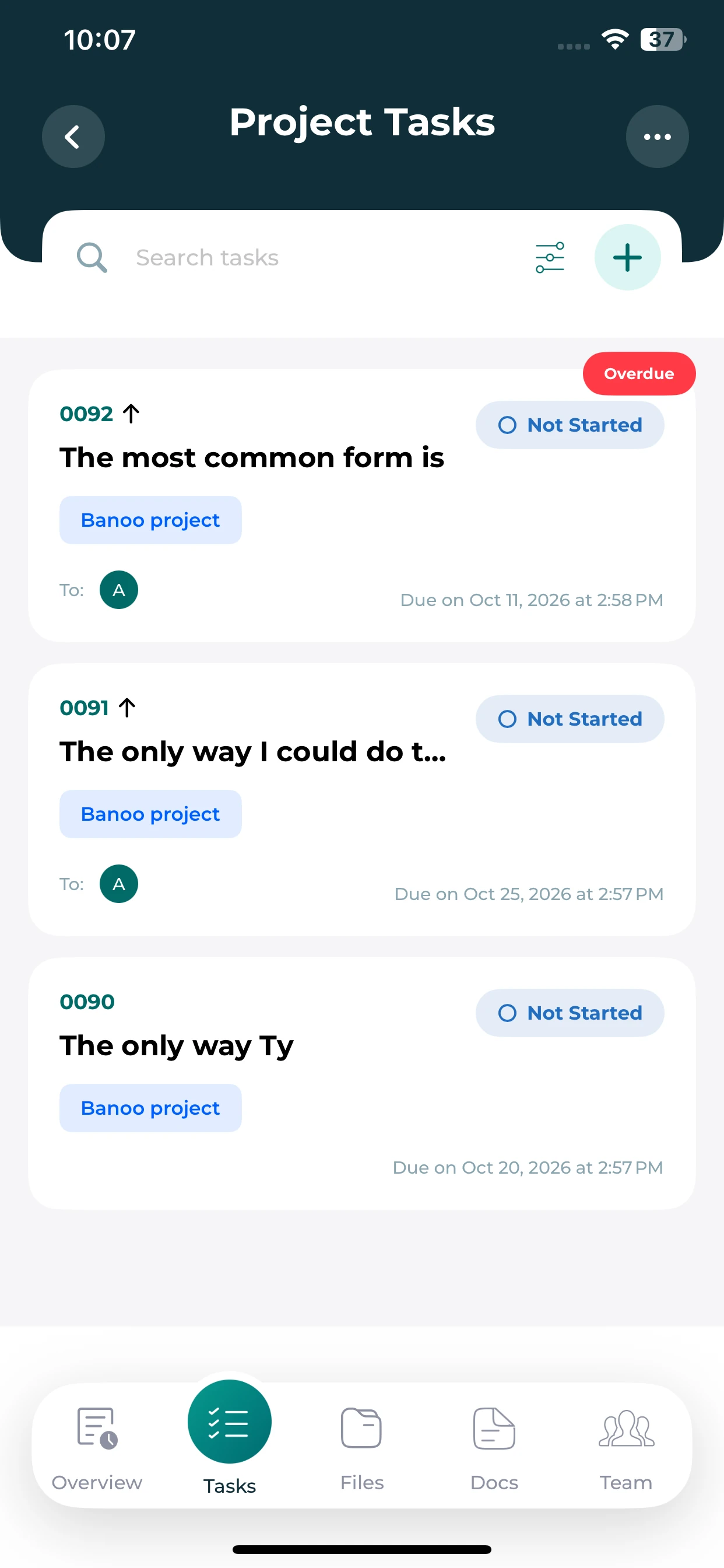
Keep project work close.
Review the tasks linked to a project without losing their project context.
Linked tasks
See tasks grouped within the selected project.
Status and ownership
Review the status and assignee shown on each task card.
Due dates
Identify upcoming dates and overdue work from the task list.
Project files
Keep every project file organized and audit-ready.
Store contracts, drawings, approvals, reports, meeting notes, references, and handover files directly inside the project workspace.
- Central Repository
All project files in one place
- Fast Uploads
Documents, images, and approvals
- File Organization
Sort by phase or document type
- Audit Evidence
Attachment history and records
WEB & MOBILE
On mobile: Add files, images, approvals, and reports instantly; Keep files structured by document type or project stage; Keep project evidence accessible for closure and review.
Business filesLijix Drive example
▱ Project filesReports & drawings▱ AgreementsContracts & approvals
Campaign brief.docxProject record · Modified todayDocument
Supplier agreement.pdfContract · Shared with your teamPDF
Site progress.jpgOperations · Supporting evidenceImage
No example files match your search.
3 example files
Illustrative workspace · A view of project files in your workspace
Milestones & meetings
Keep delivery checkpoints and decisions connected.
Track milestones such as approvals, procurement completion, testing, and handover. Maintain project discussions, meeting details, decisions, and follow-up tasks close to the work they support.
- Project milestones
Monitor significant achievements and decision points.
- Project meetings
Record discussions and coordination activities.
- Follow-up actions
Connect meeting decisions with responsible employees.
- Shared communication
Keep project participants informed in context.
Milestones & meetings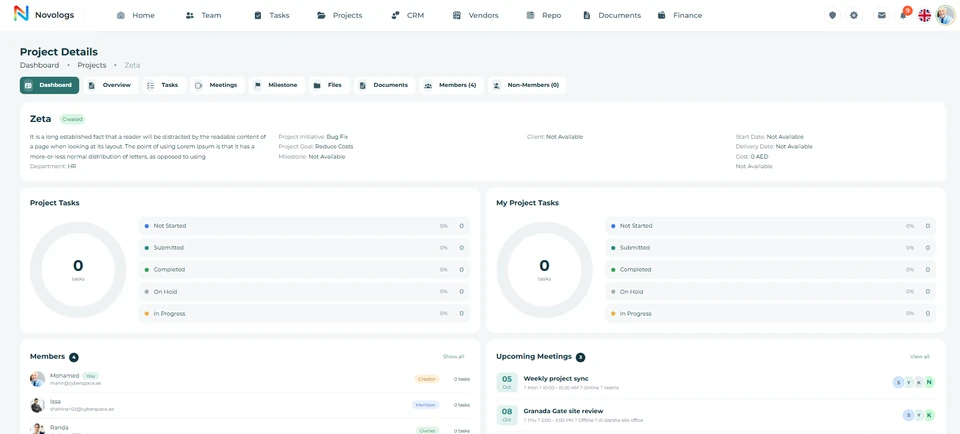 View screenshot
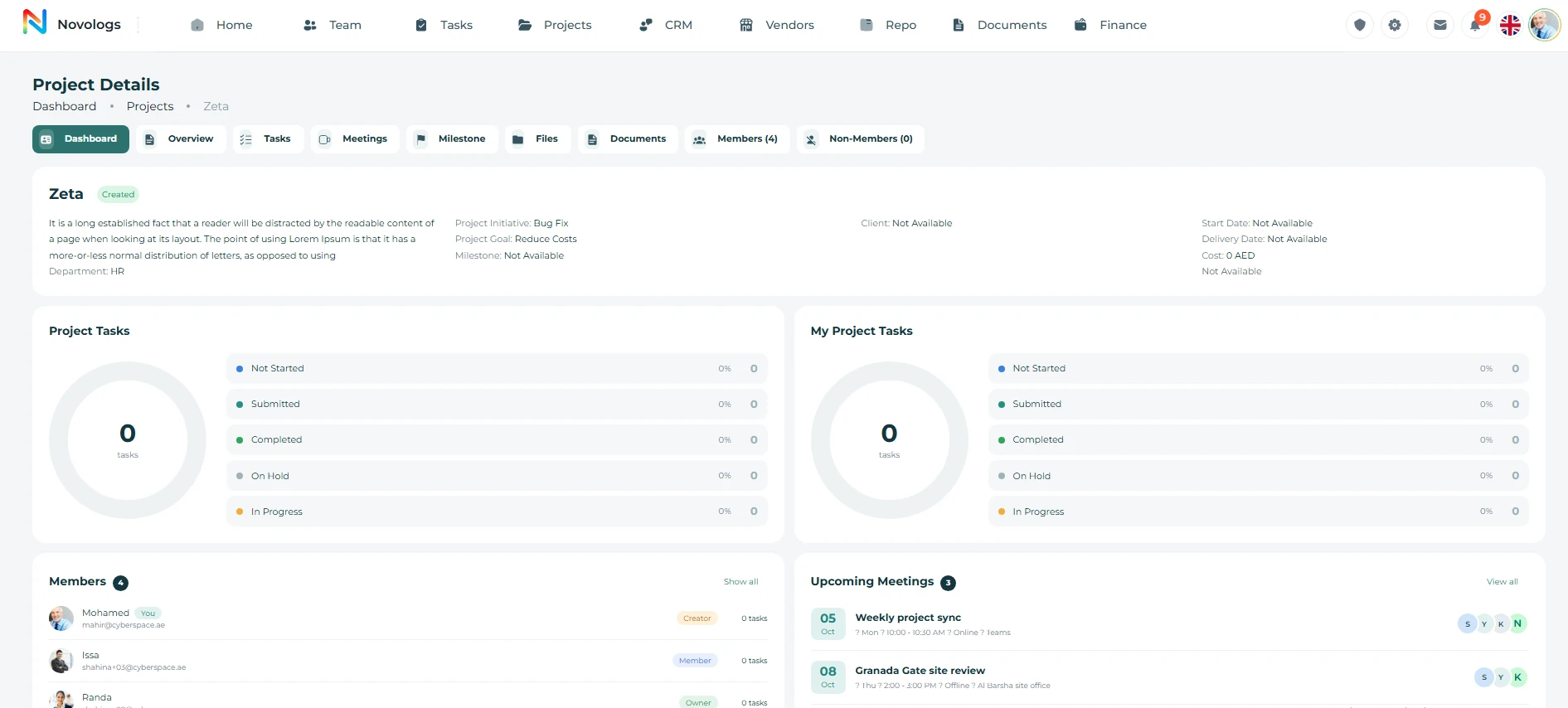 View screenshot
Risk & reporting
Identify concerns before they affect delivery.
Record project risks, review their possible impact, and maintain mitigation activities. Combine available project information into management reports that connect progress, responsibility, outstanding work, and risk.
- Recorded risks
Maintain the concerns affecting project delivery.
- Mitigation activities
Connect risk reviews with accountable follow-up work.
- Project reports
Prepare consolidated views of available project activity.
- Performance context
Review team responsibilities and recorded contributions.
Business activity overviewIllustrative report
Completed tasks8This example week
In progress2Assigned work
Recorded hours32Team activity
Mon
Tue
Wed
Thu
Fri
Sat
Sun
Management summaryProgress, open actions, and supporting contextReview
Department activityVisible to authorized managersRole-based
Illustrative workspace · Example progress and project-review information
Project closure
Document, review, and close projects with confidence.
Bring final deliverables, project documents, handover information, and completion status into a structured closure process. Keep the information needed for future reference and management review organized.
- Project Records
Central documentation and files
- Closure Checklist
Final deliverables and approvals
- Handover Notes
Lessons learned and final status
- Audit Trail
Reports, sign-offs, and history
Project handoverStructured closure
Final deliverablesProject files and document recordsReady
Handover notesResponsibilities and final decisionsRecorded
Outstanding actionsTask owners and follow-up datesReview
Project reportAvailable for management reviewPrepared
Final recordsDelivery reviewClosure status
Illustrative workspace · A view of project closure in your workspace
Settings & access
Keep project work organized and appropriately accessible.
Use structured project settings and role permissions to support the working environment. Maintain visibility of relevant responsibilities, project records, and available cost context without granting unrestricted access.
- Costing Setup
Budget, priority, and cost levels
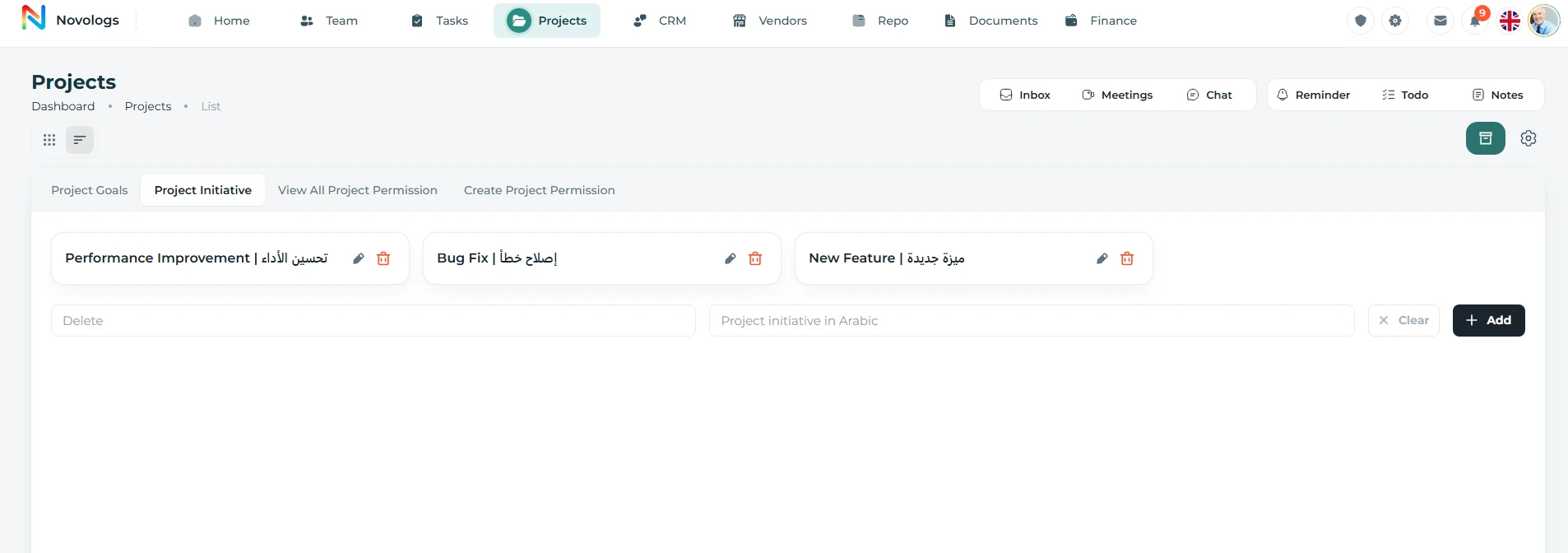
- Categories & Labels
Project grouping and classification
- Workflow Rules
Phases, statuses, and project rules
- Access Control
Role-based project permissions
Project phases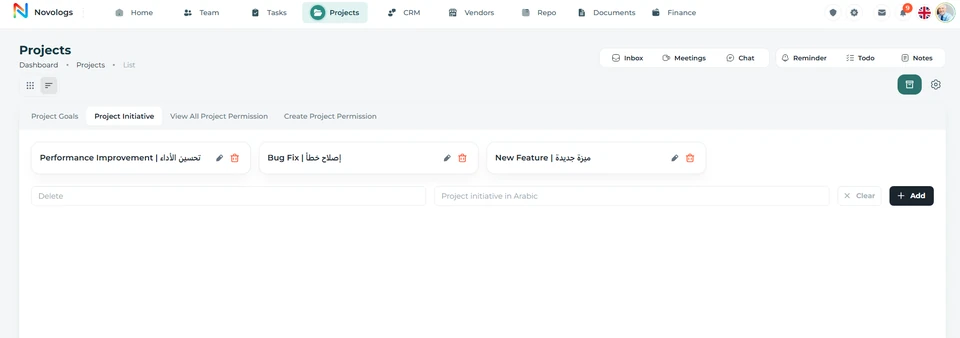 View screenshot
 View screenshot
Project AI
Ask for the project picture you need.
A project AI assistant helps review available project information. Ask about progress, pending activities, important risks, or a supported document while keeping the response grounded in accessible project records.
- Progress questions
Review recorded project status and outstanding activity.
- Risk context
Understand available concerns and related mitigation work.
- Document questions
Find details in supported, accessible project documents.
- Permission-aware help
Work within the information and actions available to the user.
Ask your workspaceIllustrative conversation
What needs attention in the Marketing project?
✦ LIJIX AI
Two tasks are in progress and the campaign brief is awaiting review. Check the approval task before the next project milestone.
ProjectsTasksLijix Drive
Campaign briefAccessible project documentIn review
Launch assetsAssigned to the marketing teamIn progress
Illustrative workspace · Illustrative questions about an accessible project
FROM INFORMATION TO ACTION
From kickoff to structured closure.
Bring the right information, people, and next actions together in one connected business environment.
- 01
Create the project
Define objectives, people, planned dates, and the project overview.
- 02
Plan the work
Organize tasks, dependencies, milestones, and supporting records.
- 03
Coordinate delivery
Review progress, meetings, risks, and team contributions.
- 04
Close with context
Keep deliverables, documentation, final status, and handover information organized.
A FEW USEFUL DETAILS
Working with
projects.
Practical details about projects and the connected working environment.
Can projects have their own tasks and documents?
Yes. Project activities, task schedules, supporting files, documents, discussions, and meeting information stay connected to the project environment.
Does Lijix support Gantt charts?
Lijix includes Gantt charts for activity durations, dependencies, and project scheduling.
How are project risks handled?
Maintain risk information and mitigation activities alongside the project’s responsibilities, milestones, and reporting.
What can project AI help with?
AI assistance can help review available progress, pending work, risks, and supported documents, subject to permissions and enabled capabilities.
ONE CONNECTED PLATFORM
Explore the rest
of your workspace.
Follow the people, work, information, and business relationships connected to this module.

Contact
Let’s Connect
Your Business
Your Business
Phone number
+971 4 235 0900
Office Address
City Avenue BuildingDubai, UAE
Business Hours
Monday to Friday: 9:00 AM to 6:00 PMSunday: Closed